
REVERFIT
HYROX® training

8Round.
Leg by leg.

Eight kilometers and eight stations with a clock that never stops. You know where your time goes, you compete with the world and you carry the race on your wrist. And now, you can find a teammate for Doubles and Relay. New: Find a teammate ↓
Data and research behind the app
HYROX®Official weight tables 26/27Tanaka et al.J Am Coll Cardiol, 2001Keytel et al.J Sports Sci, 2005GeoNamesCities and countries · CC BY 4.0
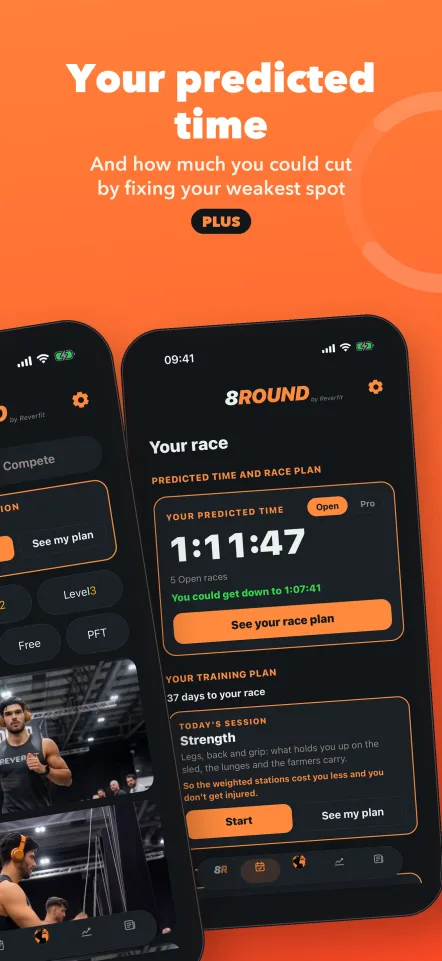
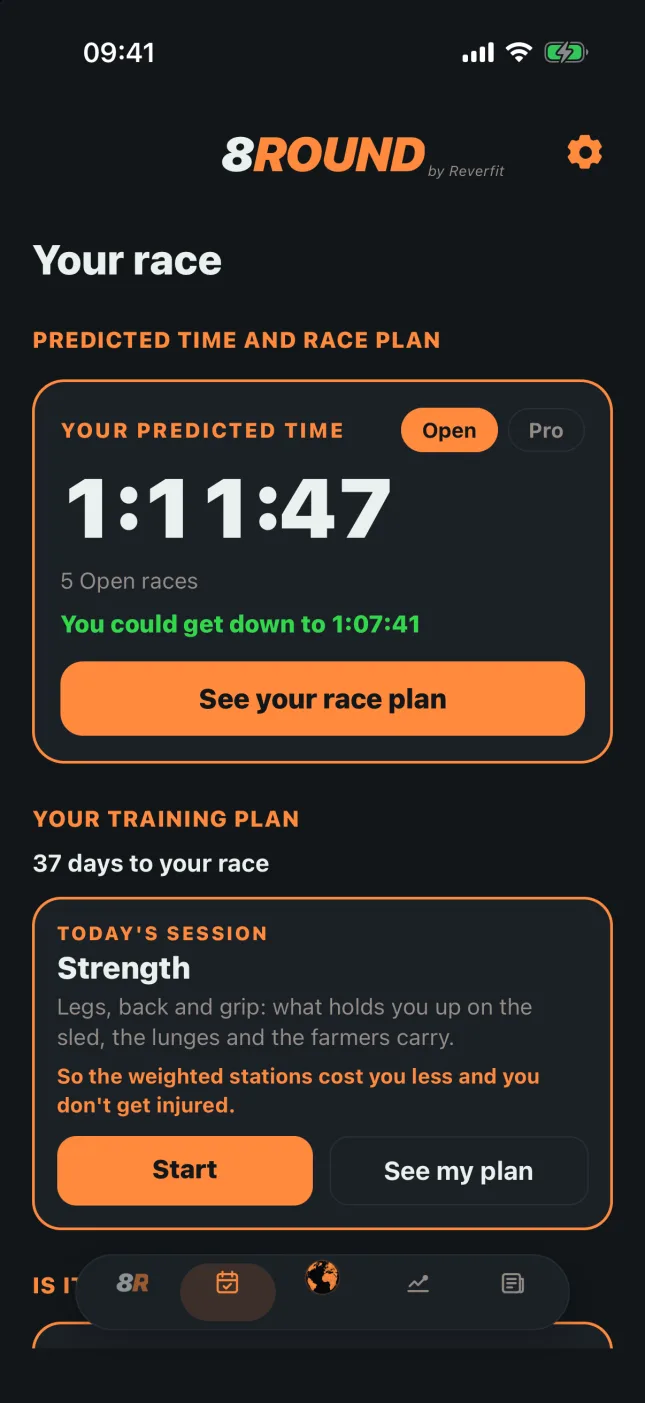
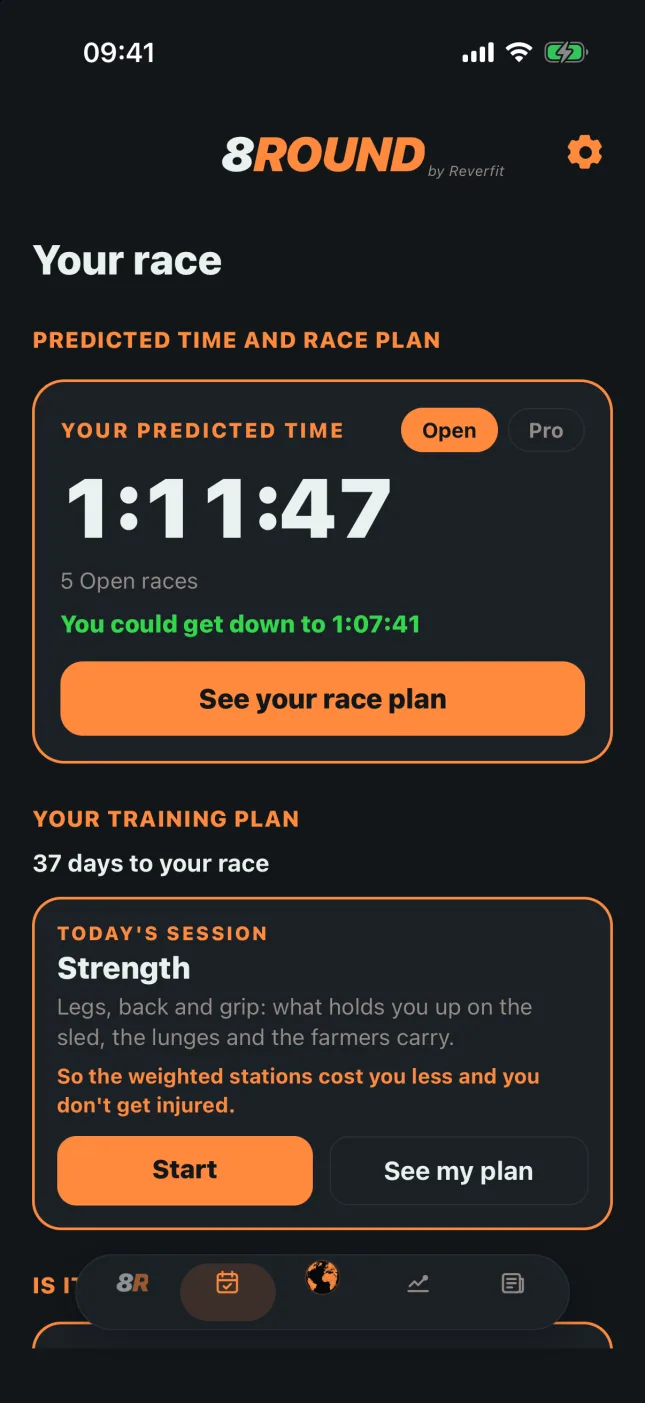
8Round: your predicted time and how much you could cut
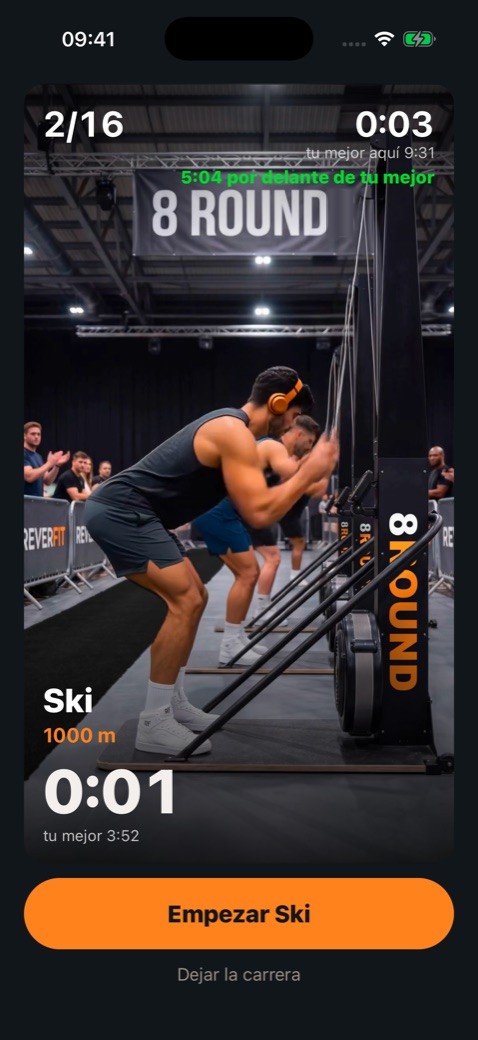
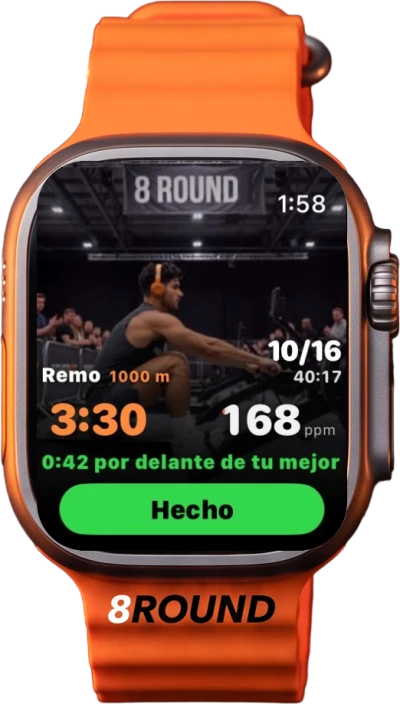
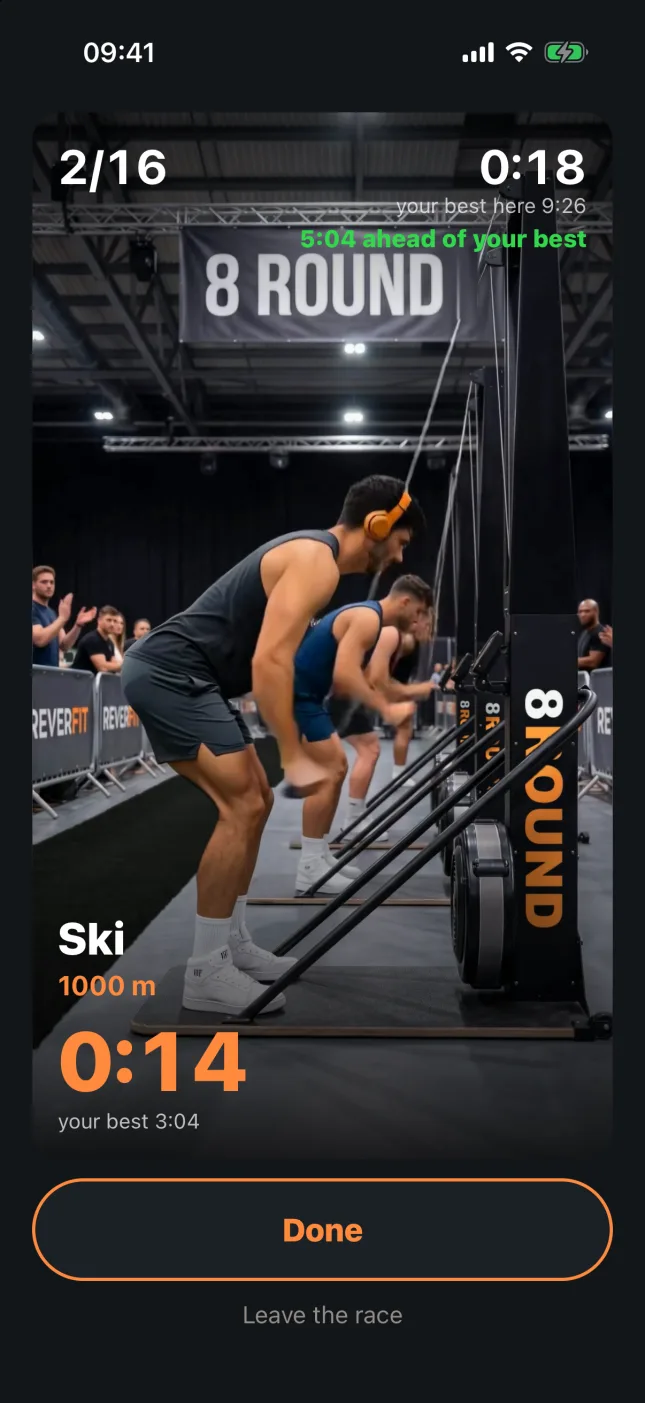
8Round: the ski erg mid-race, ahead of your best
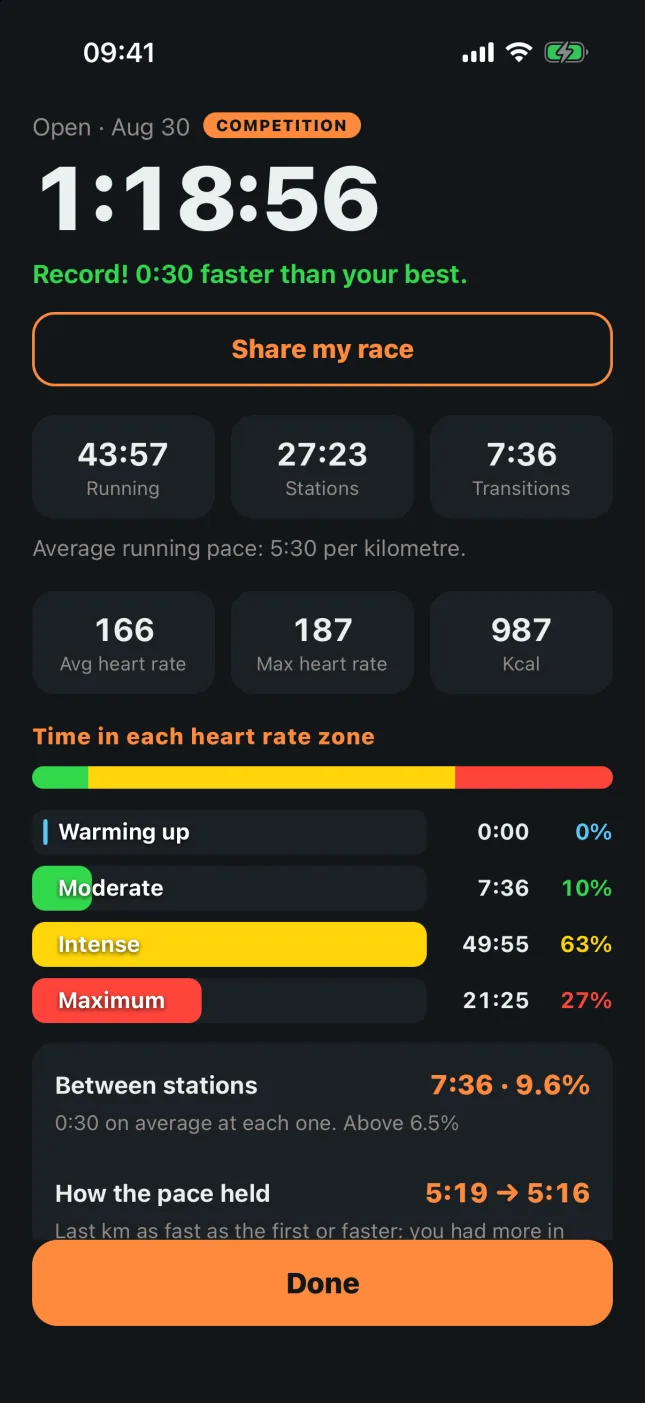
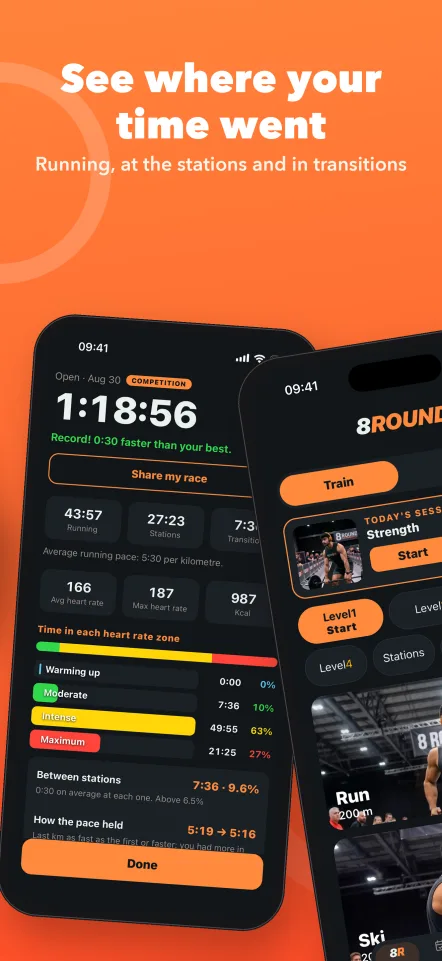
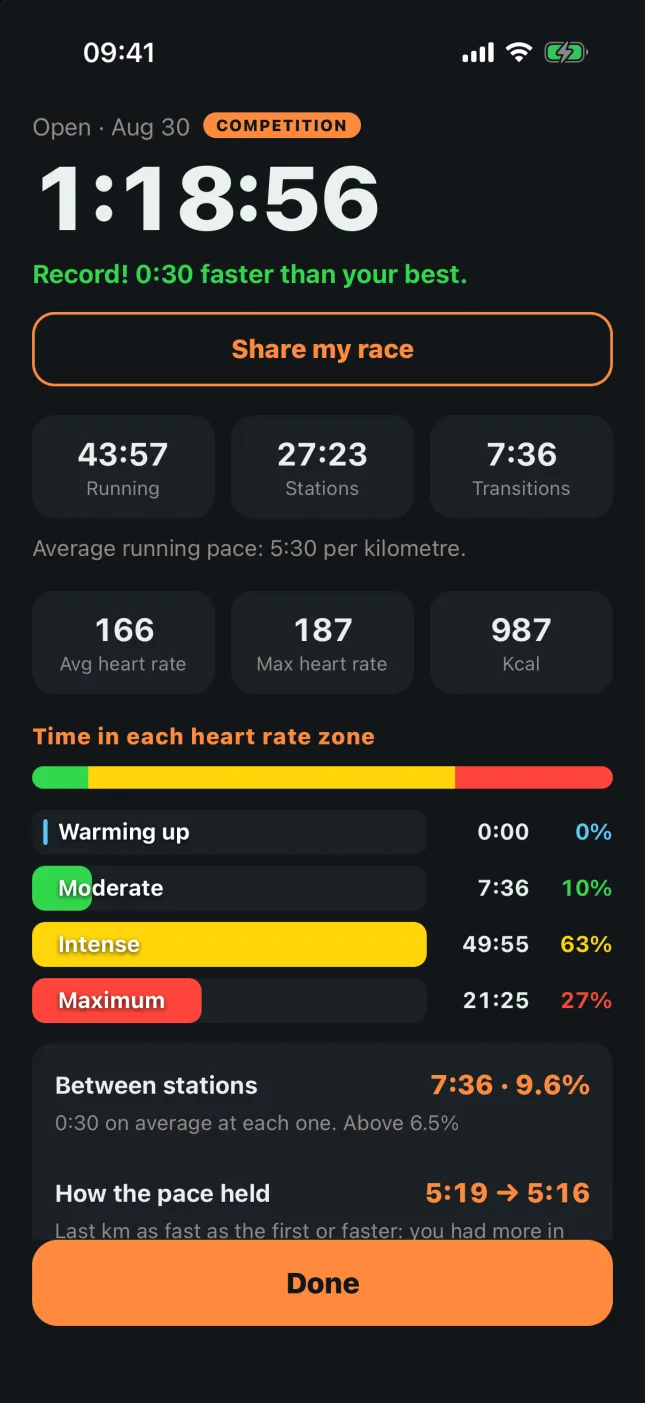
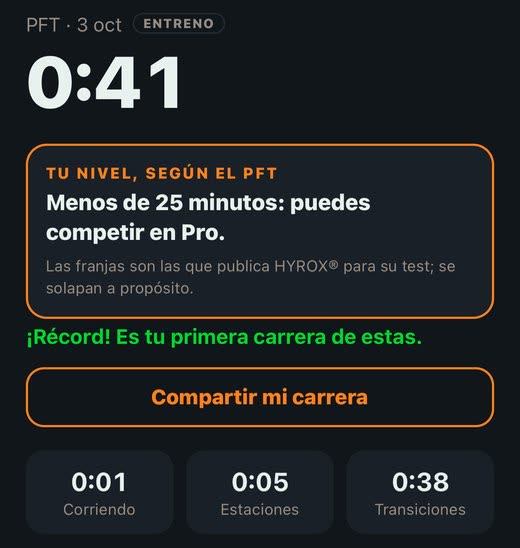
8Round: the race summary
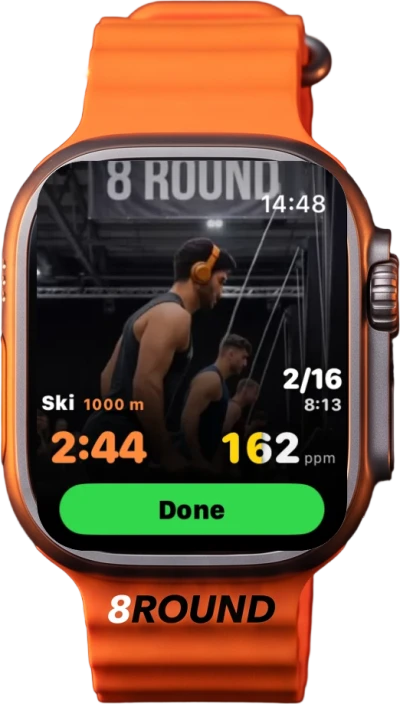
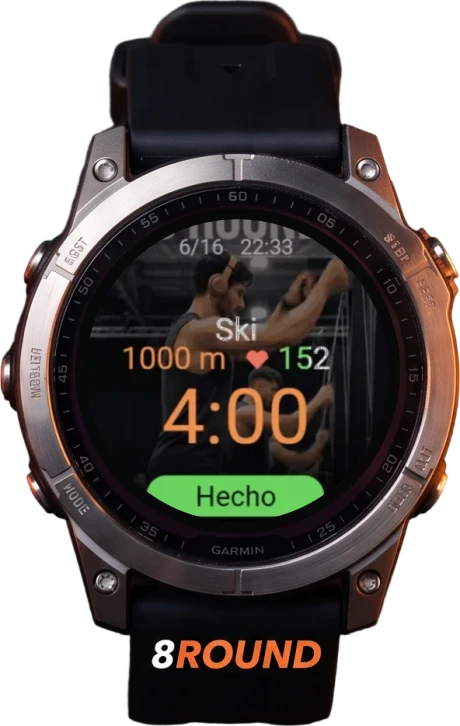
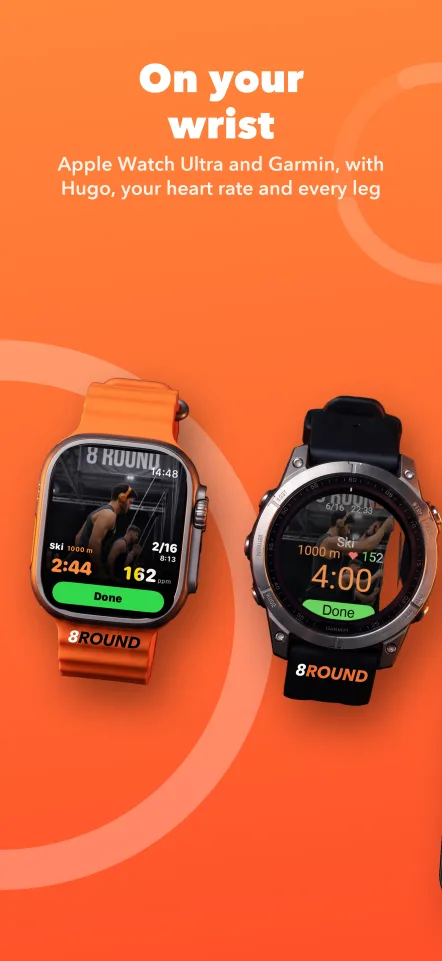
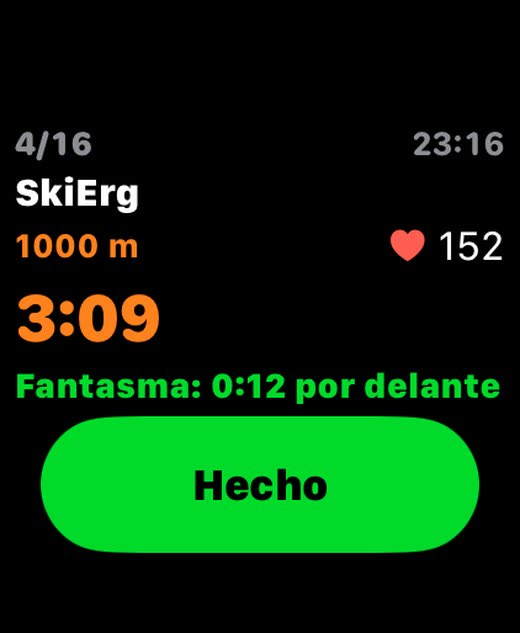
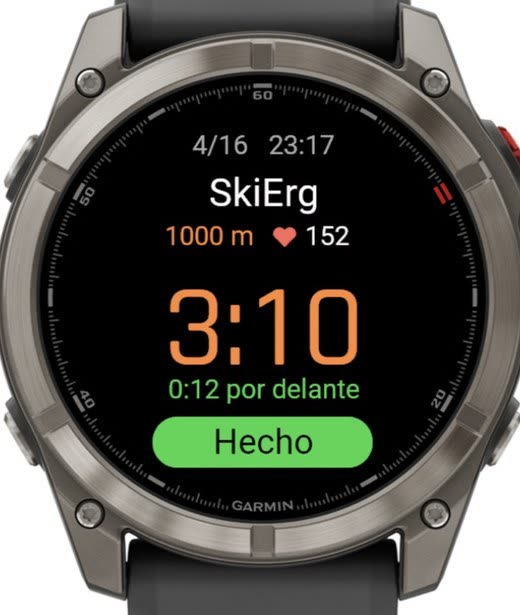
8Round on the Apple Watch: the ski erg with Hugo behind8Round on a Garmin watch

Free to compete in Open. Plus comes with a 14-day free trial, then $12.99 a month or $79.99 a year. Garmin, coming soon.

New

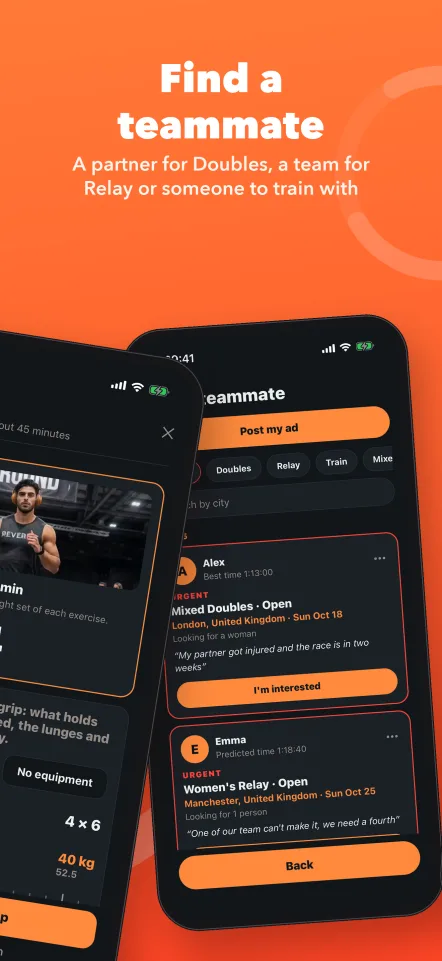
Find a teammate.

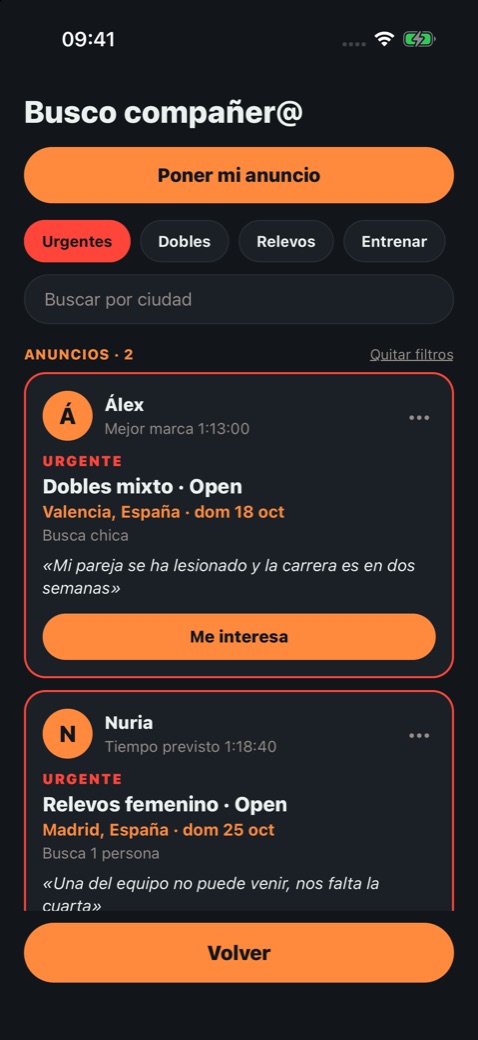
Finding someone to race Doubles or Relay with is one of the most asked questions in the event’s forums, and no app solved it. 8Round does: an ad board inside Community.
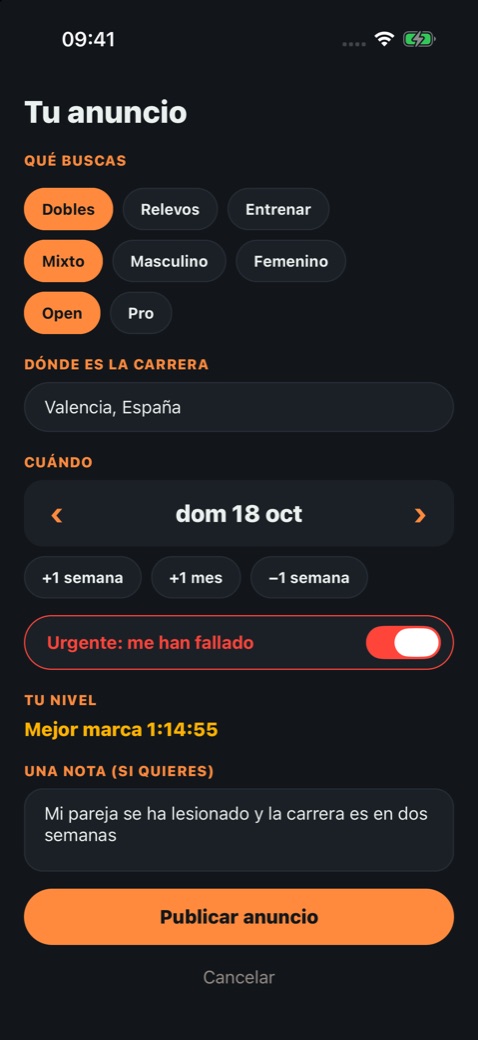
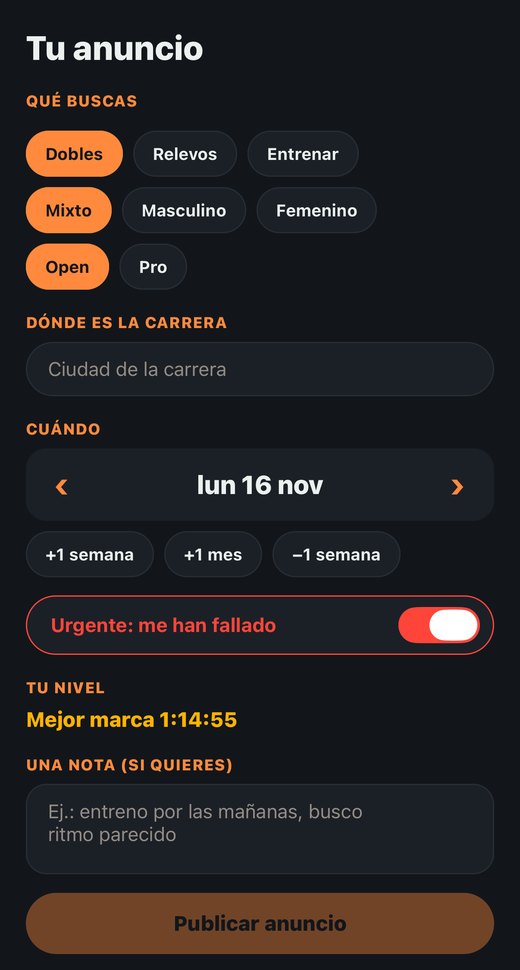
8Round, Find a teammate: posting a mixed Doubles ad marked «Urgent: someone dropped out», with the level set by the app
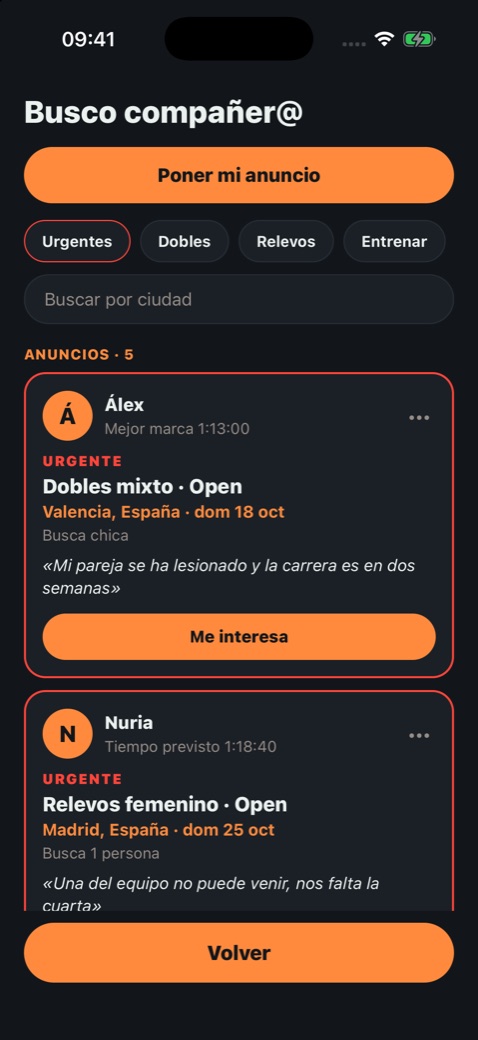
8Round, Find a teammate: the board with two urgent ads at the top (example ads)
8Round, Find a teammate: the board with the Urgent filter (example ads)

The ads in the screenshots are examples: those people don’t exist.

And also

What’s new in 8Round.

8Round: mid-race, ahead of your best in green

You always know if you're ahead.

Under the clock, in green or red: how far ahead or behind you are of your best identical race, or of your predicted time if you don't have one yet. On the watch too.
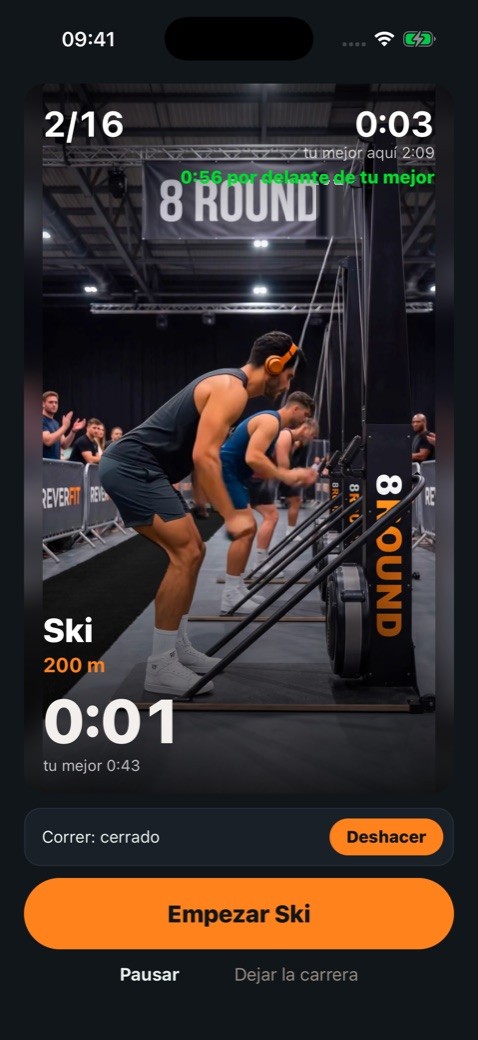
8Round: mid-race, «Undo» above the button and «Pause» below

Undo and pause.

Tapped by mistake? For eight seconds «Undo» appears and everything goes back as it was, without losing a second of the clock. And when training you can pause: the race is saved marked and isn't compared with the ones run without stopping.
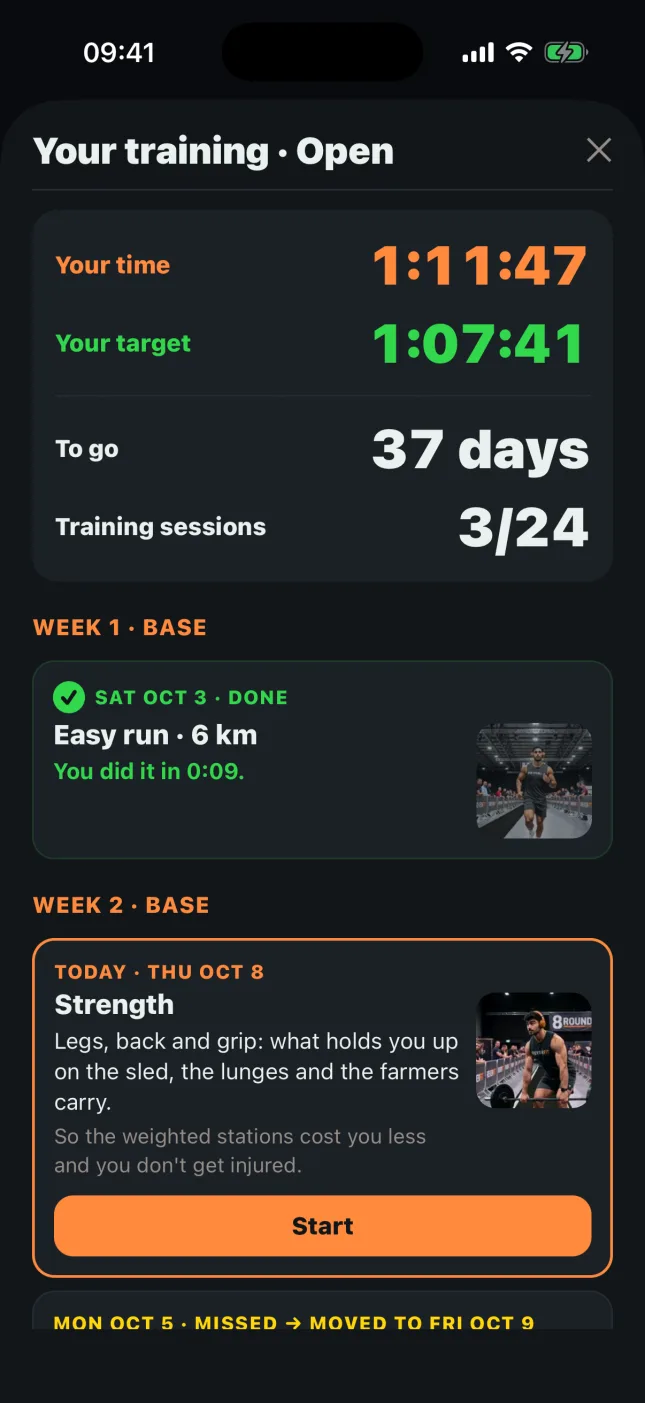
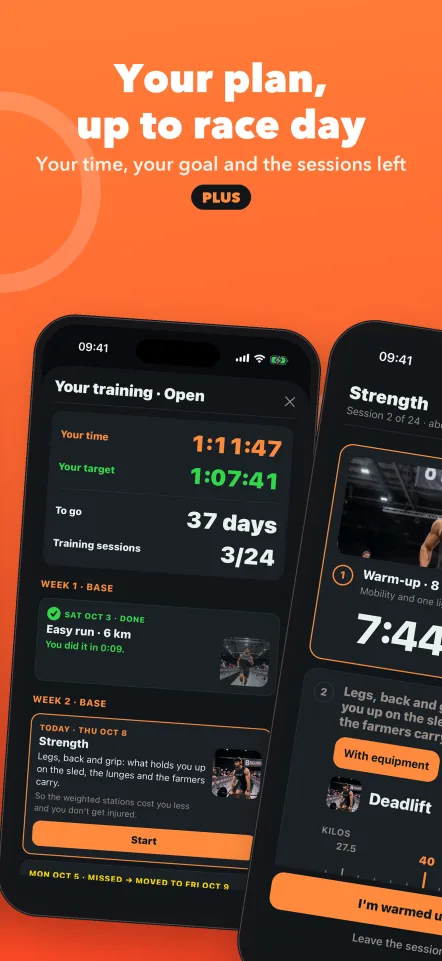
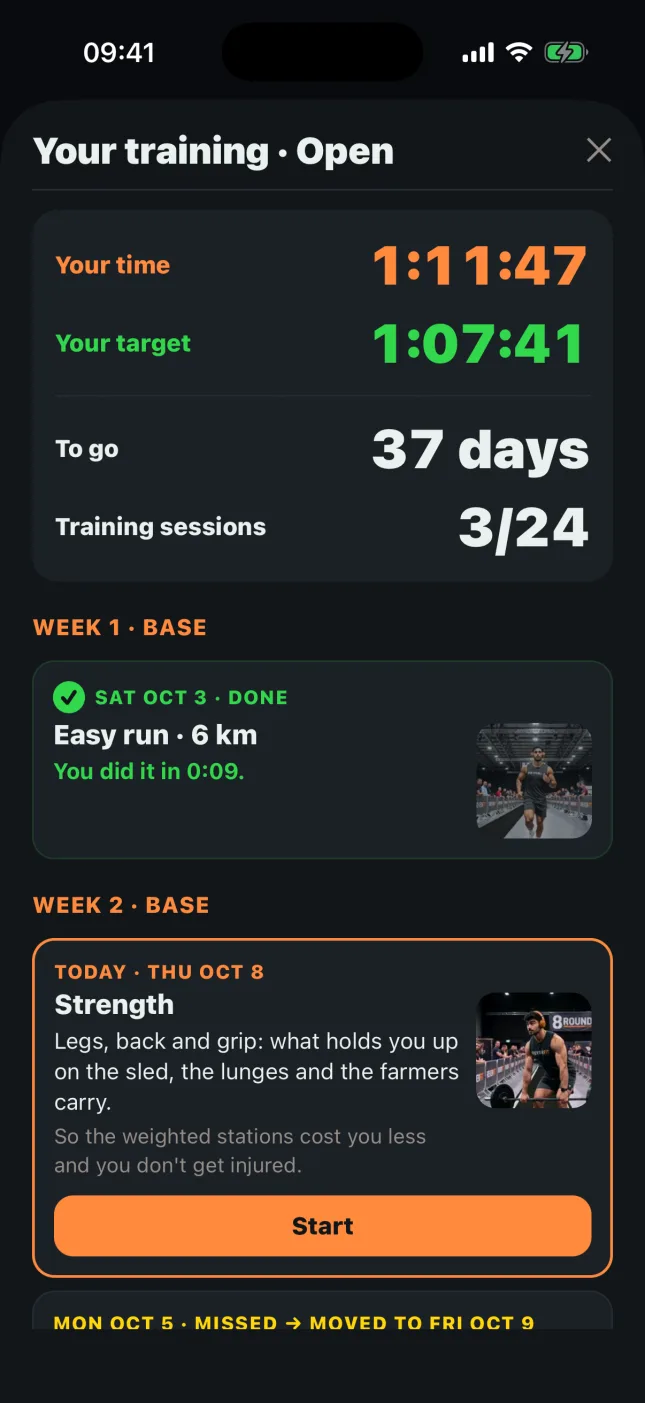
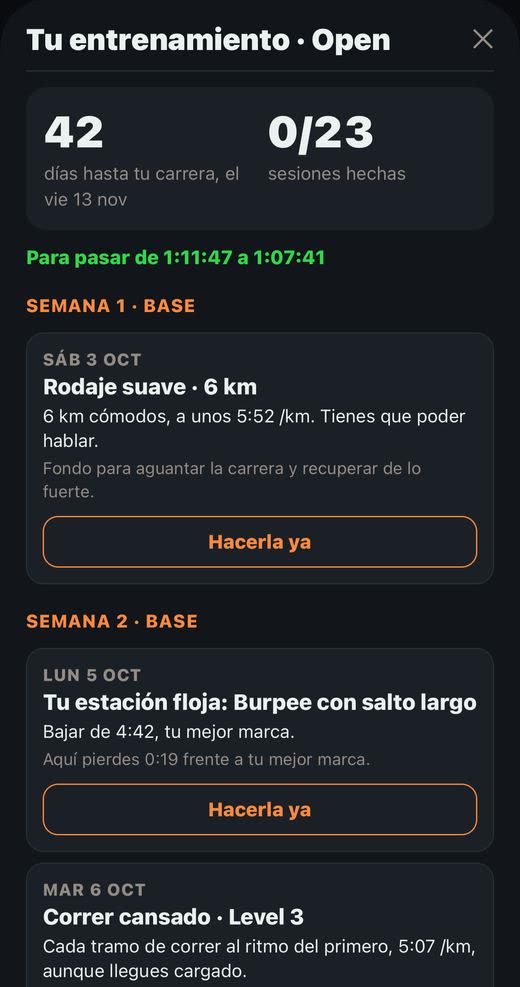
8Round: the plan with your time, your target, the days left and the sessions

Your plan, at a glance.

At the top, your time in orange, your target in green, the days left and the sessions done. Below, each session with its photo.
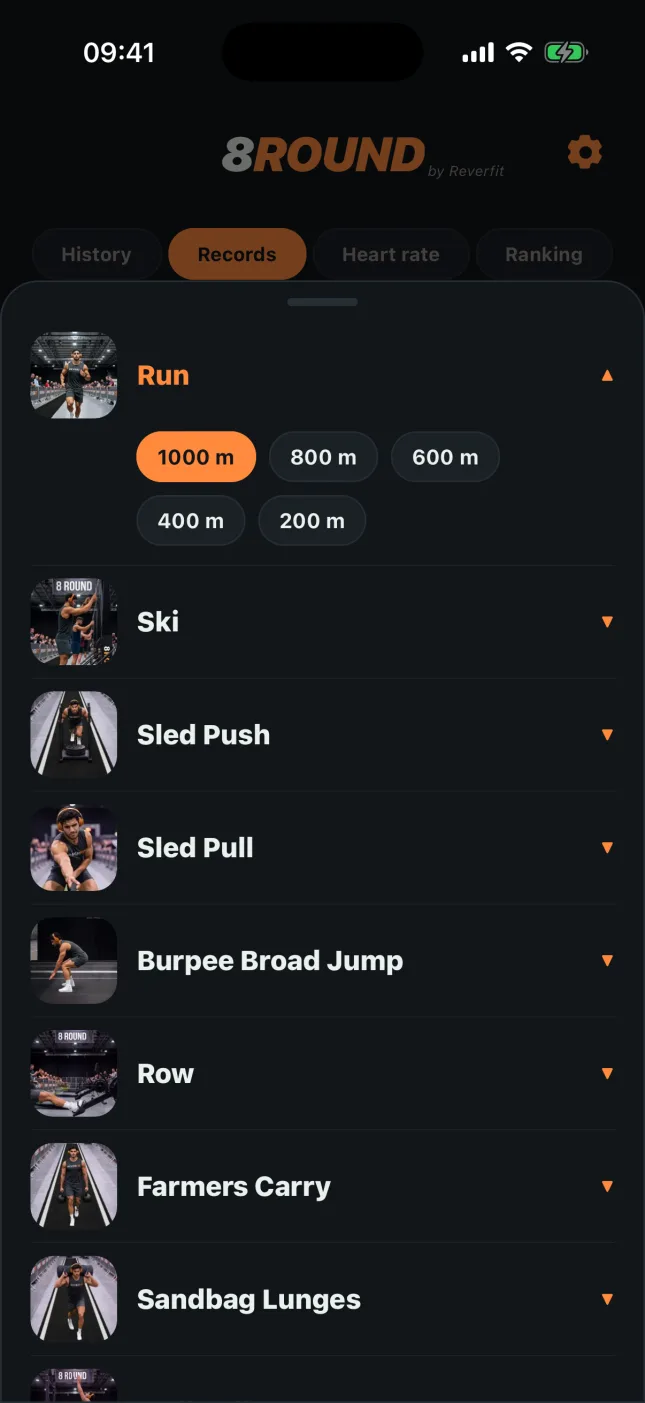
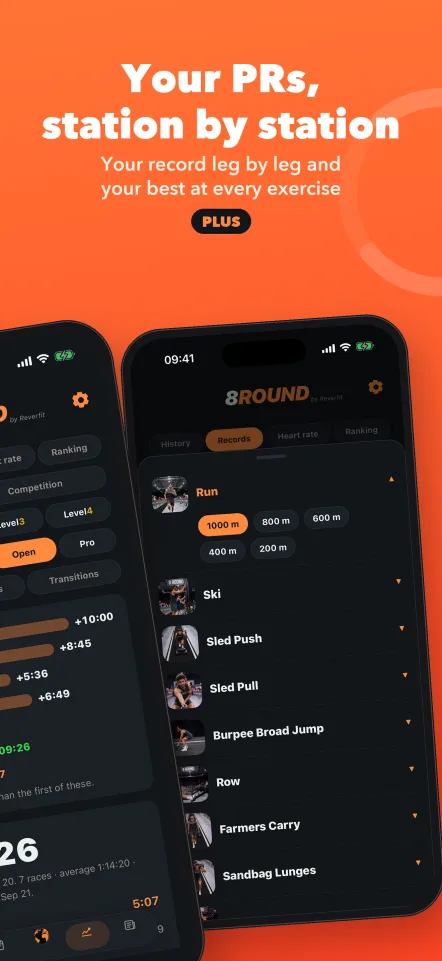
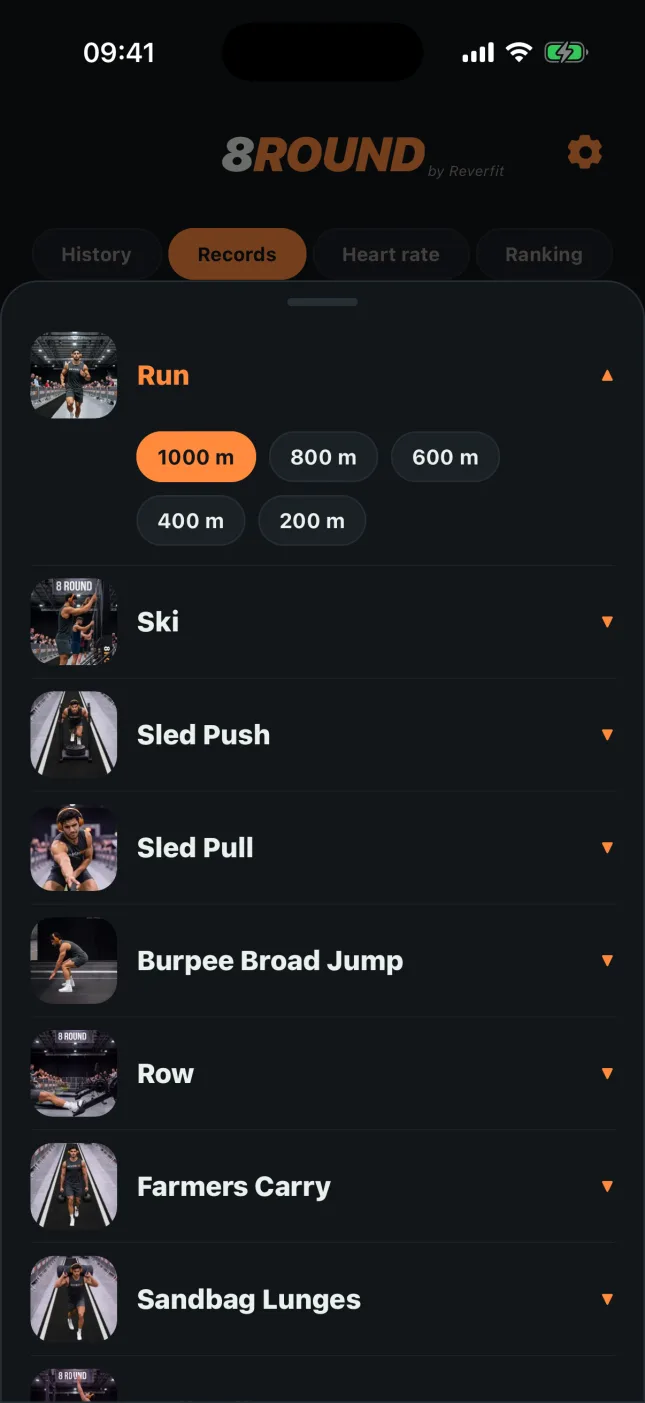
8Round: Records, with the station picker with photos

Your records, by station.

Pick the station by its photo and see your best, its day and where it came from: the PFT, a Level, a race or a single station.
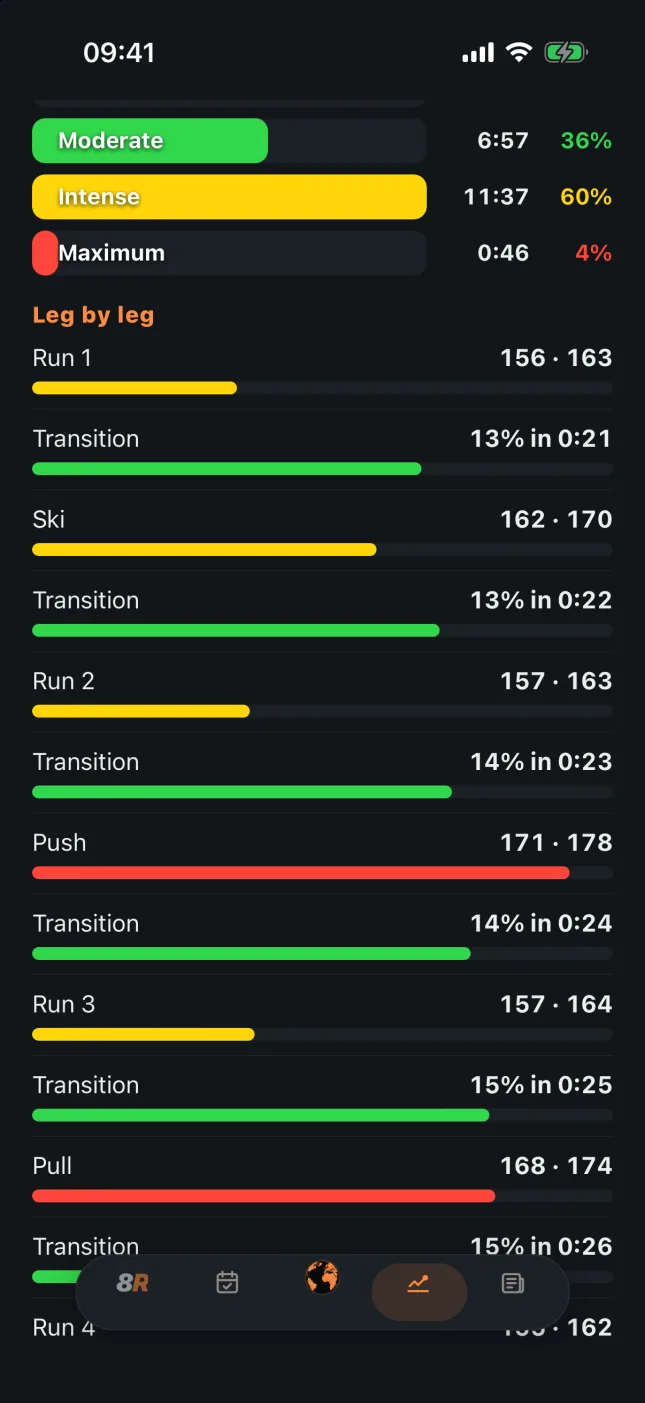
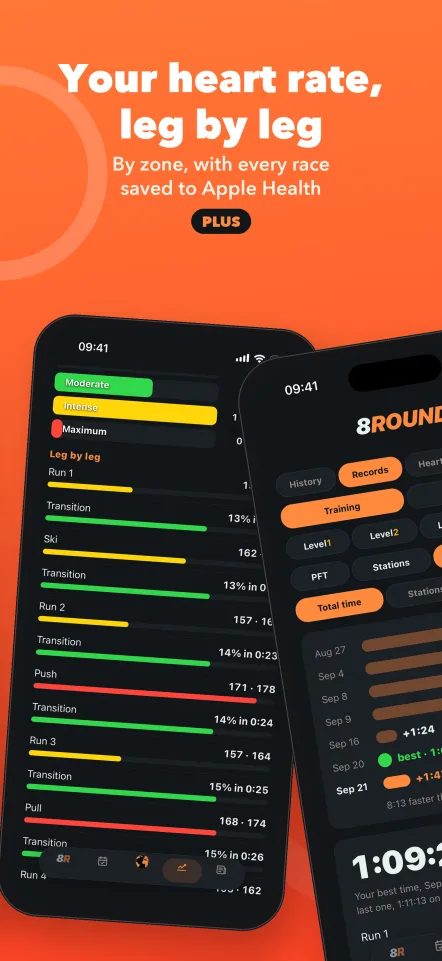
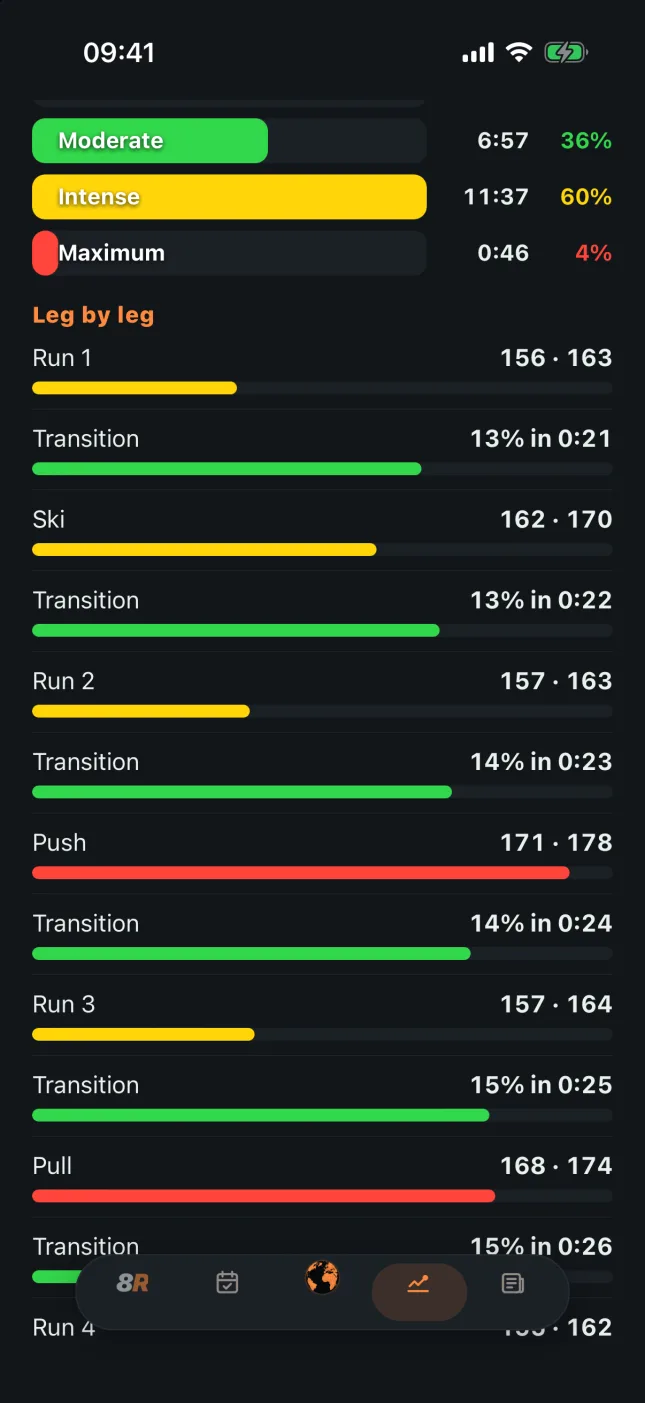
8Round: the race's heart rate leg by leg, by zone

Every race, in Apple Health.

It's saved as a workout, with its calories, its meters and its legs. And while you race, the screen stays on.
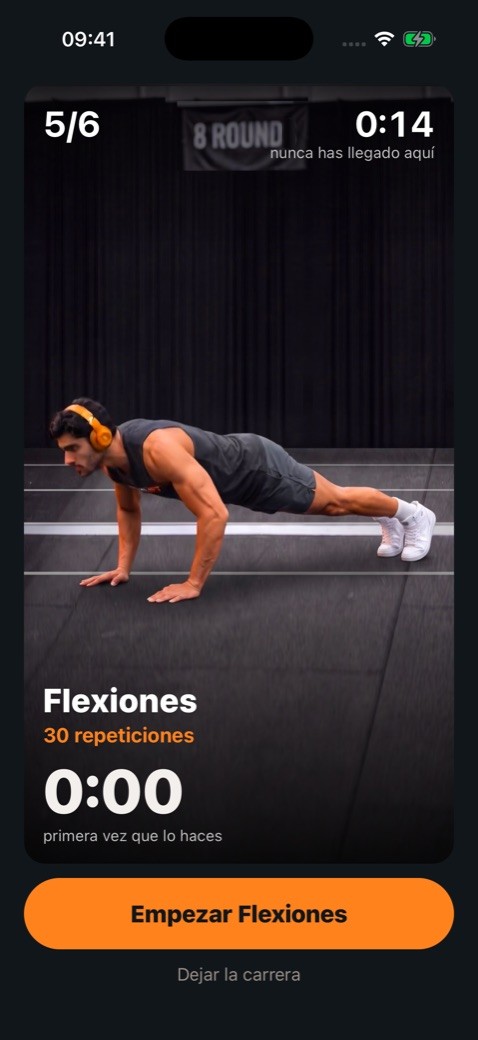
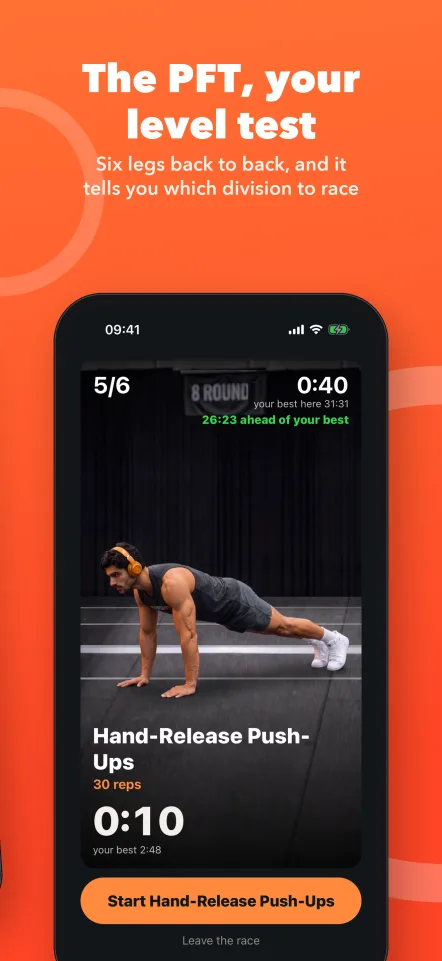
8Round: the level test, push-ups with Hugo's video

The level test, free.

Six legs back to back, and at the end it tells you which division to race. Now the push-ups come with their Hugo and Nora video too.
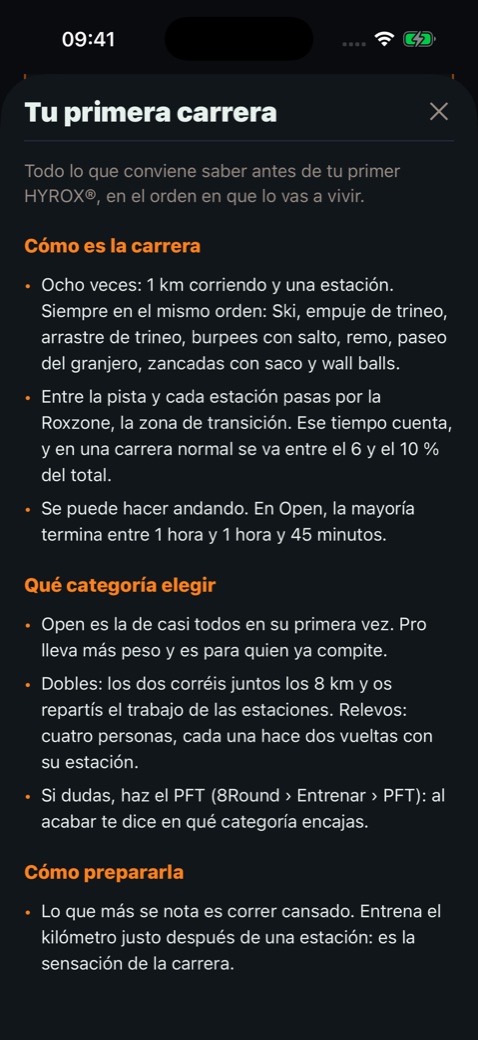
8Round: the «Your first race» guide in the Plan tab

Your first race, explained.

In the Plan tab, a short guide: what the race and the transition zone are like, which division to choose, how to prepare, the day before and race day, the usual mistakes, kit and what to do afterwards.
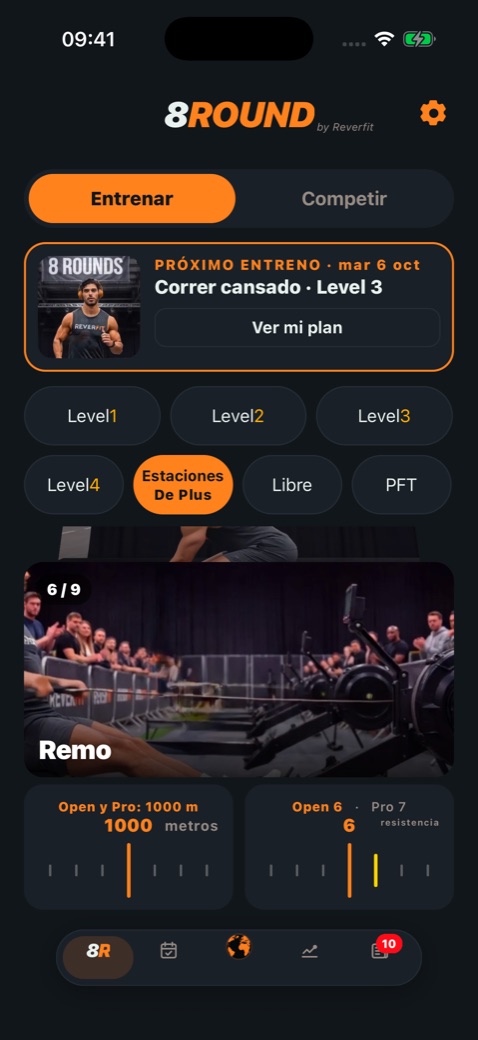
8Round: the row with the Open and Pro resistance

The row, as in the rulebook.

The starting resistance by your sex and division: 5 for women in Open, 6 for women in Pro and men in Open, 7 for men in Pro. The ski erg, 6 for everyone.
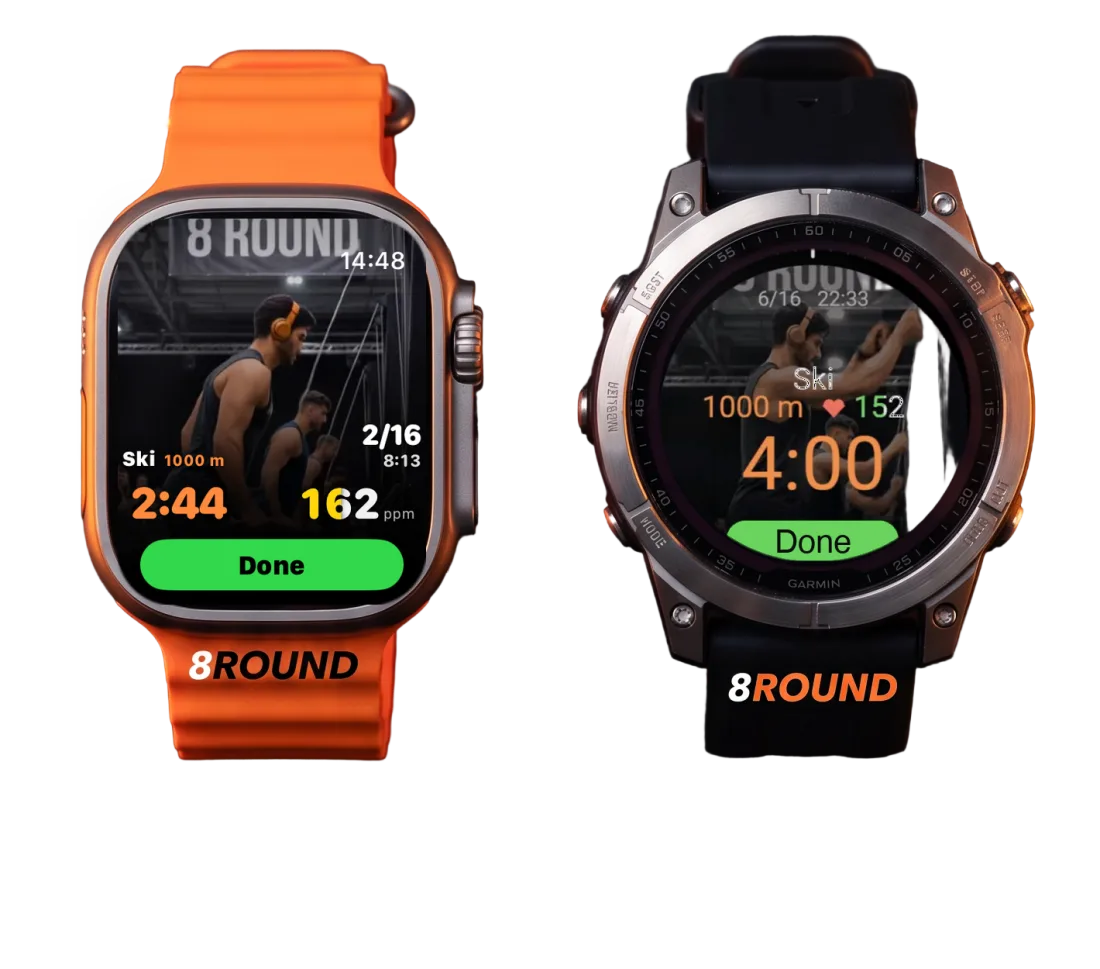
8Round on an Apple Watch Ultra and a Garmin fēnix 8 Pro, with Hugo on the ski erg

The watch, renewed.

On the Apple Watch, Hugo or Nora move behind your numbers, with the time and heart rate the same size and pause at hand. And the Garmin app, coming soon.

HYROX is a trademark of its owners. 8Round does not organize the event and is not sponsored or endorsed by its organizers.

This is 8Round.

The same screens you see on the App Store.
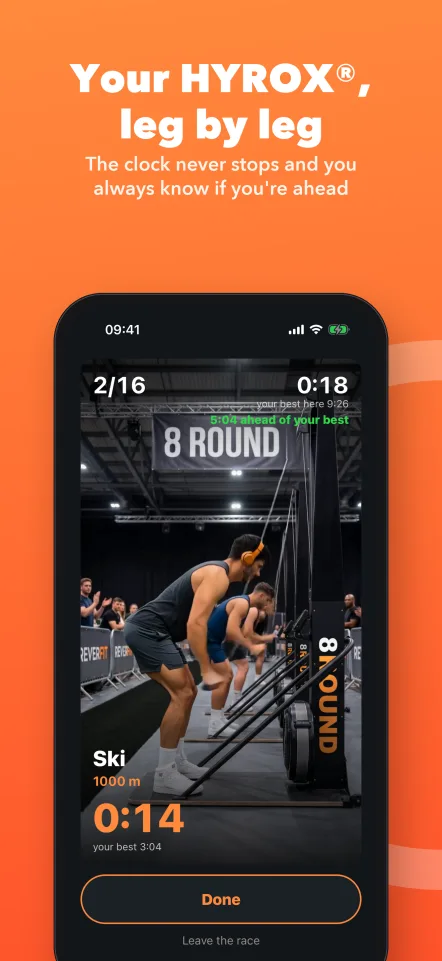
Your HYROX®, leg by leg: the clock never stops and you always know if you're aheadOn your wrist: Apple Watch Ultra and Garmin, with Hugo, your heart rate and every legSee where your time went: running, at the stations and in transitionsYour predicted time, and how much you could cut by fixing your weakest spot. PlusYour plan, up to race day: your time, your goal and the sessions left. PlusFind a teammate: a partner for Doubles, a team for Relay or someone to train withYour heart rate, leg by leg: by zone, with every race saved to Apple Health. PlusYour PRs, station by station: your record leg by leg and your best at every exercise. PlusThe PFT, your level test: six legs back to back, and it tells you which division to raceClimb the leaderboard: in your city, your country, your continent and the world

Inside, screen by screen.

Scroll slowly: each sentence changes the phone's screen.
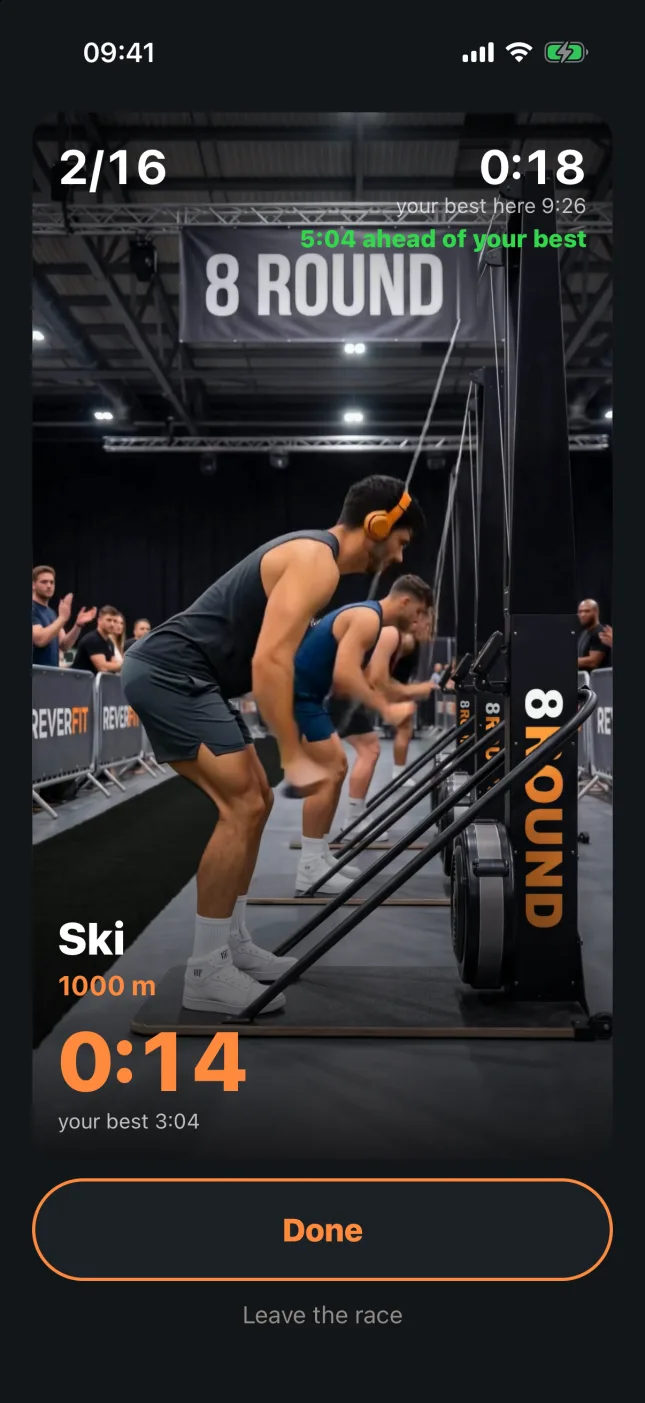
8Round: the ski erg mid-race, with «5:04 ahead of your best» in green8Round: the race summary with time running, at the stations and in transitions8Round: the Plan tab with the predicted time and «You could get down to 1:07:41»8Round: the training plan with your time, your target, the days left and the sessions8Round: a guided session, with the warm-up counting down8Round: heart rate leg by leg, by zone8Round: the station picker with photos in Records8Round: the Open ranking with the men's and women's podium8Round: Community, with friends and races in pairs

The race, leg by leg.

The eight kilometers and the eight stations in order, with the clock running from start to finish and Hugo or Nora showing you each station. And below, in green or red, whether you're ahead of your best.

Where your time went.

When you finish: how long you spent running, at the stations and in transitions, your heart rate by zone and how well you held the pace.

Your predicted time.

The time you'd do today, worked out from your races, and in green how much you could cut by fixing what costs you most.

Your plan, up to race day.

Your time, your target, the days left and the sessions done. Below, each session with what's due and why.

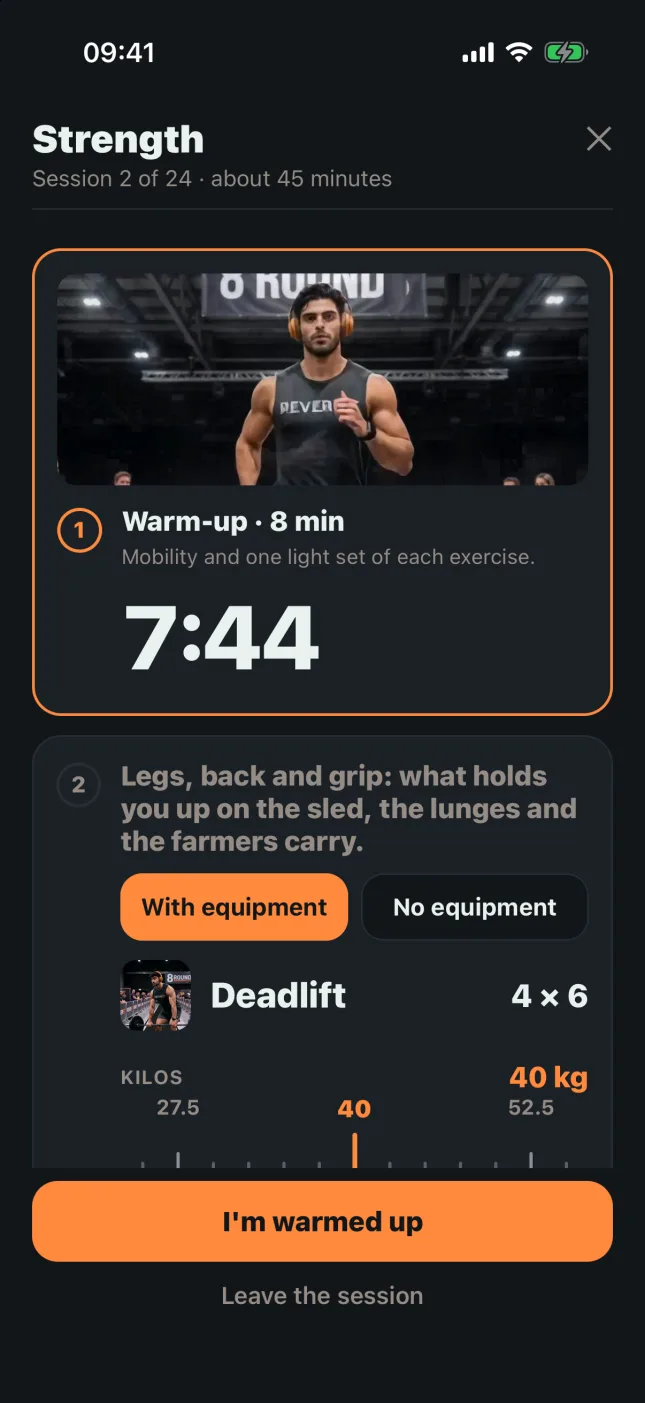
Every session, guided.

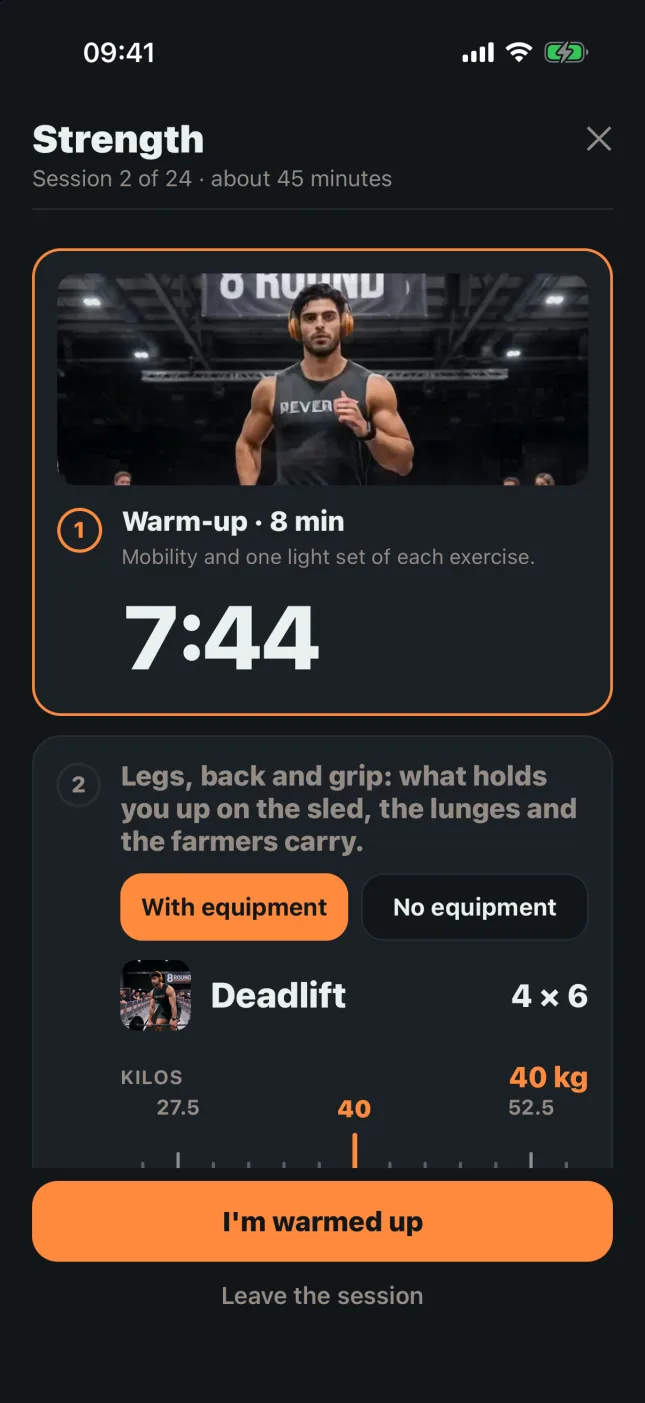
Warm-up, the main block and cool-down, with the rest counting down.

Your heart rate, leg by leg.

By zone, in every leg and every transition. And every race is saved in Apple Health as a workout.

Your records, station by station.

Pick the station by its photo and see your best, the day and where it came from. And your record, leg by leg.

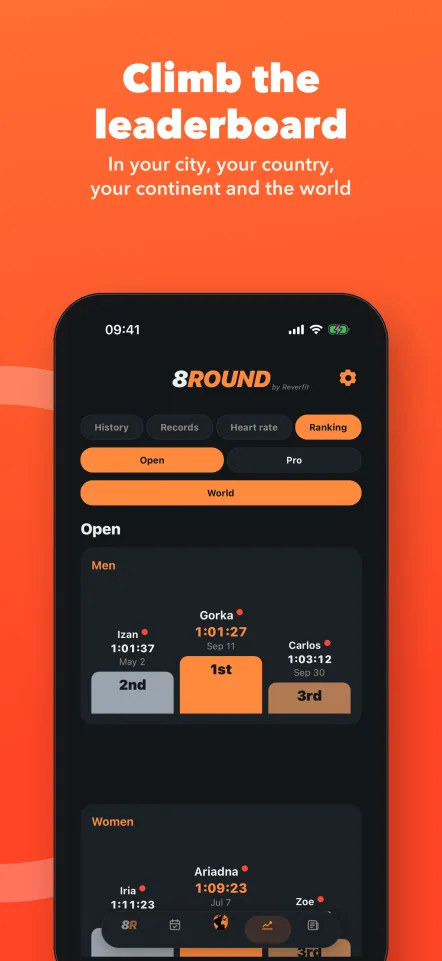
Your place in the world.

The ranking by category in your city, your country, your continent and the world.

With your people.

Your friends, people from all over the world, races in pairs and Find a teammate for Doubles and Relay.

Hugo and Nora

Every station, with Hugo and Nora.

Before each station you see how it's done, on video, on black competition turf.

Ski erg · Hugo
Sled · Nora
Wall balls · Hugo
Row · Nora

Hugo and Nora are our models, created with artificial intelligence.

On your wrist

The race, on your wrist.

«Done» closes each leg, with your time, your heart rate and whether you're ahead of your best.
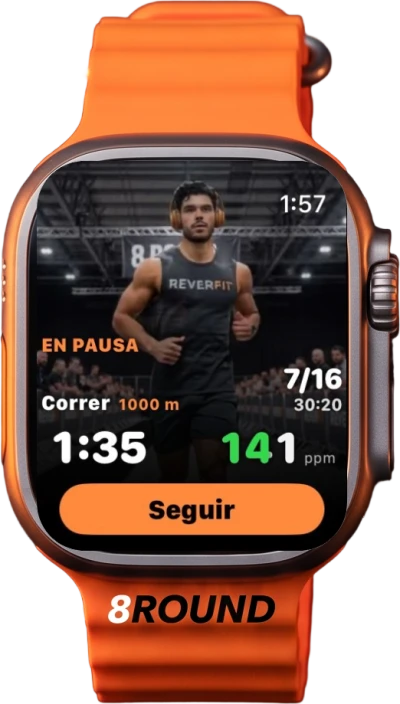
8Round on the Apple Watch: the ski erg with Hugo behind, the time and the heart rate
Apple Watch
8Round on a Garmin watch: the ski station with Hugo in the background, heart rate and time
GarminComing soon
8Round on the Apple Watch: the race paused, with «Resume»
Apple Watch
8Round on the Apple Watch: the row, ahead of your best
Apple Watch

On the Apple Watch, Hugo or Nora move behind your numbers, and you can pause while training. The Garmin app is under review in Garmin's store: coming soon.

The app’s guide

How it works

The same guide you have inside the app, in Settings › How it works.

01

The app at a glance

At the bottom there's the bar with five tabs:

  • 8Round: to train and compete.
  • Plan: your predicted time, how to run your race and your training plan.
  • In the middle, the Community planet: friends, chat and the map. A number on it means unread messages.
  • Progress: your history, your records, your heart rate and the ranking.
  • News.

The bar shrinks while you read: tap it or scroll up and it opens. At the top, the gear takes you to Settings. Tap any screenshot in this guide to see it full size.
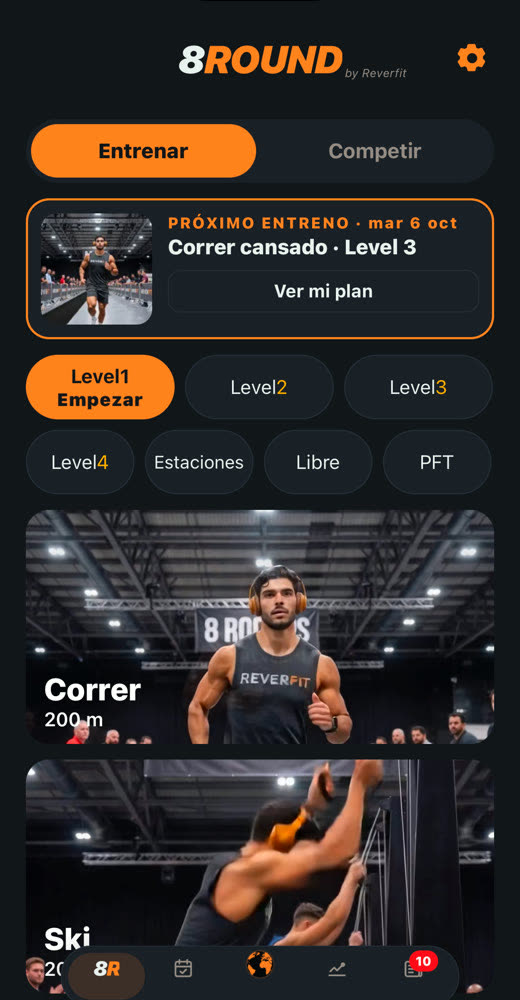
8Round: the app at a glance
02

Train

At the top choose Train and, below, what you want to do:

  • Level 1 to Level 4: the whole race —eight runs and eight stations, in order— with shorter distances and lighter weights, to build up to Open.
  • Stations: a single exercise. Pick it by swiping the photos and set the meters, reps, kilos or resistance by moving the rulers.
  • Free: the whole race with your own numbers, leg by leg. Under each ruler you see what Open and Pro ask for.

To start, tap the same button again: once chosen it turns orange and «Start» appears underneath, pulsing. If that mode is Plus and you don't have it, it says «Plus only» and shows you what's included.
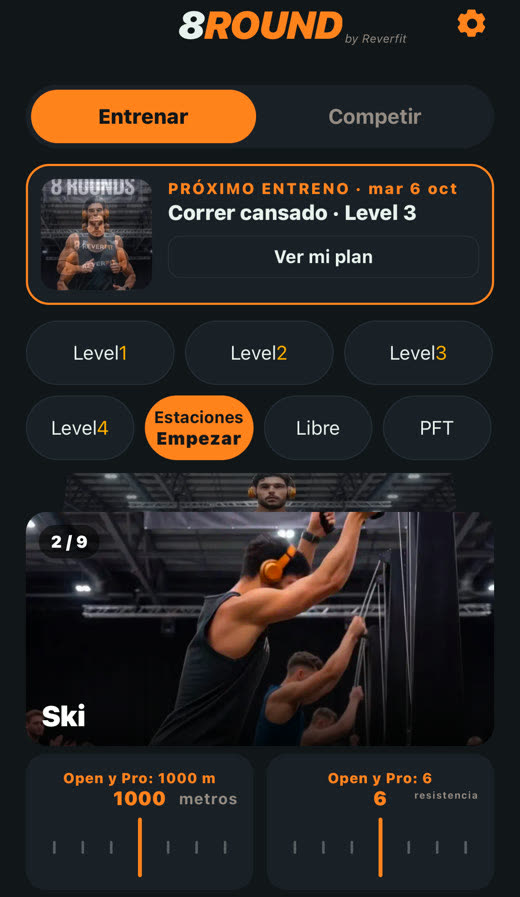
8Round: train (1)8Round: train (2)
03

The PFT: the test to find your level

It's HYROX®'s short fitness test, and in 8Round it's free. It's in 8Round › Train, the «PFT» button: tap it and, when «Start» appears underneath, tap it again.

  • Six legs back to back, no rest: 1 km run, 50 burpee broad jumps, 100 bodyweight stationary lunges, 1 km row, 30 hand-release push-ups and 100 wall balls (6 kg men, 4 kg women).
  • You do it with the usual timer: «Start» and «Done» on each leg.
  • At the end, besides the summary, it tells you which level to compete in from your time: under 25 minutes, Pro; 25 to 35, Open; 30 to 40, Doubles; 35 to 45, Relay. The bands overlap on purpose, as HYROX publishes them.
  • It's saved in your history as PFT and only compared with other PFTs; it doesn't enter the ranking.

Repeat it every few weeks to see how you improve.
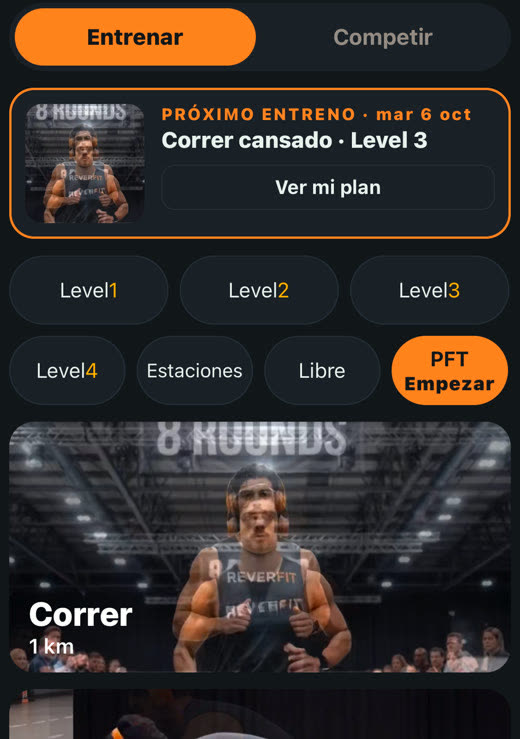
8Round: the PFT (1)8Round: the PFT (2)
04

Compete

At the top choose Compete, then Open or Pro, and tap Individual, Doubles or Relay; when «Start» appears underneath, tap it again. What you run here is what counts for the ranking.
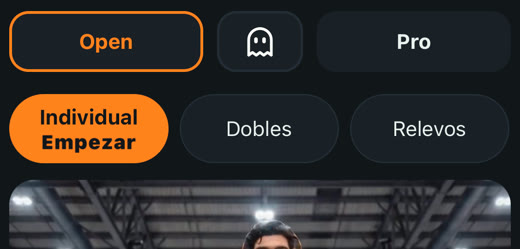
  • Doubles and Relay happen in boxes: you create one with a day and time (and a name, if you like) and invite friends, anyone in Community or with their code.
  • When you're all in, each of you taps «Start» and a countdown appears on every phone at once.
  • As in the official rules: in Doubles you run the 1000 m together and split the stations; in Relay each of you does two 1 km laps with their station.
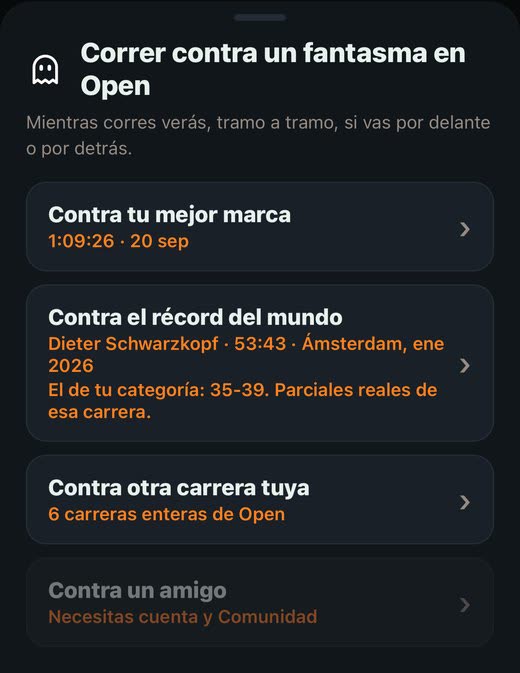
  • The white ghost between Open and Pro is for racing your best time, another of your races or a friend's (see «Race against the ghost»).
  • A box nobody races deletes itself 6 hours after the agreed time.
  • If anyone changes who does what, you all have to tap «Start» again.
  • In a Pro box, only people who have Plus and show it appear to invite; send the code to anyone who doesn't show it.
8Round: compete
05

During the race

One big button: «Start» begins each leg and «Done» ends it. The gap between them is your transition and it's timed separately, because that's where the minutes go.

  • Top left, which leg you're on (for example, 2/16).
  • Top right, the clock for the whole race and your best up to that point.
  • At the bottom, the leg clock and your best for it. Orange while you're in it; white while you get ready.
  • If you race a ghost (the white button between Open and Pro), under the top clock it says whether you're ahead (green) or behind (red).
  • Without a ghost too: in the same place you see how far ahead or behind you are of your best identical race; if you don't have one yet, of your predicted time. It shows on the watch too.
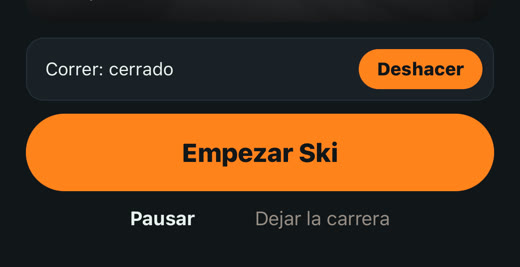
  • Tapped by mistake? For eight seconds «Undo» appears above the button: everything goes back as it was and the clock loses nothing.
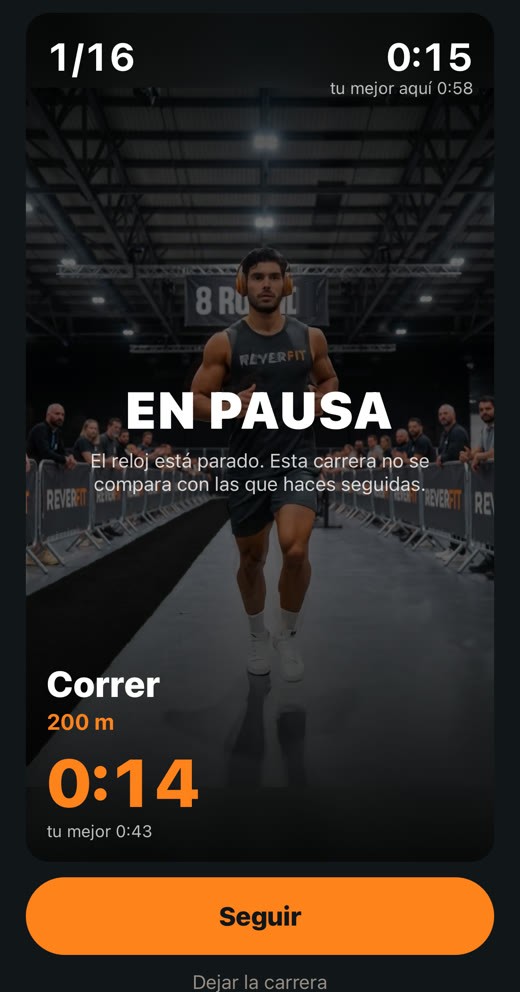
  • When training (not in Compete or the PFT) you can «Pause»: the clock stops until you tap «Resume». That race is saved marked and isn't compared with the ones you do without stopping.

Without pausing, the clock never stops: if you leave the app or it closes, when you come back it carries on with the real time. The heart rate strap is paired in Settings › Your account.
  • Got a Garmin? No strap needed: on the watch, turn on «Broadcast Heart Rate» (in the controls menu) and find it in Settings › Your account › Heart rate strap, just like a strap. It works the same for other watches that broadcast heart rate over Bluetooth.
8Round: during the race (1)8Round: during the race (2)8Round: during the race (3)
06

Apple Watch, Garmin and straps

You can take the race on your wrist. It's all in Settings › Your account › While you race.
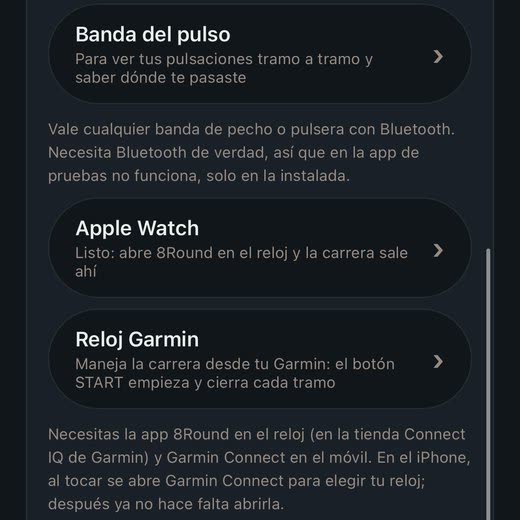
  • Apple Watch: nothing to pair. If 8Round is on your watch, the row says «Ready»; if not, it tells you how to install it from the Watch app on the iPhone. Before you start, open 8Round on the watch.
  • Garmin: you need the 8Round app on the watch (from Garmin's Connect IQ store) and Garmin Connect on your phone. On iPhone, tap «Garmin watch» and pick your watch in Garmin Connect, only the first time. On Android it finds it by itself.
  • On both, the watch shows the leg, the time, the ghost and your heart rate, and the big button (START on the Garmin) does the same as «Start» and «Done» on the phone. In Doubles and Relay it buzzes when it's your turn, and the button is off when it isn't.
  • The watch's heart rate counts like a strap's: you see it leg by leg, by zones, and in your Progress.
  • «Video on the watch» (Settings › Your account › While you race): behind the numbers, Hugo or Nora moving through the station; turn it off for a still photo, which uses less battery. With your wrist down it always stays still.
  • Heart rate strap: any Bluetooth chest strap or band works (Polar, Garmin, Wahoo, Coros…), and also any watch that broadcasts heart rate. Put it on and wet it a little before searching, as it won't read dry; then tap its name to pair it.
  • Your max heart rate (Settings › Your account › While you race): it sets the zones and the calories. At first it comes from your age. If in a race you hold a higher heart rate for five seconds in a row, the app keeps that one, your real one, and shows «Measured» with its date; a one-second spike doesn't count, it's usually a misread. If a doctor or a stress test measured it, type it there and yours wins; delete it to go back to automatic.
8Round: Apple Watch, Garmin and straps (1)8Round: Apple Watch, Garmin and straps (2)8Round: Apple Watch, Garmin and straps (3)
07

Apple Health

iPhone only. Every race you finish, complete or not, is saved automatically in the Health app as a «Mixed Cardio» workout with the 8Round icon. It also shows in the Fitness app.

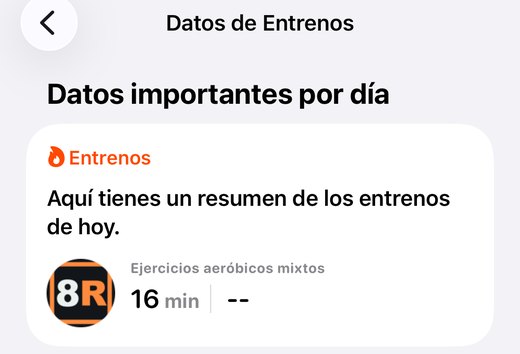
  • The first time you finish a race, the iPhone asks for permission: tap «Turn On All» and «Allow». If you say no, change it later in Health › your photo › Apps › 8Round.
  • Each leg goes in as a segment, with its start and end time. The meters you run go in as distance.
  • With a heart rate strap, the calories too, which count towards your Move ring.
  • With an Apple Watch there are no duplicates: the watch only measures your heart rate and the iPhone saves the workout.
  • Turn it off in Settings › General › Save to Apple Health.
8Round: Apple Health (1)8Round: Apple Health (2)
08

History

It's in Progress › History, the first button. It's the calendar: days with a race or a plan session are orange. Below are your races, by month; tap one to open it. The plan's set sessions show with a PLAN tag and their best set against your record; the ones you did with the timer are already there as races.
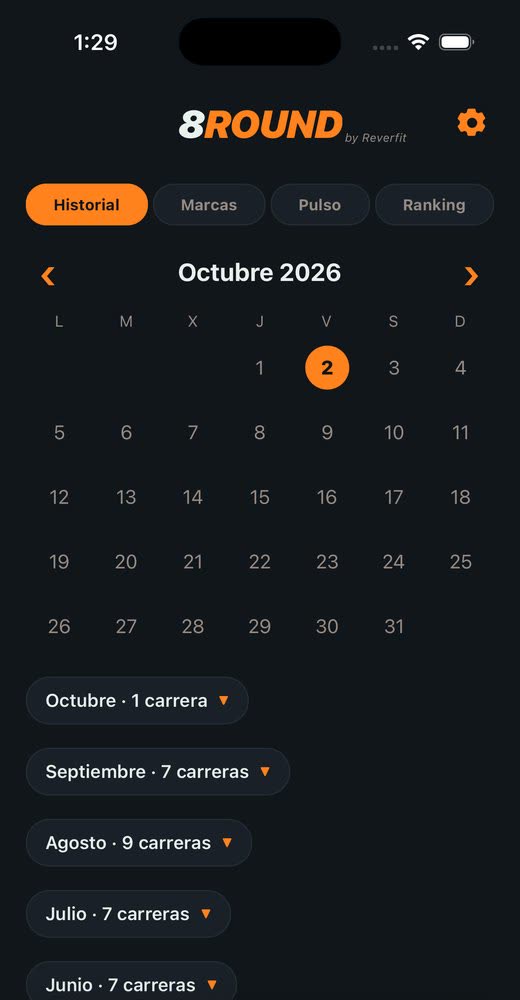
  • The summary: the time, how long you ran, how long at stations and in transitions (what HYROX calls the Roxzone), and each leg with how long you stopped before it.
  • With a heart rate strap, also your average and peak heart rate, calories, time in each zone and how much you recover in each transition.
  • At the top of the summary, «Share my race» (see the next section).
  • At the very bottom, «Race against this one» and «Delete this race».
8Round: history (1)8Round: history (2)
09

Share your race

At the top of any race summary, tap «Share my race». A card the size of an Instagram story appears with the photo, your time in big, the date and your city, the split between running, stations and transitions, the eight stations with their bars, your heart rate or the result against the ghost, and the «PERSONAL BEST» stamp if it is one.
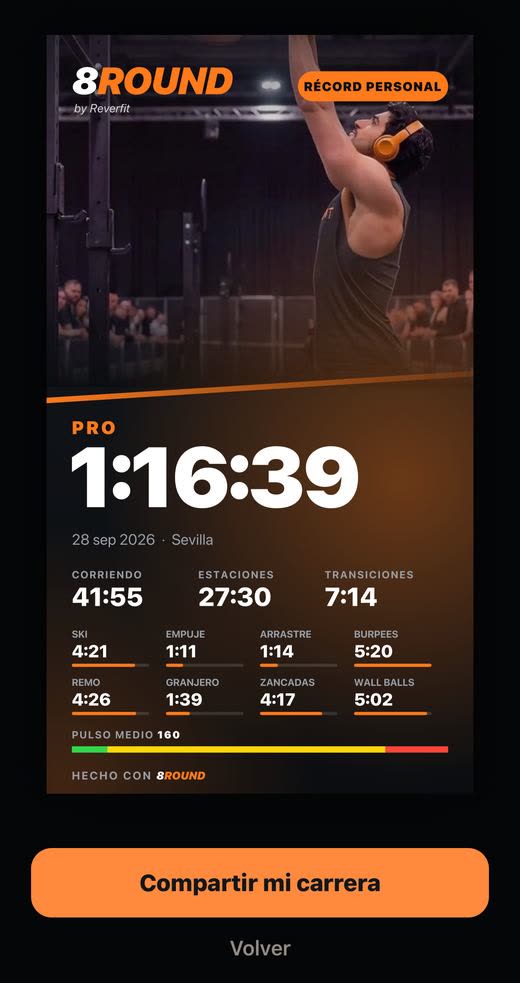
  • On iPhone, the button opens the share menu: Instagram, WhatsApp, Save image…
  • On Android, the button saves it to your gallery. The first time your phone asks which folder: choose «Pictures» and allow it. From Instagram you pick it like any other photo.
8Round: share your race
10

Race against the ghost

It's racing against a race already run, as if that person were next to you.

  • Where: in Compete, in the Open and Pro row, the white ghost button in the middle. It works for whichever level you have selected, Open or Pro.
  • Tap it and choose who to race: your best time at that level, another of your races (a list appears, fastest first) or a friend (pick the friend and one of their races). Anything not available yet is grayed out.
  • Also from Progress › History: open a full race, scroll to the bottom and tap «Race against this one».
  • While you race, under the top clock it says how far ahead (green) or behind (red) you are. It updates as you finish each leg.
  • At the end, the summary says who won, by how much and in which leg you gained or lost most.
  • «Against the world record»: your category's, by your sex and age group at that level (with no date of birth in your profile, the overall one), with the real splits of that race. Records as compiled by Rox Lyfe on 3 October 2026; splits from hyresult.com.

Pro still needs Plus.

8Round: race against the ghost (1)8Round: race against the ghost (2)8Round: race against the ghost (3)
11

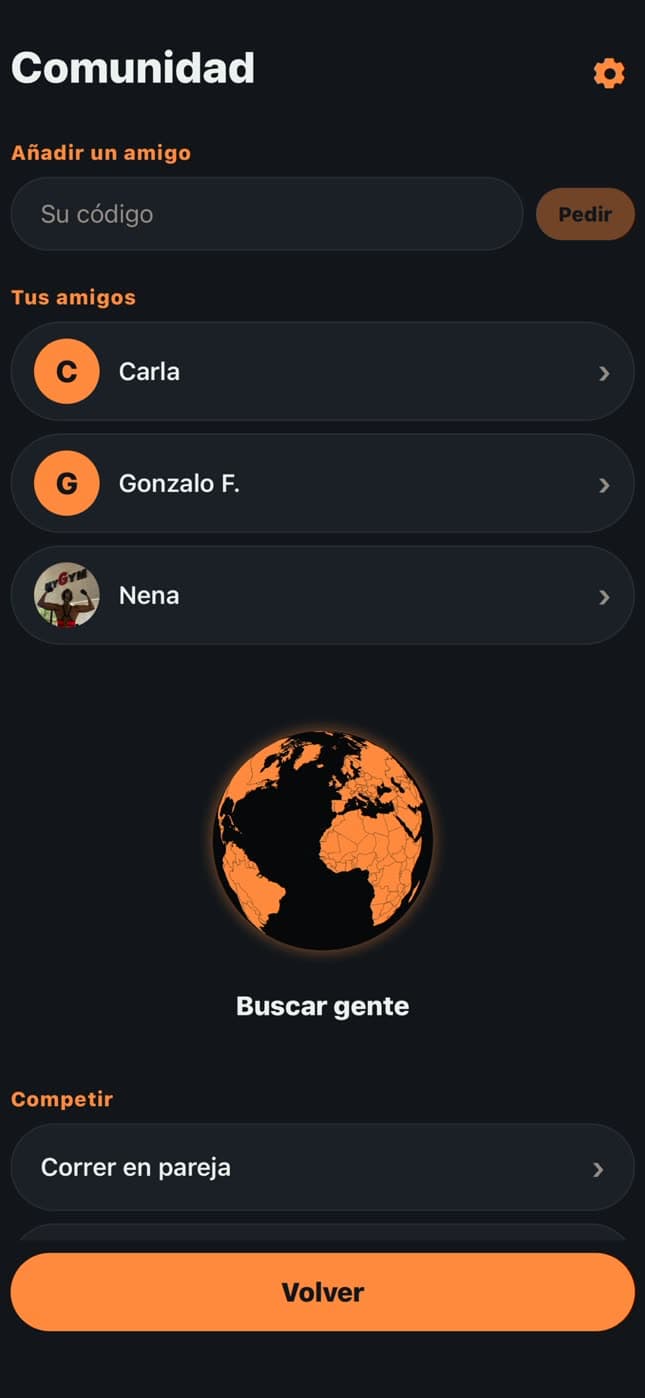
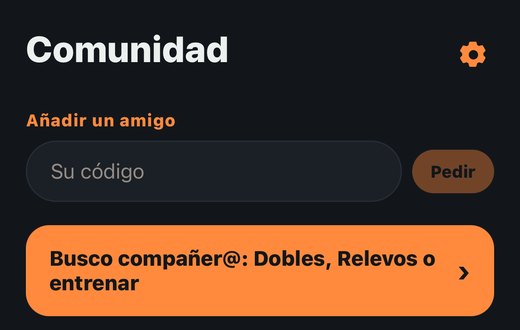
Community

It's the planet in the middle of the bar. It needs an account and a nickname.
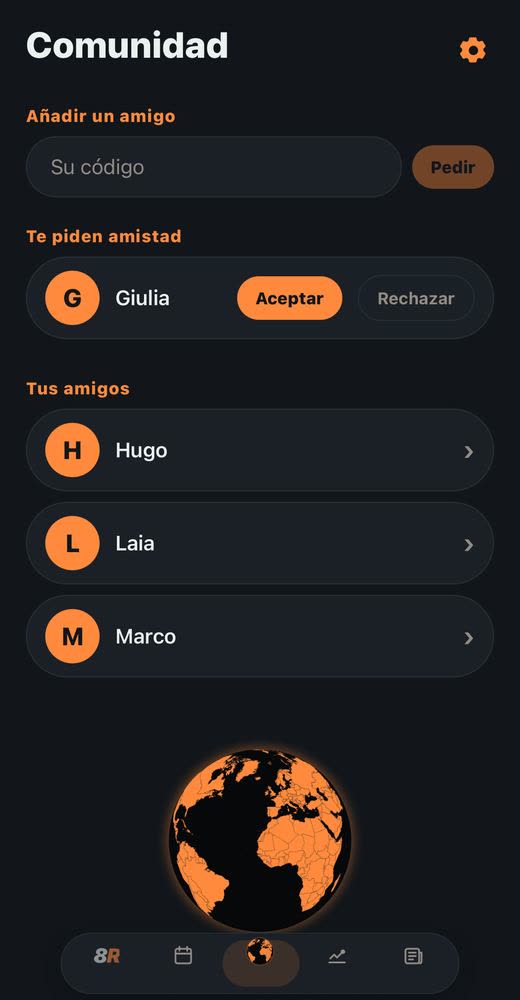
  • Add a friend: type their code and tap «Ask». If someone asks you, they appear at the top with «Accept» or «Decline».
  • Your friends: tap one to open the chat. When someone writes to you, the planet shows the number of unread messages.
  • In the chat, the three dots at the top: remove friend, block or report.
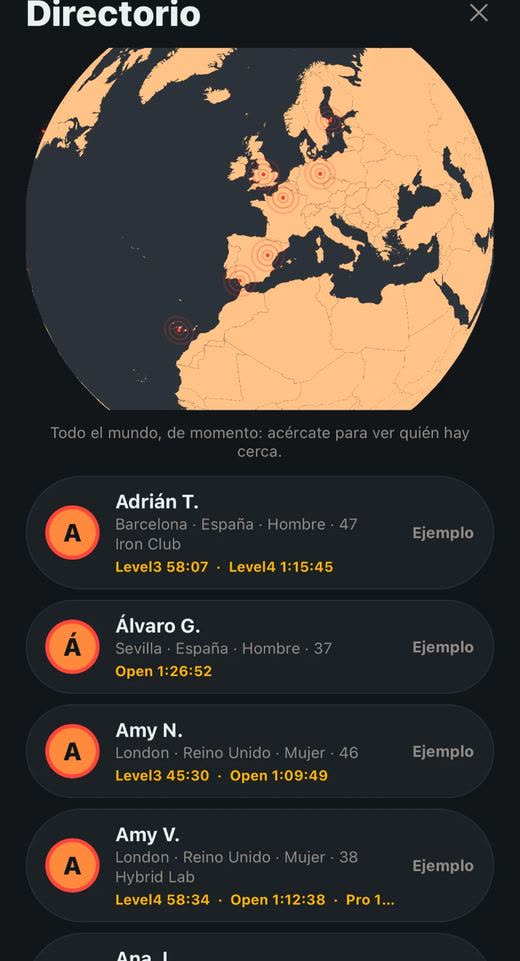
  • The world map: tap the planet at the bottom, spin it and zoom in; below, the people in the area you're looking at. Anyone who doesn't want to appear shows as a gray dot, with no name.
  • Inviting to a box: inside the box, «Invite someone»; search by nickname or tap «Search on the map» and «Pick».
8Round: Community (1)8Round: Community (2)
12

Find a teammate: Doubles, Relay or training

In Community, the orange «Find a teammate» button opens an ad board to find someone to race or train with.
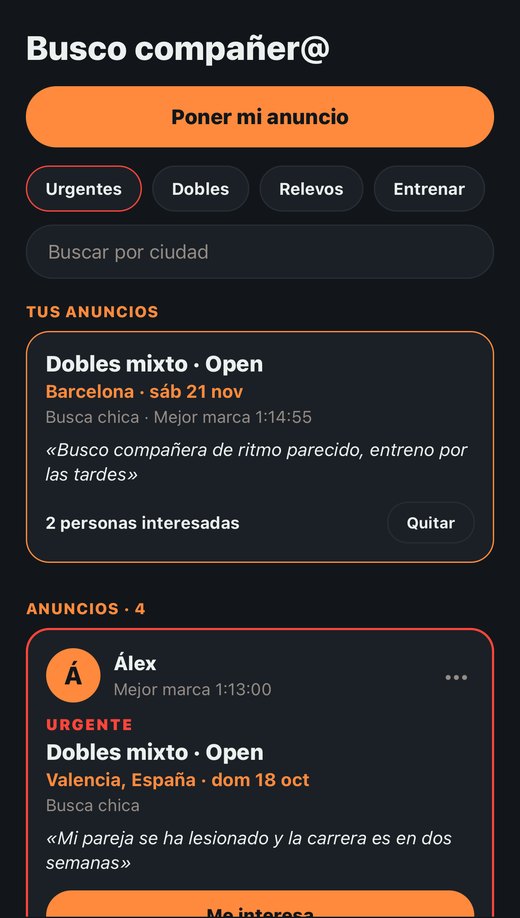
  • Post your ad: Doubles (mixed, men's or women's) or Relay for a real race, with its city and date; or Train together, no race, just where you train.
  • The app sets your level: your best time in that division or, if you don't have one yet, your predicted time. It can't be typed in, so nobody inflates it and similar levels find each other.
  • Has your partner or a teammate dropped out? Tick «Urgent: someone dropped out» when posting: it shows first and in red, and the «Urgent» filter shows only those.
  • On other people's ads, tap «I'm interested»: they get a notification, a friend request and a message with your interest. If they accept, you can message each other in Community.
  • Filter by Doubles, Relay or Training, by category, by Open or Pro, by city or by «Level similar to mine».
  • Nobody sees your phone or email. Race ads disappear after the race and training ads after two months. You can have three at a time and remove them whenever you like; long-press one to report it.
8Round: Find a teammate (1)8Round: Find a teammate (2)8Round: Find a teammate (3)
13

Progress

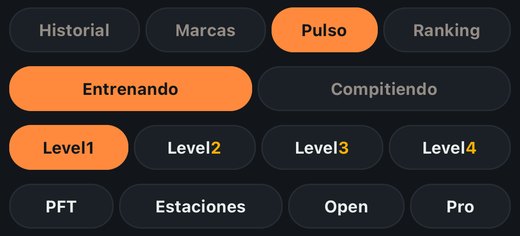
It has four buttons at the top.

  • History: the calendar and all your races (see «History»).
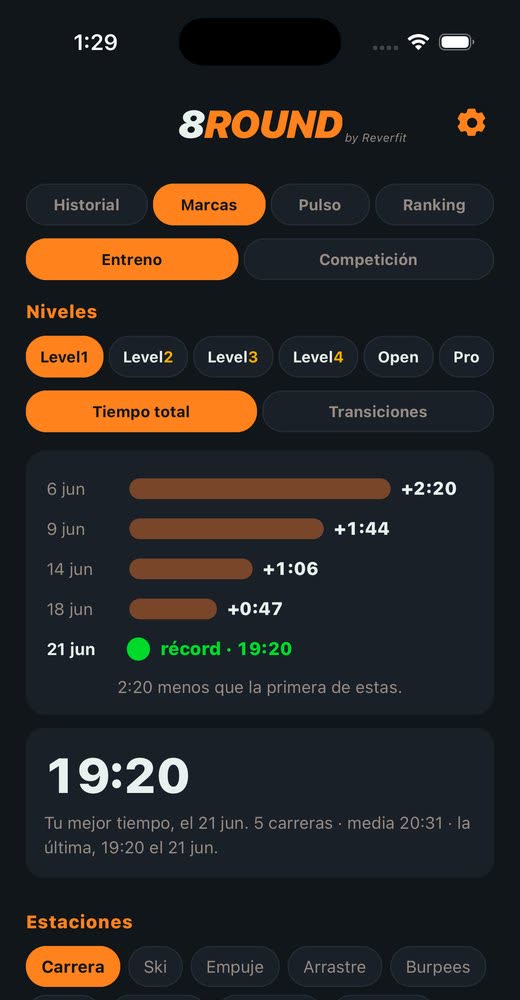
  • Records: choose Training or Competition and then what to look at: Level1 to Level4 on top; PFT, Stations, Open and Pro below. You see how far you were from your record in each race: the shorter the bar, the closer; the green dot is your best. You can look at the total time, just the stations or just the transitions. In the PFT the run counts as one more station. Below, your record with every leg and transition in order. In «Stations» tap the button with the photo and pick the exercise and its distance or reps; on top, your best with its day and where it came from; below, every time you did it, latest first, with its day and source (PFT, a Level, Open, Pro, Free or a single training). Competition is what you run from Compete (Open and Pro; solo, Doubles or Relay).
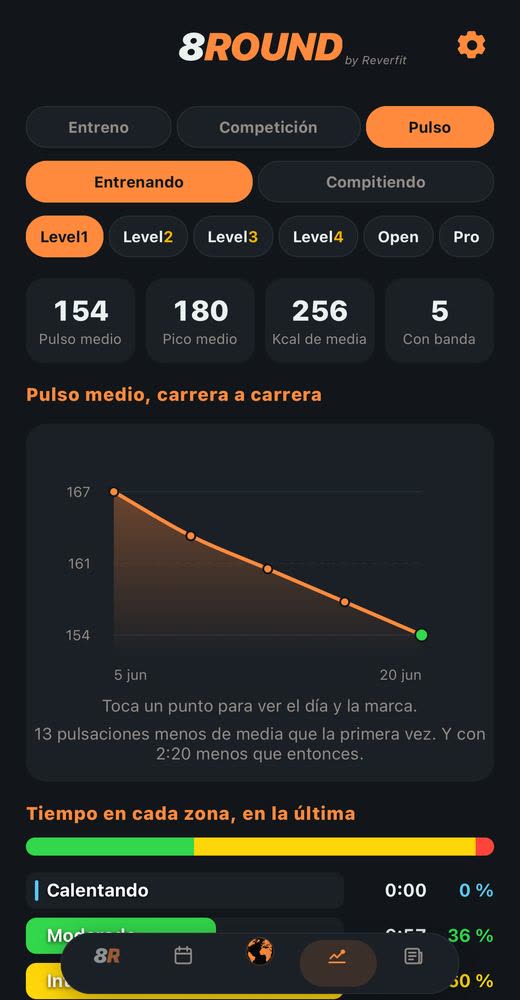
  • Heart rate: choose Training or Competing and the type —each level, or each single station, for example just Ski—. You'll see how your average heart rate drops race by race, time in each zone (Warming up, Moderate, Intense and Maximum) and, leg by leg and in order, each exercise's heart rate in its zone's color and, after it, how much you recover in the transition. The bars fill as they come on screen.
  • In Heart rate you choose what to look at: each level, «PFT» or «Stations». In «Stations» tap the button with the photo and pick the exercise and its distance or reps. Every time you did it with a strap or watch shows up, wherever it came from: a PFT, a Level, Open, Pro, Free or the single station. Each row gives the day, where it came from (and which km, in a race), the time and the average and peak heart rate.
8Round: Progress (1)8Round: Progress (2)8Round: Progress (3)
14

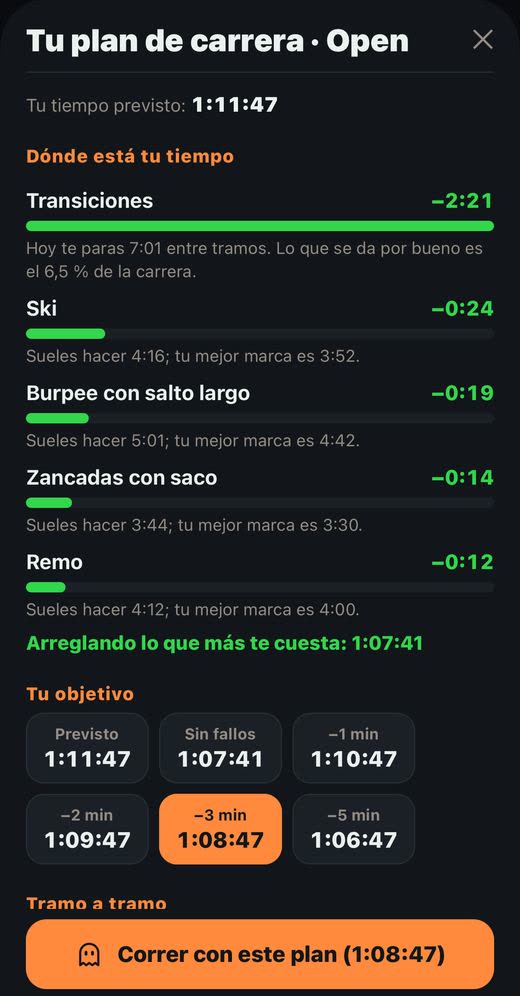
Your predicted time and race plan

It's in the Plan tab (the second one in the bar), at the top. Choose Open or Pro on the card; it also applies to your training plan.

  • Your predicted time: what you'd do today, from your latest full races at that level (if you have none, from your single stations and running pace). Below, in green, «You could get down to…»: what you'd do fixing what costs you most.
  • «See your race plan» opens the plan. First, where your time is: how much you'd gain in transitions, each station and holding your running pace, from most to least, and why.
  • Your target: your predicted time, «No mistakes» (fixing only what you've already shown you can do) or a few minutes less.
  • Leg by leg: the time for each of the 16 legs, pace per kilometer, how long you can stop before each one and the running clock, so you know which minute you should be at.
  • «Race with this plan»: the plan becomes your ghost, and during the race you see whether you're ahead or behind it.

If any data is missing it says so: nobody's numbers are made up. It's part of Plus.
8Round: your predicted time and race plan (1)8Round: your predicted time and race plan (2)
15

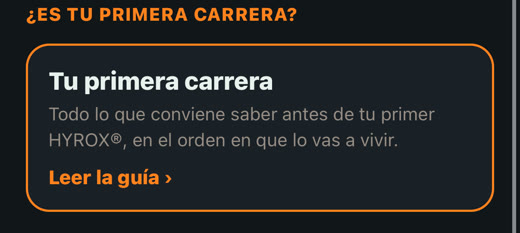
Your first race

In the Plan tab, at the bottom, the «Your first race» card opens a short guide: what the race and the Roxzone are, which division to choose, how to prepare, what to do the day before and on race day, the usual mistakes when racing it, what gets a rep repeated, kit and what to do afterwards.
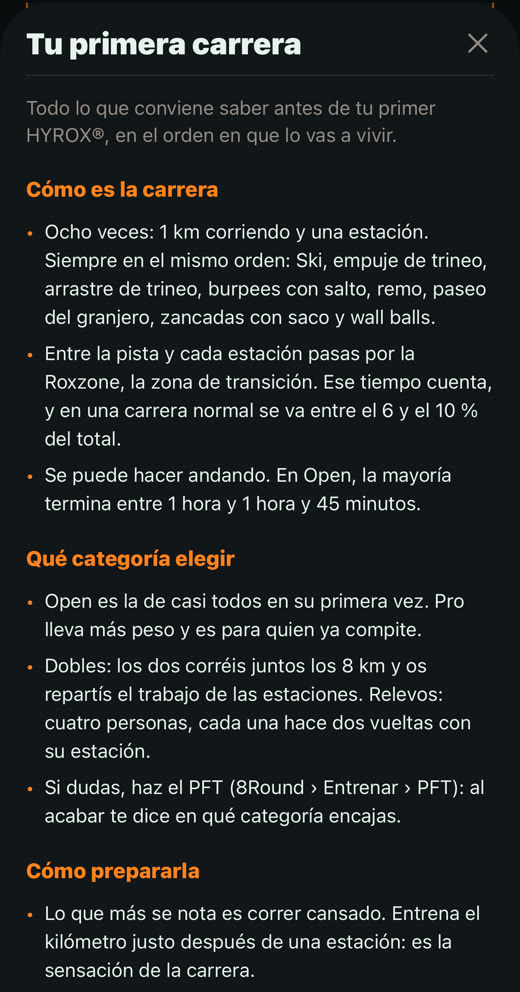
8Round: your first race (1)8Round: your first race (2)
16

Your training plan

The weeks left until your race, built around what costs you most time.
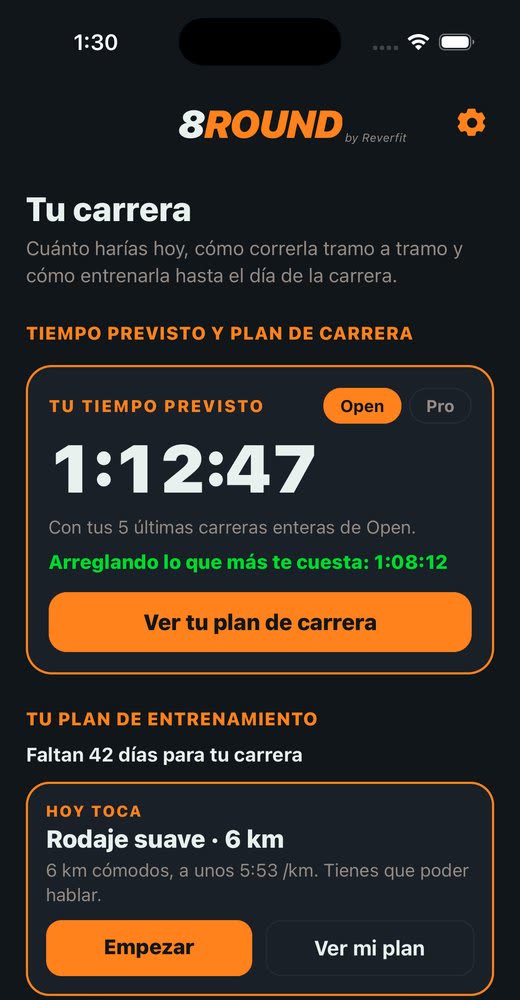
  • Where: in the Plan tab, under your predicted time, «Create my plan». Choose your race day and how many days a week you train (3, 4 or 5) and tap «Create my plan».
  • Each week brings its sessions: your weakest station, running tired, fast transitions, an easy run and, every three weeks, a simulation with your plan. The last week is easy, so you arrive fresh.
  • Each session says what to do, with numbers, and why it's due.
  • «Do it now» starts it with the 8Round timer and the settings already in: for example, the Ski at 1000 m with your best below and the «Start Ski» button. You can start it any day, but it ticks itself off when you do it on its scheduled day. If you tapped by mistake and haven't started, «Leave the race» saves nothing.
  • The session guides you: a warm-up countdown, the main block and a cool-down. Stations are done in sets (for example, Ski 4 × 250 m) with the rest counting down; the next one starts on its own at zero. The others run with the 8Round timer.
  • When you finish: your best set or your time against your best, your heart rate if you wear a strap or watch, and how it felt (easy, fine or hard): that nudges what's coming a notch up or down.
  • The plan adapts: a session done on another day still counts («done on Wednesday»), and one you miss moves itself to the next free slot.
  • At 7:30 on the day it's due your phone reminds you of the session; turn it off in the plan.
  • Today's session (or the next one) shows in the Plan tab, with the days left, and also at the top of 8Round › Train, with its start button. «See my plan» opens all the weeks. At the top, your time in orange, your target in green, the days to go and the sessions done.
  • At the bottom of the plan you can change the date or days, or remove it. It's part of Plus.
  • If you race with a heart rate strap or an Apple Watch, the plan also looks at your heart rate in recent races: if you recover little in transitions (under 10 %), it adds sessions to bring your heart rate down before each station; if your first km is higher than the rest, it asks you to start below that figure; and the station that pushes your heart rate highest goes into the plan even if it isn't the slowest. In «Today», under the goal, it says in orange why that session is due, with your numbers.
8Round: your training plan (1)8Round: your training plan (2)8Round: your training plan (3)
17

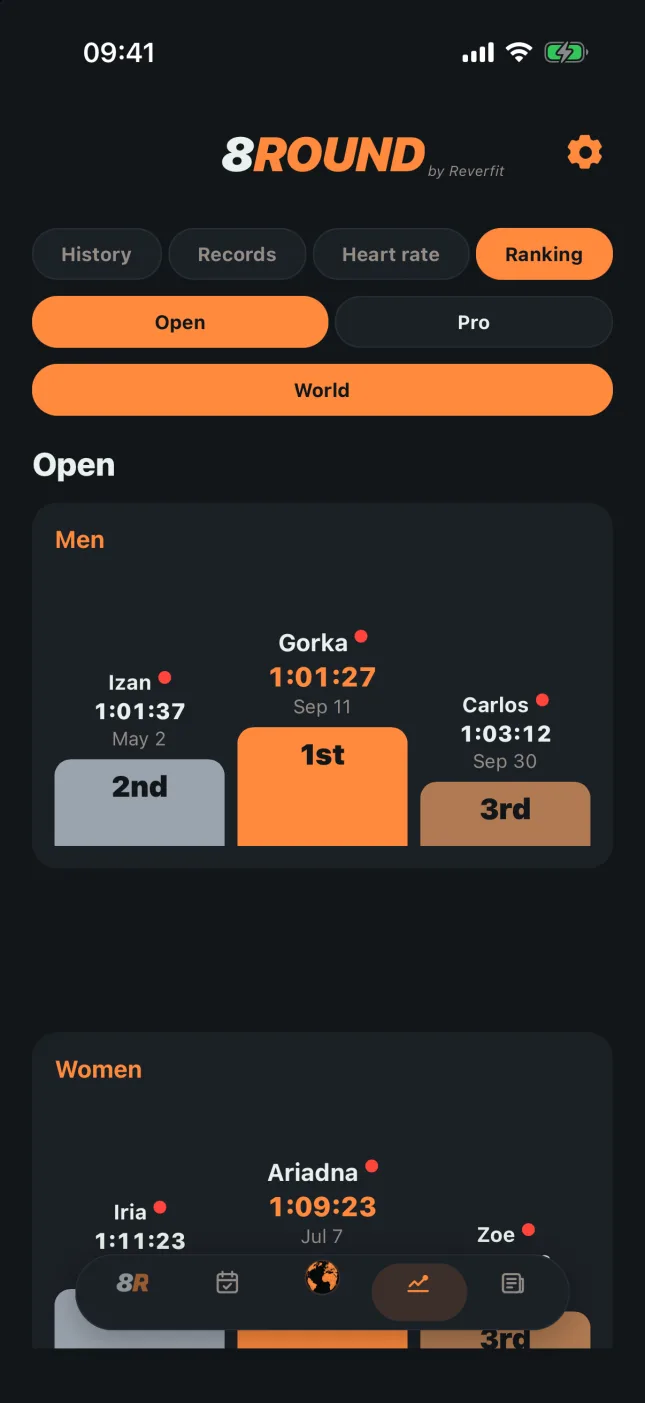
The ranking

It's in Progress › Ranking, the last button at the top. To be in the ranking you have to be in Community, and only people in it can see it. You appear with your Community nickname and your time, nothing else.
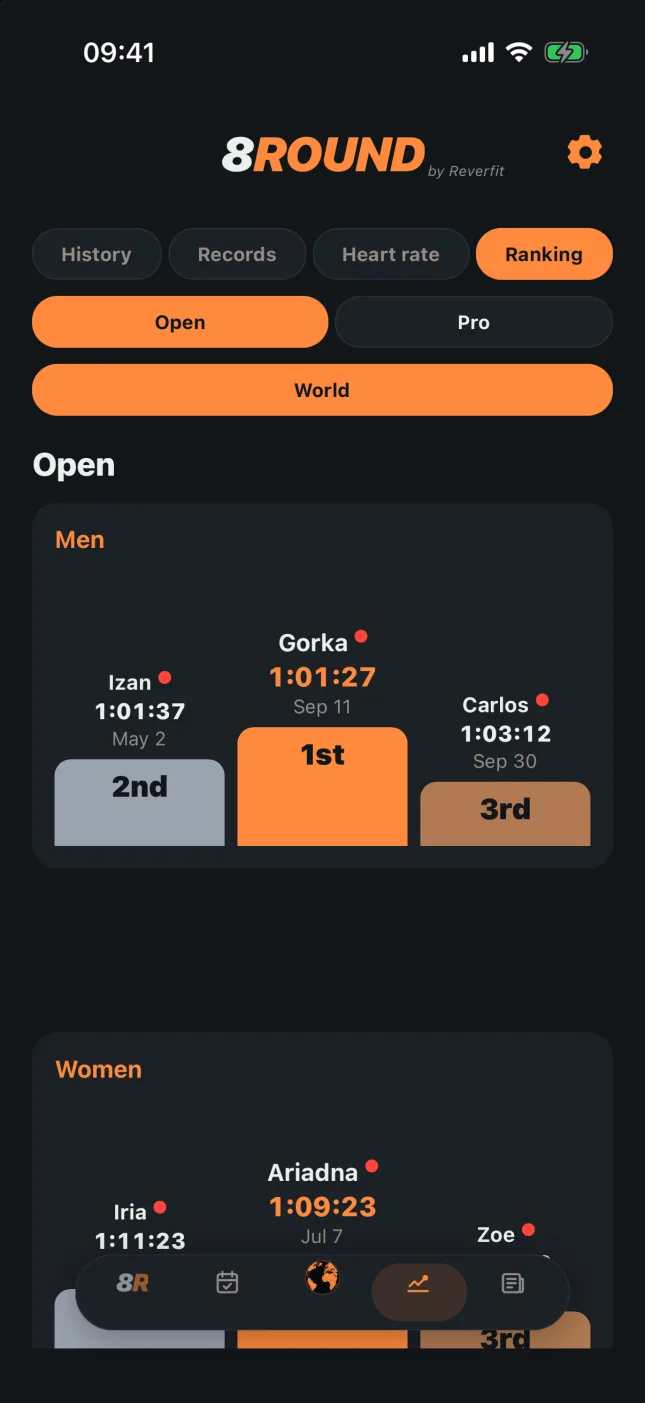
  • Only complete races you run from Compete count, in Open or Pro. What you run from Train stays in your history and records, but doesn't go to the ranking.
  • You can see it by your city, country, continent and the world, and below your position in each.
  • People with a red dot are examples, not real users.
  • The example races from Settings › For testing are made up and never go into the ranking.
  • If you leave the ranking your marks are removed from it; your races stay on your phone as they were.
8Round: the ranking
18

News

Results, reports and the calendar of upcoming events. They're the same as on reverfit.com: «Read more» opens it here and «View on the web» opens the full story there.
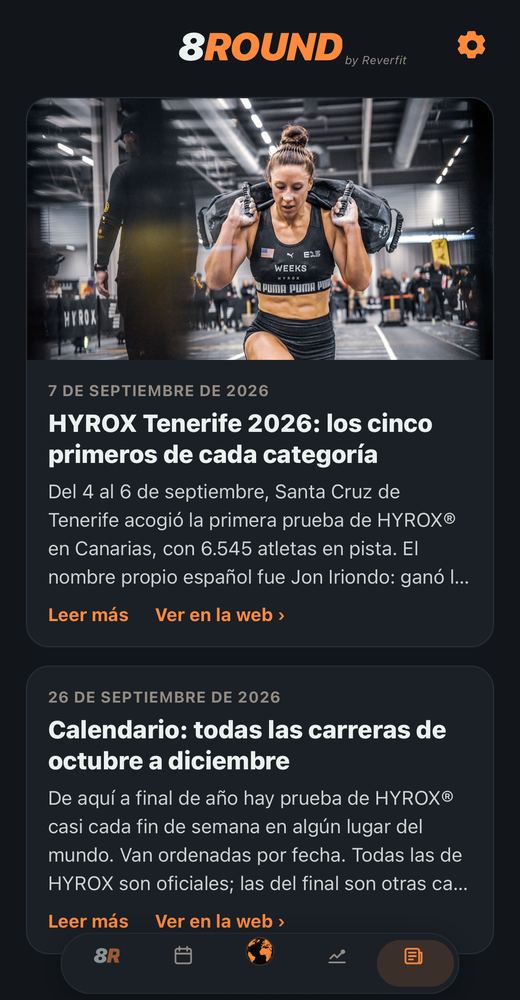
8Round: news
19

What's free and what's Plus

FREE, ALWAYS

  • Competing in Open: alone, in pairs or in a team.
  • The ranking and Community: friends, chat and racing together.
  • Your history for the current three-month stretch: when it ends, a new one starts from zero.

PLUS

  • Competing in Pro: alone, in pairs or in a team.
  • All of Train: Level 1 to Level 4, Stations and Free.
  • Your full history, with no time limit.
  • Progress: your graphs and your best mark at every station.

Your first 14 days of Plus are free: try all of it and, if you cancel before they end, you pay nothing. After that it renews automatically every month or every year and is canceled from your Apple account settings.

8Round Plus is for this app only: the Reverfit Workout or Diet Pro doesn't unlock it, and this doesn't unlock theirs.
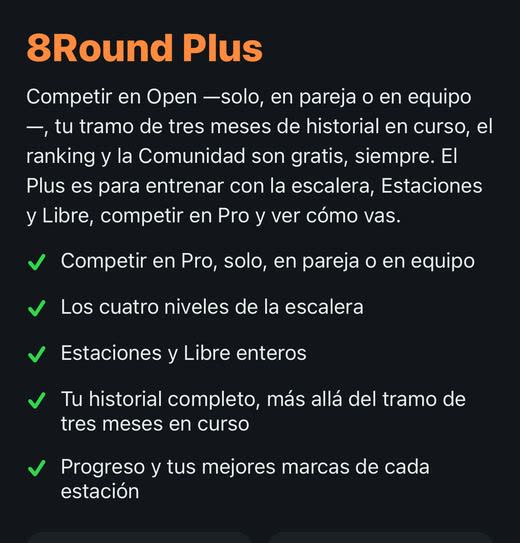
8Round: what's free and what's Plus
20

Do you need an account?

WITHOUT AN ACCOUNT

  • Racing solo: all of Train and Compete → Individual. Open is free; Pro, Level 1 to 4, Stations and Free are Plus.
  • Plus doesn't need one either: you buy it with your Apple account, and on another phone you get it back with «I already paid: restore my purchase».

WITH AN ACCOUNT AND A COMMUNITY PROFILE (your nickname)

  • Doubles and Relay, with their boxes: everyone on the team needs their own account. Open is free; in a Pro box, everyone who joins needs Plus.
  • The ranking, friends and chat.
  • Showing up on the Community map. With the Community switch on (Settings) you appear with your nickname; off, only as a gray dot, with no name, in your city.
  • Keeping your races in the cloud in case you change phones.
21

Your account and the other apps

If you have Reverfit Workout or Reverfit Diet, you can use the same account here: the same email and password, no need to create another. What isn't shared is your races, your ranking and your Plus, which belong to 8Round.
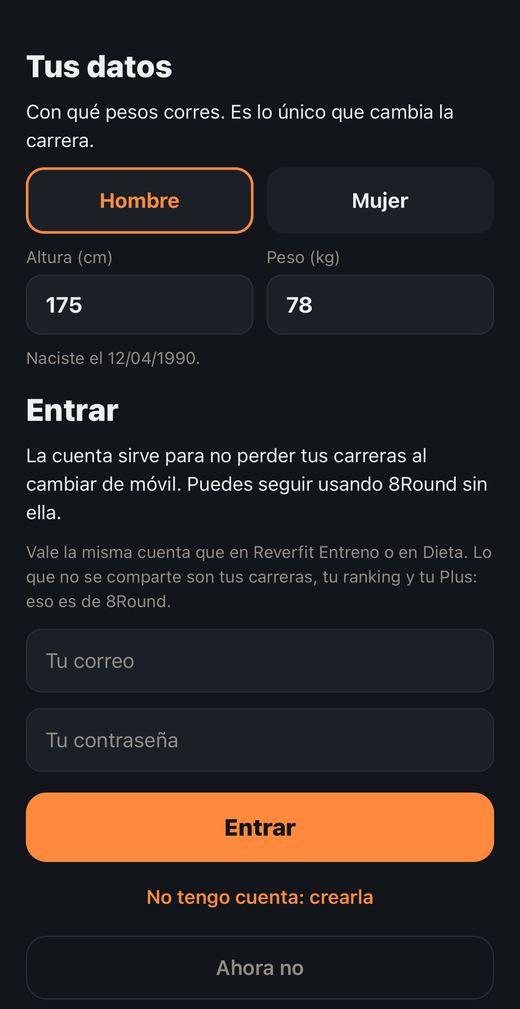
  • You sign in from Settings › Your account › «Sign in or create an account».
  • When you tap the email or password, the screen moves up so you see both and the button above the keyboard.
  • At the very bottom of Settings, in small print, is the app version with the day and time of the latest update. If it doesn't change after closing and opening the app, the latest one hasn't reached you yet.
  • Your details (sex, height, weight and date of birth) are changed right there, at the top. Your date of birth sets your age group in the ranking, your category's world record and your heart rate zones.
  • Of your details, sex is the only thing that changes the race: it sets the weights you race with.
8Round: your account and the other apps
22

Settings

While 8Round is open in front of you, your phone screen won't switch off on its own; leave the app and it goes back to normal.

Open them with the gear at the top. They come in folded bubbles: tap one to open it.
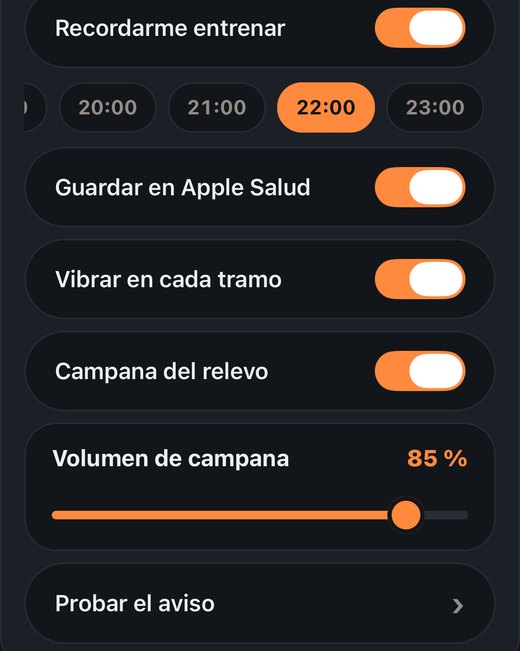
  • Look: dark is the default, because half of this app gets read in a hall with the lights down; gray is softer; light is for training in the sun.
  • Language: Spanish or English. In English, the exercises carry the names athletes use (Sled Push, Wall Balls, Farmers Carry).
  • Remind me to train: one reminder a day. When you turn it on, a strip of hours appears: slide it sideways and tap yours.
  • Buzz on every leg: one tap when you close a leg and another when you finish the race.
  • Relay bell: a ring when it's your turn, racing as a pair or a team. It's the app's only sound: it plays even with your phone on silent and doesn't cut your music. Below it, the bell volume, which rings when you lift your finger so you hear it; and «Try the alert», to hear it before you need it. There are no other sounds on purpose: in a hall you can't hear them and with headphones they get in the way.
  • Your account: your email, your city (to compare yourself with your city and country) and Plus. Under «While you race», the heart rate strap (any Bluetooth one works; you pair it once and then it connects by itself), the Apple Watch and the Garmin.
  • Your photo: only your friends see it, in your list and in chat. On the map, the directory and the ranking you show up with your initial.
  • Community: your code so people can add you, and what you show in the directory. If you turn it off, you show up on the map as a gray dot with no name. «Ranking» puts you in it with your nickname and time, and only people in the ranking can see it.
  • Chat background: the photo stays on this phone and only you see it; your friends see their own.
  • Your city: just the city, no street and no GPS. Change it any time.
  • Heart rate strap: Bluetooth is only used to read it while you race; where you are isn't stored.
8Round: settings