For gyms
Reverfit for gymsReverfit for boxesPricingFree
Do you know how many
fees are unpaid
right now?
Reverfit tells you in a second: who is due this week, who hasn't paid and who hasn't shown up for days. And your members carry their workouts and their diet on their phone — with your brand, at your own web address.
Your whole gym,
on one screen.
Who has paid, who is due this week, who is in right now and how the month is going. From the front-desk computer, a tablet or your phone.
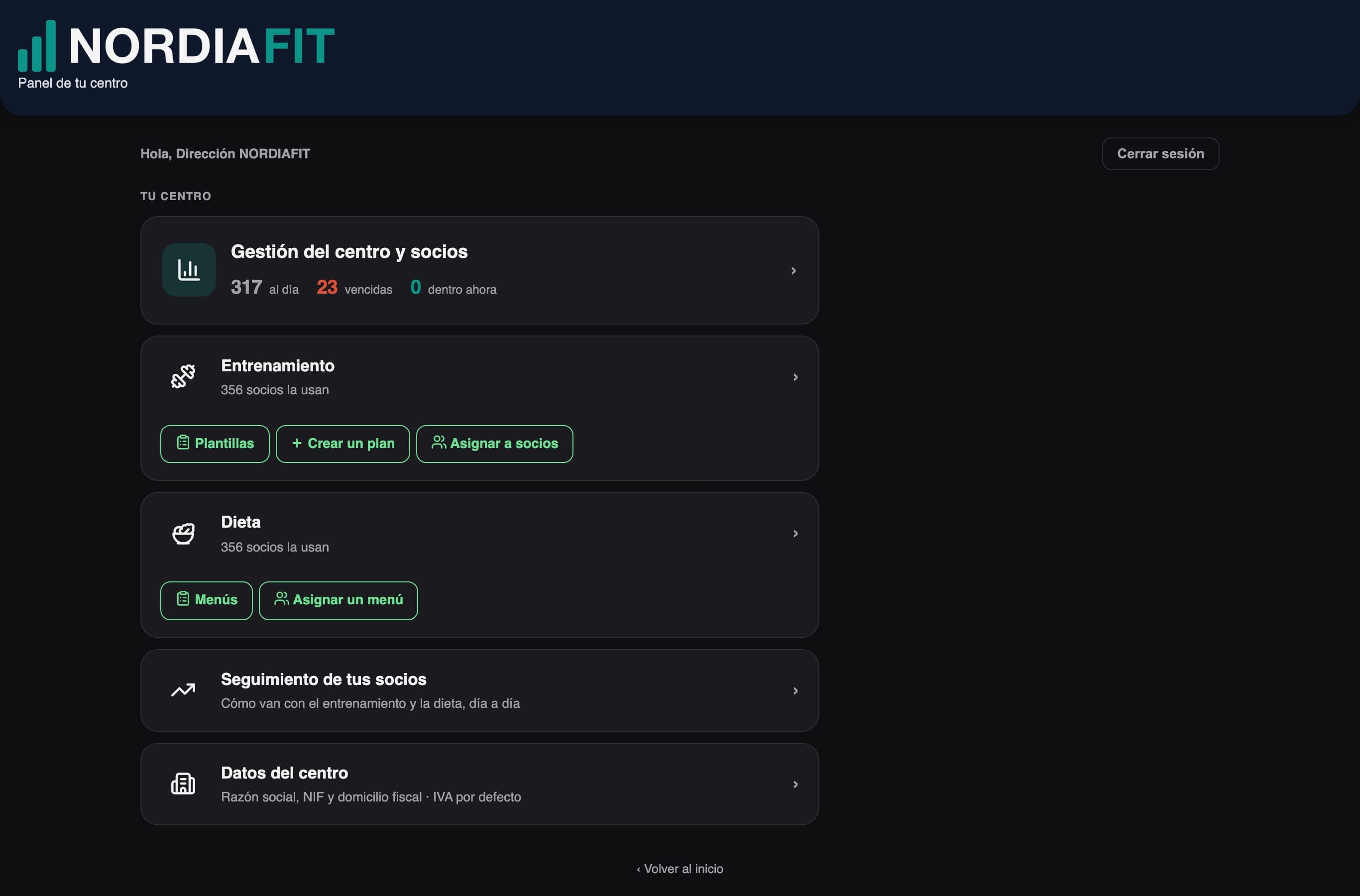
Sample gym, with sample data.
Screen by screen.
Scroll slowly: each sentence changes the dashboard screen.
Every morning, what matters.
When you log in, each module in its own tile: members up to date in green and overdue fees in red. No spreadsheet to open.
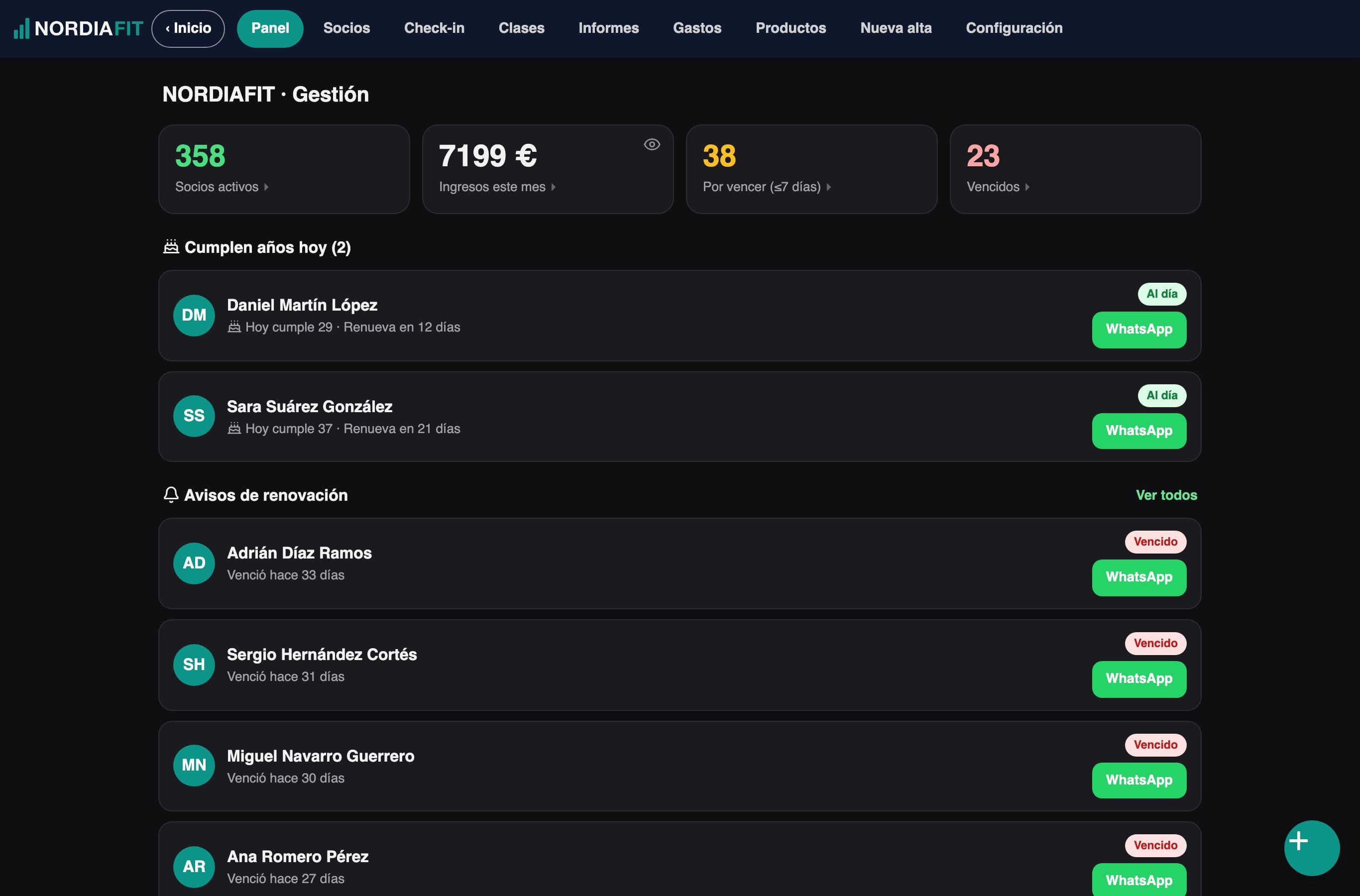
Who owes you, without looking.
Active members, what came in this month, and the fees due this week or already overdue.
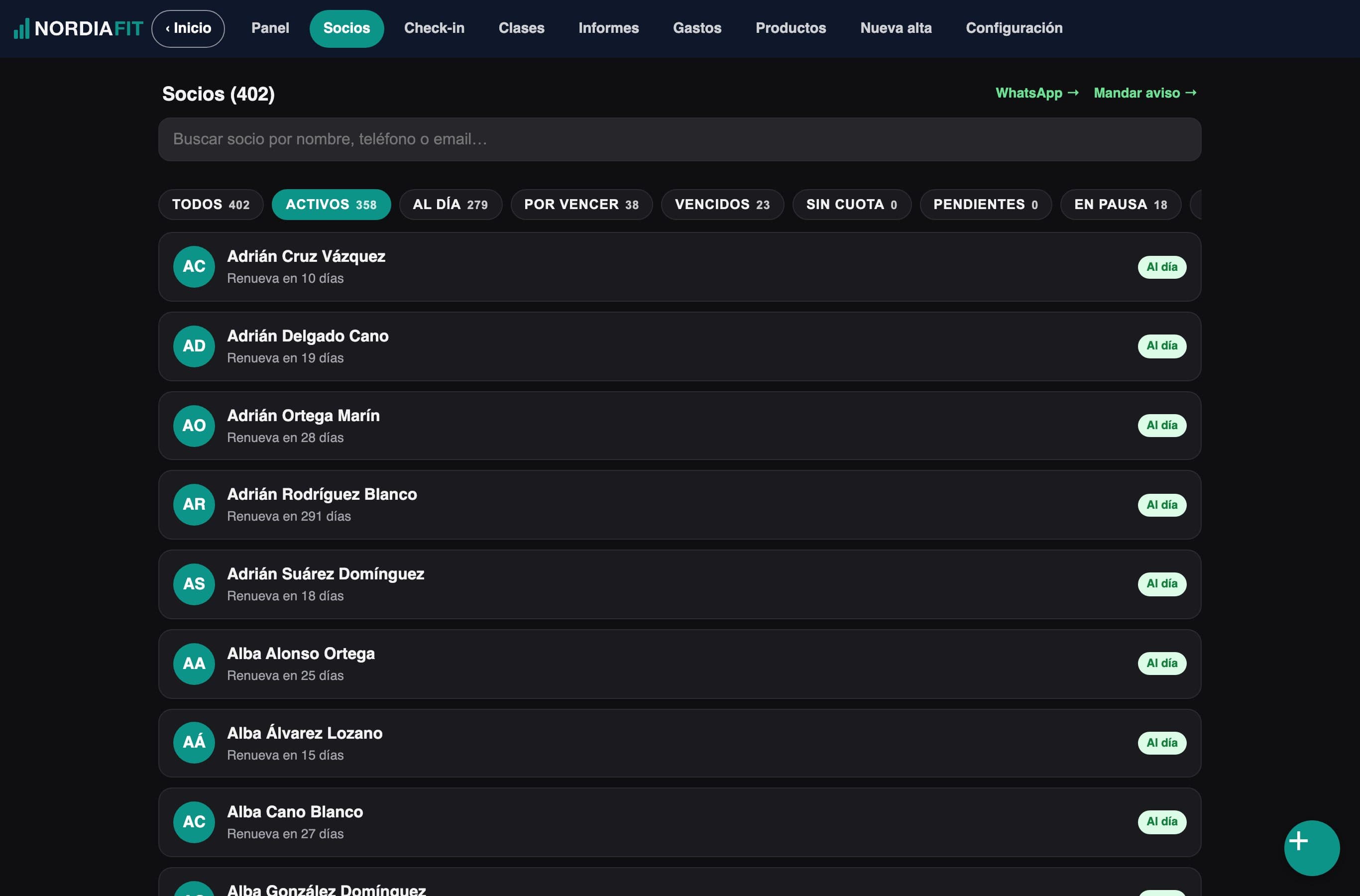
Your members, one search away.
All of them in one list, with filters by fee status. Type two letters and there they are.
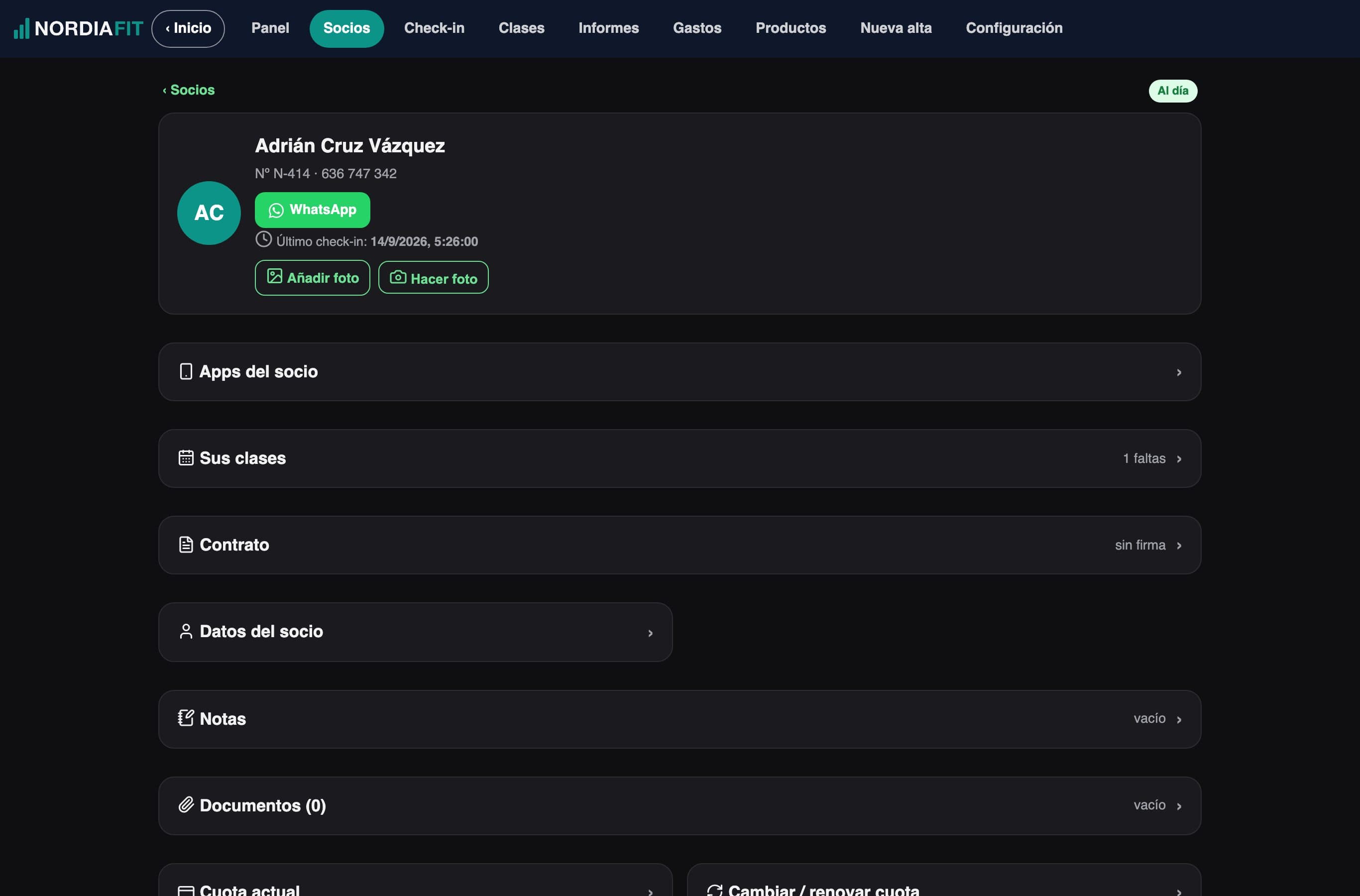
The whole profile.
Their fee, the next renewal, the signed contract and their workout and diet apps, on a single screen.
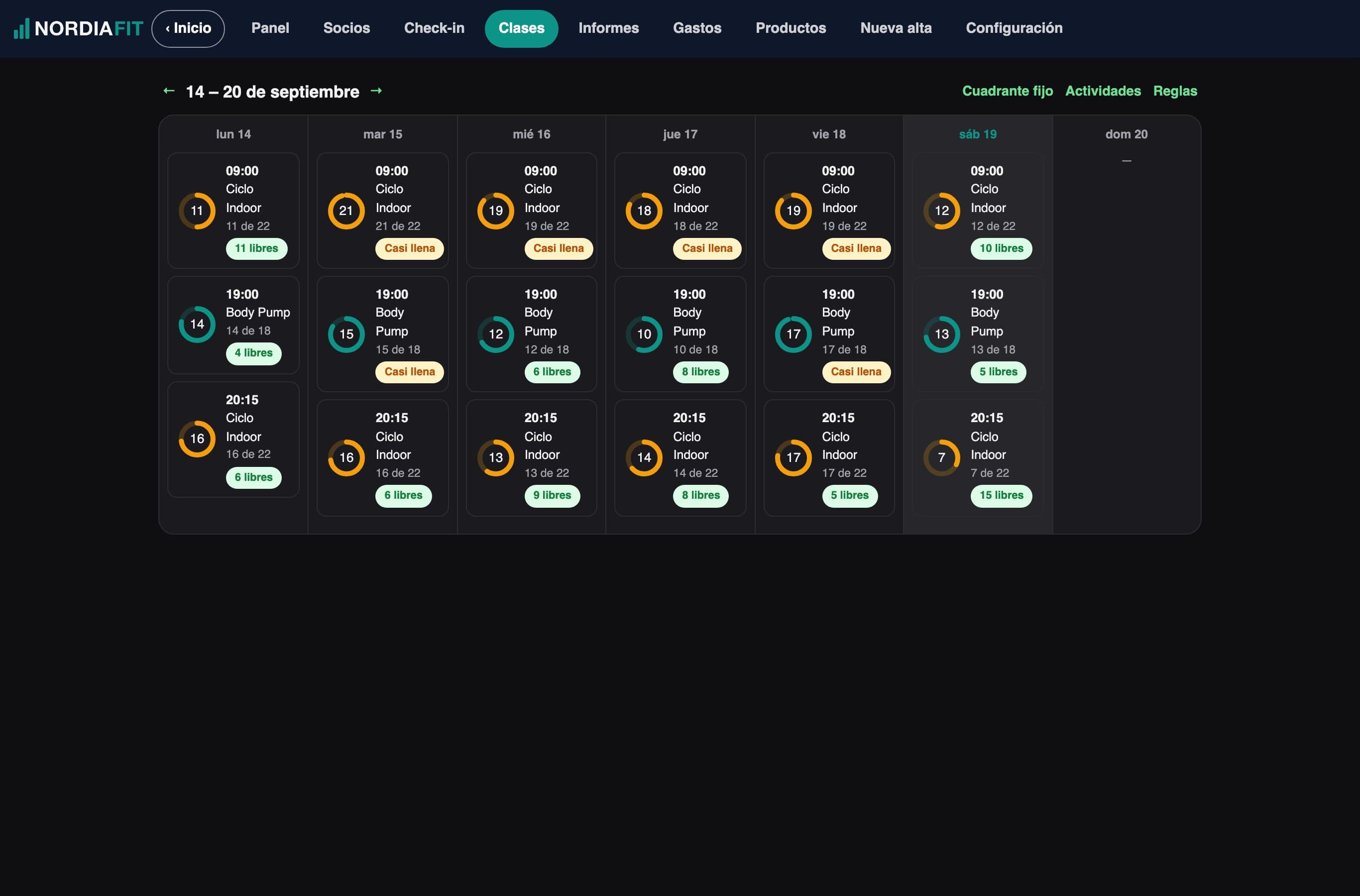
Classes at a glance.
The whole week, each class with its booked spots and the ones still free.
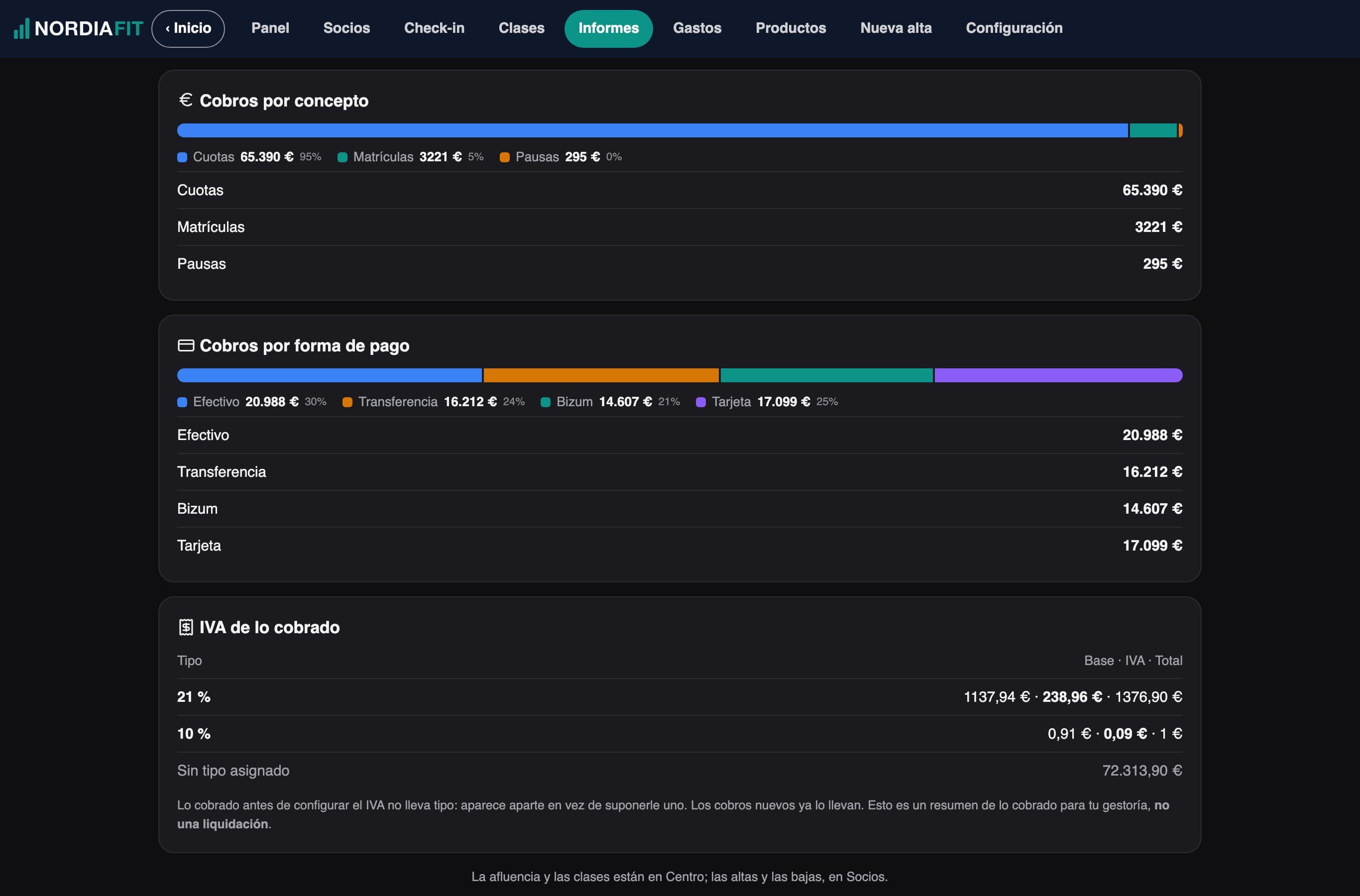
Who comes, and when.
The day-by-day attendance map and payments by item and payment method, on the same screen.
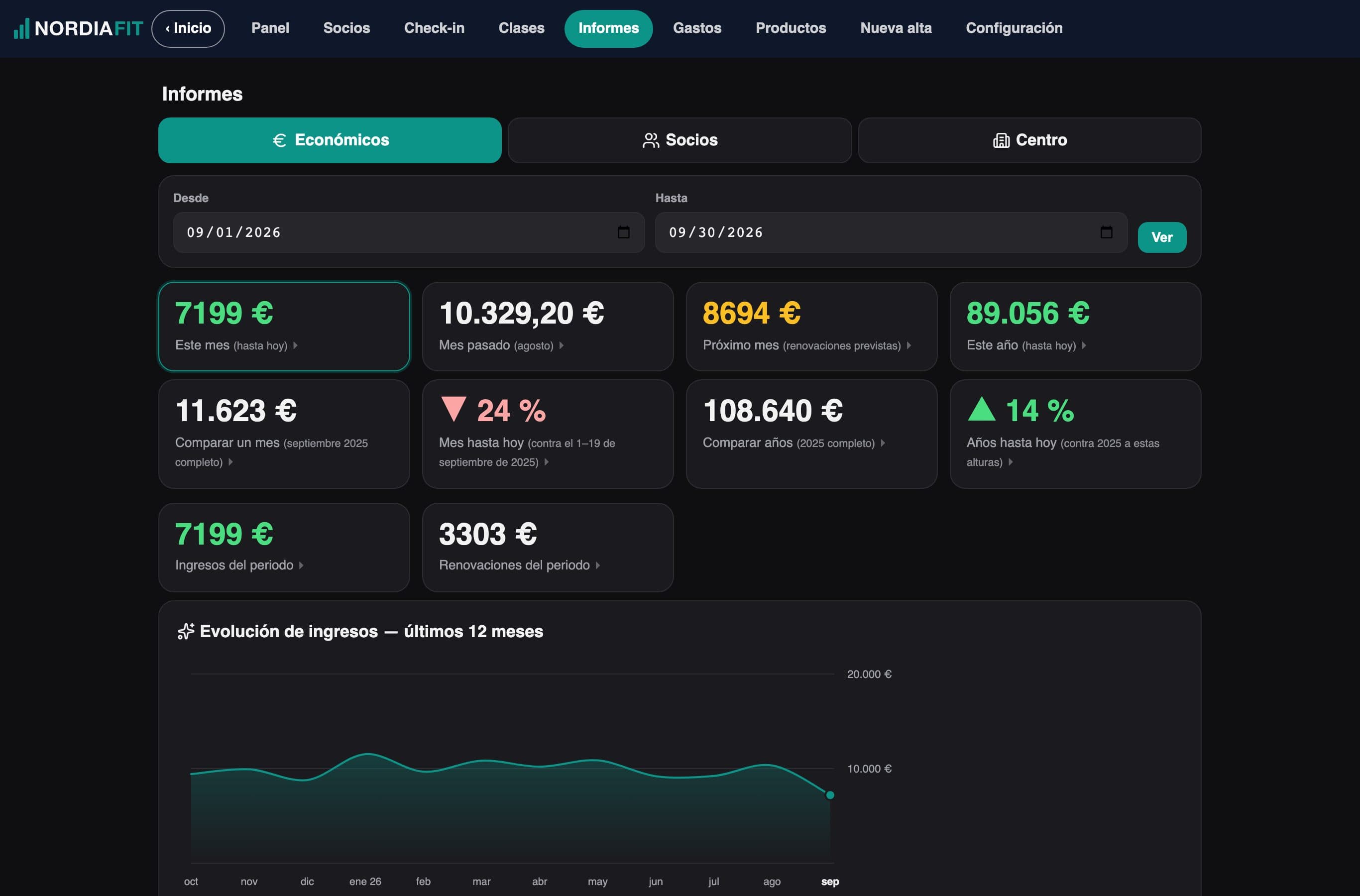
What comes in, month by month.
Your income over the last twelve months, compared with the previous period. And each year up to the same date.
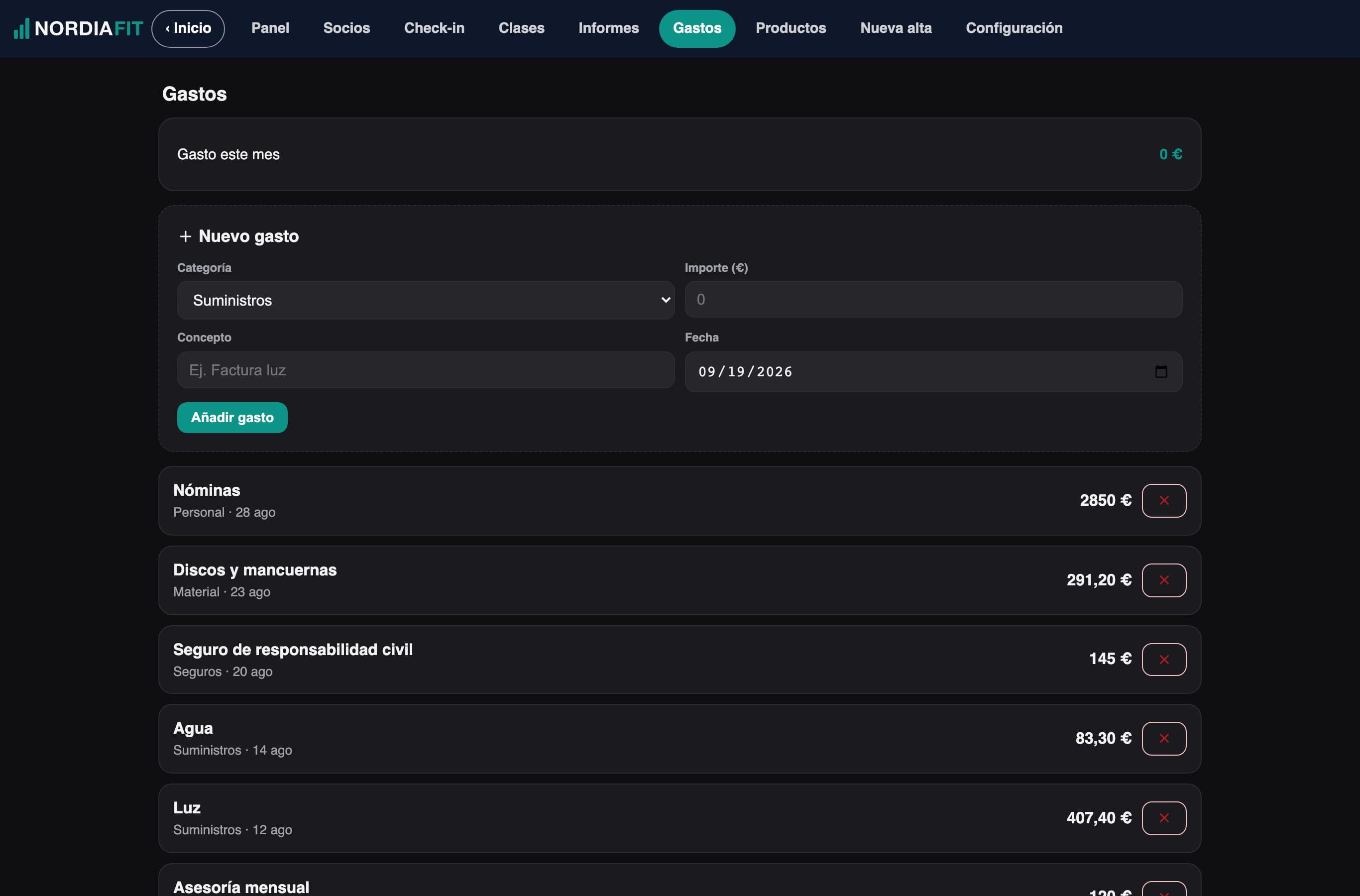
And what goes out.
Your gym's expenses by category, with the month's total, so you know what you really keep.
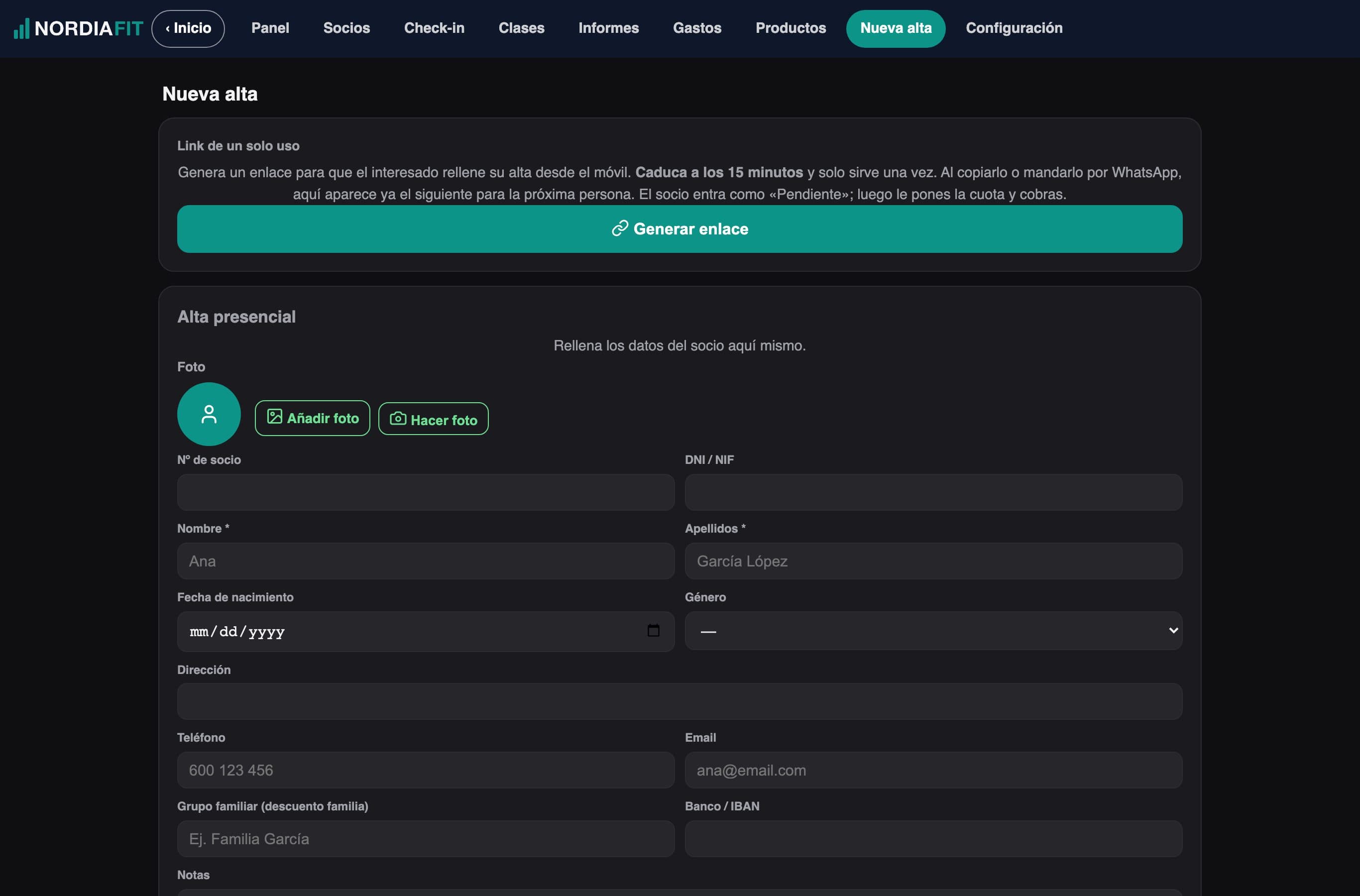
Sign-ups without paperwork.
At the front desk, or with a single-use link the member fills in from their phone.
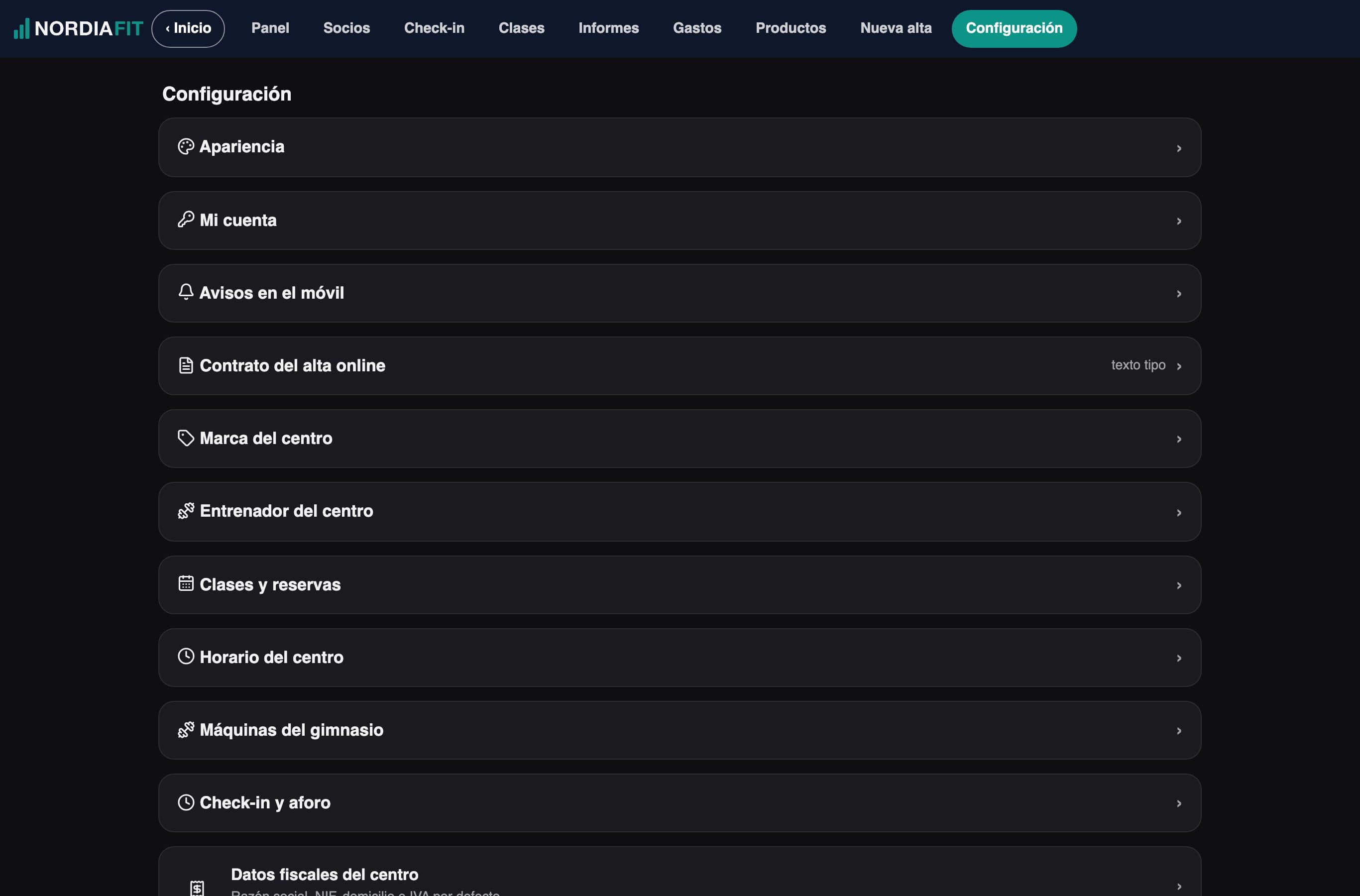
With your gym's look.
Your logo and your colors, and the dashboard adapts to the way you work.
Sample gym, with sample data.
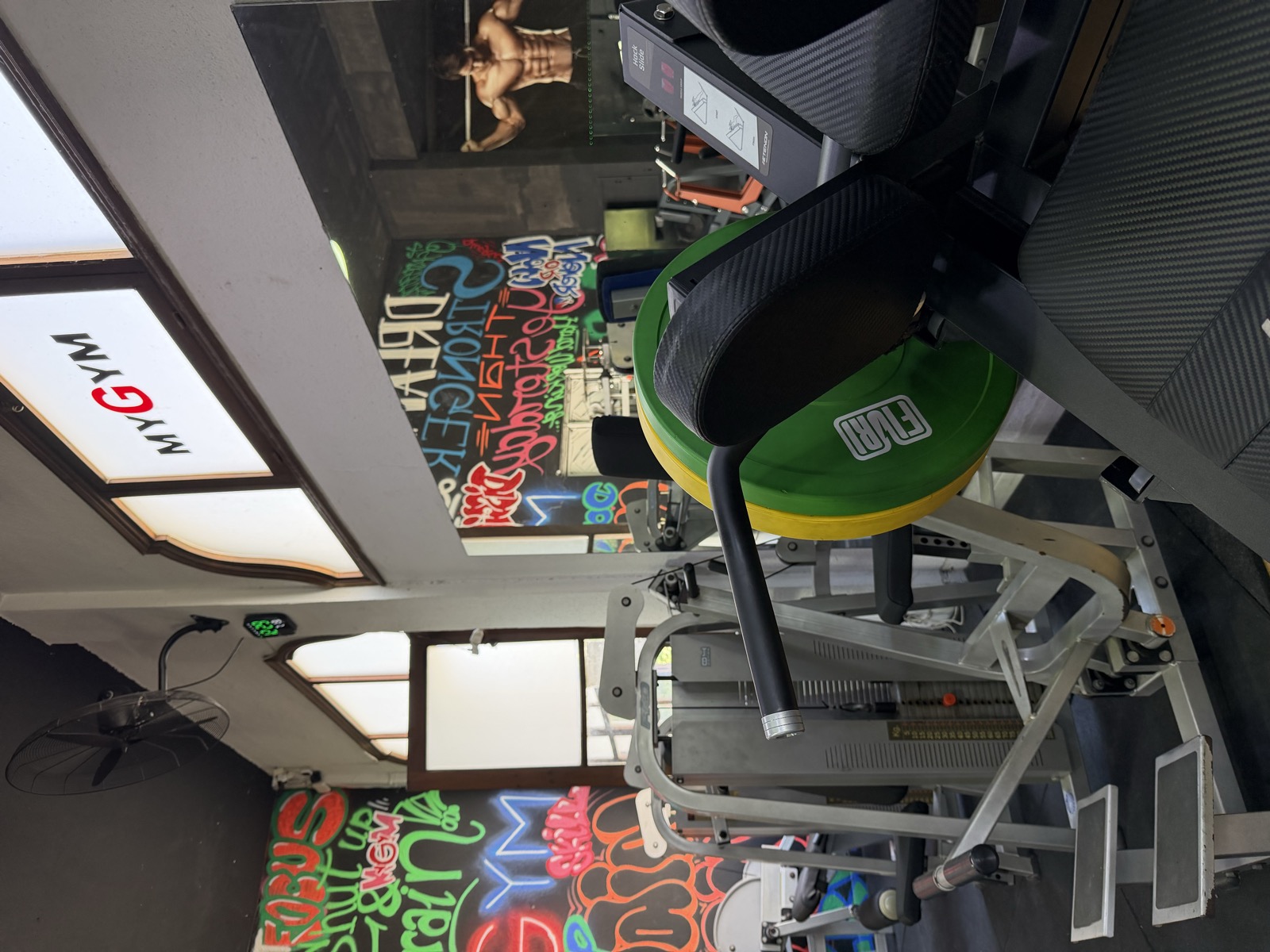
I'm a personal trainer and I own a gym
Reverfit didn't come out of an office. I have more than 35 years of experience, and I built it to run my own gym, MYGYM: I use it every day for payments, check-ins and the apps my members use.
Modules you can subscribe to
Swipe each gallery to see more screens, and tap the moon to see them in dark mode. The screenshots come from a sample gym, with sample data.
The big figure is what you pay the first year. Below it, what you'll pay from the second year on: the regular price, which doesn't go up with your members. No lock-in.


And this is what your member sees
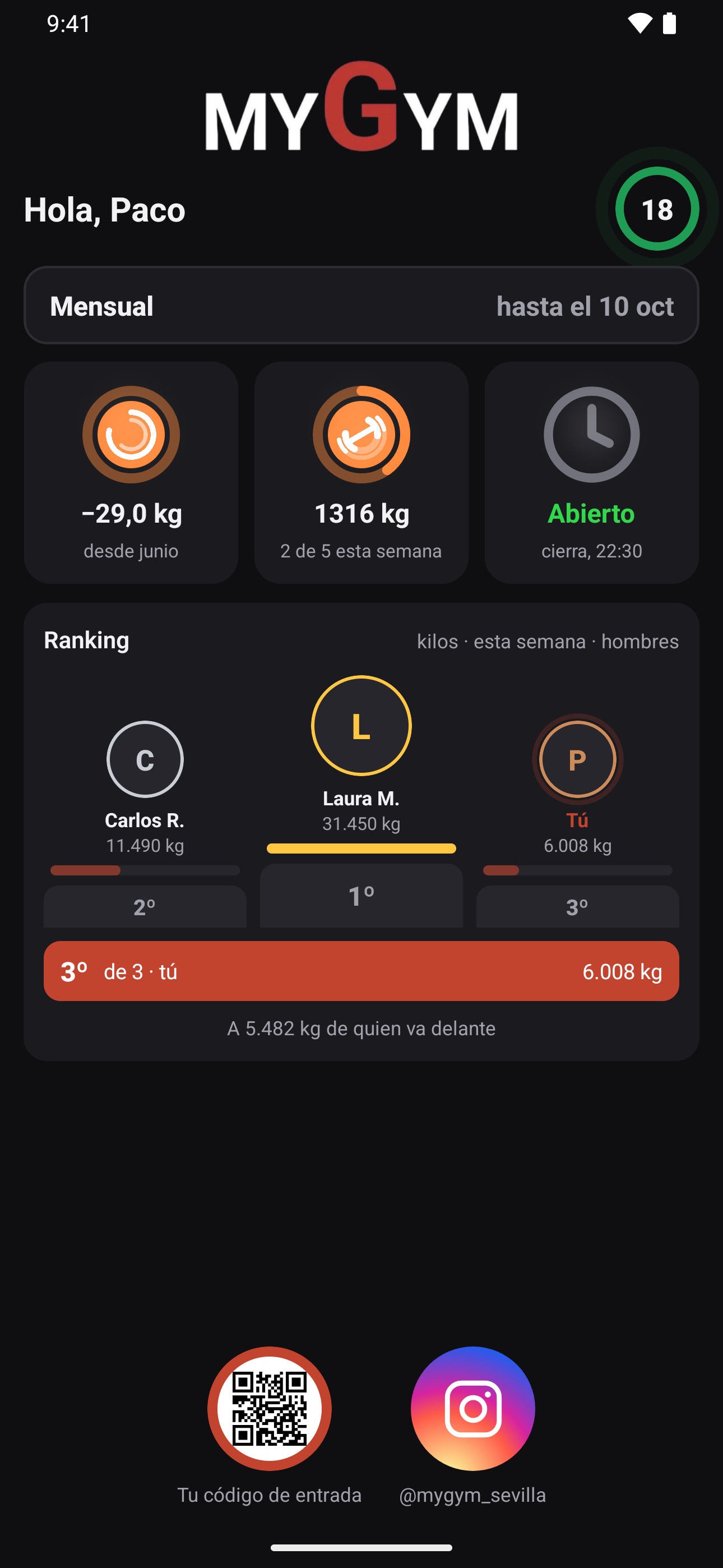
One screen with their classes, their two apps, the gym hours and the leaderboard. Hover over each part.
Includes Reverfit Workout Pro for all your members, however many you have.
How it works and FAQ ›


These colors aren't yours: each gym sees the apps —and its management dashboard— with its own logo and brand colors. These are the sample gym's.
What your members see with Pro.
With the Workout module, all your members get Reverfit Workout Pro.
Hugo and Nora are our models, created with artificial intelligence.
All prices
Per month, in US dollars, with as many members as you have. The big figure is what you pay the first year; below it, what you'll pay from the second year on.
Good to know: the management dashboard and your members' app, Reverfit Member, are in English and Spanish.
And the price is flat: it's the same with 60 members or 600. With software that charges by number of clients, a 400-member gym in Spain pays around €250 a month. Here, with all three modules, it's $89 the first year and $99 after that, and it doesn't go up as your gym grows.
The trial doesn't ask for a card or payment details: it's 7 days with the management software open, and we turn on the workout and diet apps as soon as you ask.
Your gym, with its own website
With Reverfit your gym gets a website without paying for a domain or a designer. It fills itself in with what you already have in the dashboard: change your hours or a fee and the page changes with it. And it only advertises the apps you have subscribed to, so it never promises what you don't offer.
Basic
FreeWhere you are, your opening hours, your classes, your prices, photos of your gym and a button to call or get directions. It shows up on Google and you can link it from your business profile.
 See MYGYM's whole page (in Spanish) ›
Professional
$10 / month or $500 one-offThe one that moves: a video of your gym in the header, whether it's open right now, your Google reviews, a WhatsApp button and each section sliding in as you scroll. Scroll inside the phone to see it.
Open it full screen (in Spanish) ›The professional website costs $10 a month or $500 in a single payment. A word on that “single payment”: it isn't forever, it's for as long as your gym stays with Reverfit. If you cancel, the website goes with you. You can order it from your dashboard (Configuración → Tu página web) or by writing to info@reverfit.com.
Complete management software for gyms and sports centers
Reverfit is management software for gyms, boxes, studios and martial arts schools. What happens at the front desk, what members see on their phone and the month's numbers, in a single program and with your gym's brand.
- Member and fee management. Sign-ups, cancellations, pauses and renewals, with an alert for who is due this week and who owes you. Sign-up happens at the front desk or with a single-use link the member fills in and signs from their phone.
- Payments and reports. Each payment with its item, its payment method and its VAT; your gym's expenses and the comparison with last year. What your accountant asks for, already done. Amounts are voided, never deleted, and every change leaves a record of who made it.
- Check-in with a QR code. Members scan their code at the front desk or at the kiosk: you see their photo and a colored ring that tells you whether they're up to date, and you always know your occupancy, how many people are inside. It doesn't open turnstiles or doors on its own.
- Class bookings. Your weekly schedule, the spots in each class, the waitlist —which passes the spot to the next person by itself— and a reminder to the member on the day.
- Who has stopped coming. Payments and check-in live in the same profile, so the software tells you not only who has paid, but who hasn't shown up for days: the sign that warns you of a cancellation weeks ahead.
- An app for your members, with your brand inside. Their card with the QR code, bookings, the gym's notifications on their phone and the gym leaderboard. It's called Reverfit Member and carries its own icon; when a member logs in with their code, they see your logo and your colors.
- Workout and diet. As separate modules: you build their plan from an exercise catalog with illustrations, and a menu adjusted to their calories, and it reaches their app. What they log, you see.
- Permissions per employee. To each their own: you can give someone just check-in and payments, without them seeing the reports or other people's data.
- From a computer, a tablet or a phone. Nothing to install at the gym: it's cloud software, and it works the same at the front desk as from home.
What it does and what it doesn't do yet, in full and with no small print, in the frequently asked questions.
Depending on the gym you run
- A flat price, not per member. Management software for your gym at a fixed monthly price: it's the same with 60 members or 600.
- Boxes and functional training. WOD of the day, a leaderboard with RX and scaled, PRs, the gym TV and bookings with a waitlist. A flat price per box.
- Combat sports and martial arts. Boxing, kickboxing, jiu-jitsu, judo, karate or MMA: each discipline with its schedule and capacity, fees and family passes, and check-in. A flat price.
- Personal trainers. Your clients with their workout plan and their diet on their phone, with your name in the app, their session packs and what they train in view. A flat price.
- Pilates and yoga studios. Limited spots per class, session packs with their counter, an automatic waitlist and fees collected without chasing anyone. With your studio's name. A flat price.
And if you're deciding how to run your gym, have a look at our free guides.
We help you bring your data
Tell us where you're coming from: which program or app you use and what format your members are in (a spreadsheet, access to your software…). With that, we try to do the migration for you at no cost.
Tell me what you need and we'll talk
I run Reverfit myself, and I'm a personal trainer and gym owner: there's no department to convince here. If you miss a report, a screen or a piece of data, tell me — several of the things you see here exist because someone asked for them. If it's useful for any gym, it goes into the software and you simply get it; if it's something just for you, I'll send you a quote before touching anything.
You can also use the apps on your own
Reverfit Workout and Reverfit Diet. No gym and no lock-in: the free part never expires, and if you want Pro, the yearly plan comes with a 7-day trial from the store.