For gyms
Reverfit for gymsReverfit for boxesPricingFree
Your box's spots,
out of the WhatsApp group
The WOD and its whiteboard, every athlete's PRs, the gym TV and bookings with a waitlist that fills itself. And the membership fee, by direct debit or Bizum. All in one program, with your box's app included.
What slips away every week at the box
Whatever software brand you use: if you handle this by hand, this is what happens.
- You're the one running the waitlist. Someone cancels at 7:30 and the next person has to be told. If you're not watching your phone, the spot stays empty while the class is full of people waiting.
- No-shows aren't recorded anywhere. Whoever books and doesn't show up blocks a spot someone else would have taken. Without a record, next month's conversation is your word against theirs.
- You chase fees while you coach. You see the person with the overdue membership walk in, you carry on with the warm-up and you forget. And the next month, the same.
- The schedule lives in three places at once. The whiteboard, the group chat and the head of whoever opens up. When you move a class, half the room finds out.
How it works here
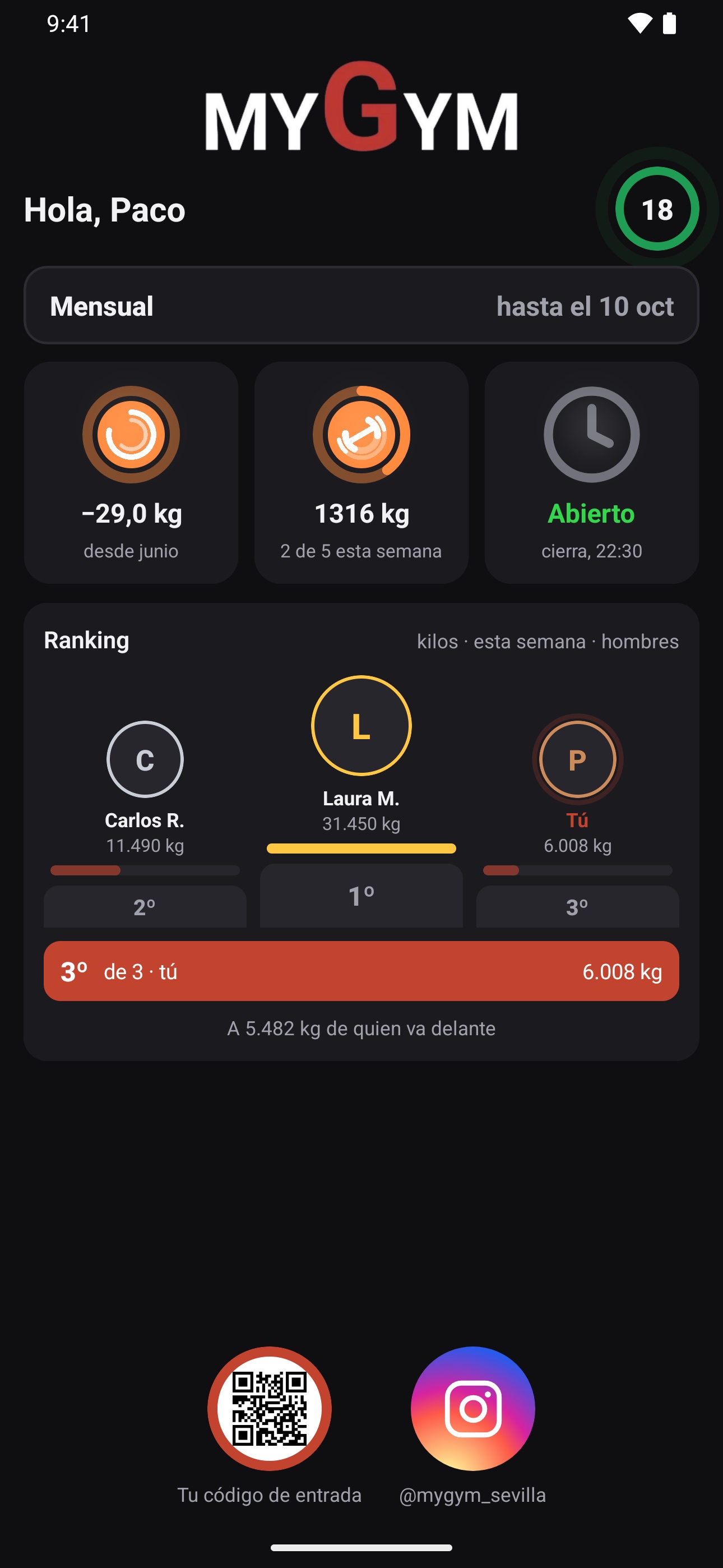
What your member sees: book, their confirmed class and the one on the waitlist. With the gym's brand, not ours.
- The WOD and its whiteboard. The coach writes the WOD in parts (strength, metcon…) with its format: For Time, AMRAP, EMOM or Tabata, and the RX, scaled and masters versions. Each athlete logs their result and the whiteboard sorts itself by level. You can copy last week and change what's different.
- PRs and benchmarks. Every result is compared with the athlete's best mark, and it flags when they beat it. The classic benchmarks come built in, and you add your own. With a percentage table for strength days.
- The gym TV. A screen for the box's TV: the WOD in big type, the whiteboard filling up live and the giant clock with the countdown and the beeps. You control it with the keyboard or the remote.
- Race simulations at the box. You set up a simulation of the eight-kilometer, eight-station race in heats and levels, solo or in pairs. The coach marks every leg from the tablet, the TV shows the live leaderboard and each athlete keeps their sixteen splits.
- Capacity per class and a schedule per room. You build your week with its activities, room and spots. Members see the opening and book from their phone; you see occupancy at a glance and who's coming at each hour.
- The waitlist fills itself. When a spot frees up, the first person on the waitlist gets in automatically and gets a notification on their phone. In the last two hours, it's offered to everyone at once so it doesn't go to waste. If you'd rather offer it in turns or assign it by hand, you choose that in the rules.
- Your rules, not ours. How many days ahead booking opens, how many minutes before it closes, how many bookings someone can hold at once and until when they can cancel without a penalty. And if you track no-shows, with an automatic block after however many you decide.
- The membership fee, by direct debit or Bizum. SEPA direct debit batches for your bank, with the mandates signed at sign-up, and returned payments are loaded from the bank's file. And if your bank gives you a virtual card terminal, members pay or renew from the app by card or Bizum. With a class pack, they see how many classes they have left and can't book more than they have.
- And the training, in the same app. The day's plan reaches your box's app, with an animation for each exercise and the weight and reps they did last time. With a chest strap, with live heart rate.
What it doesn't do yet
The WOD, the whiteboard, the PRs and the simulations arrive in the member app with its next update; until then the coach runs them from the dashboard and the gym TV. It doesn't open turnstiles: entry control is with the member's code on their phone, at the front-desk reader. The automatic block for no-shows comes switched off on purpose, because it's the first thing a gym ends up removing: nobody wants to argue at reception over a no-show.
Frequently asked questions
Do my members have to download anything?
They download Reverfit Member for free from the App Store or Google Play and sign in with the code you give them. The icon is Reverfit Member's; once inside they see your box: your logo, your colors and your announcements. No passwords to forget.
Can I close bookings and keep adding people by hand?
Yes. With booking closed for members, the front desk can still add people to the class from their profile. The back door is always there.
What if one day I don't want group classes?
Classes are switched off entirely from the settings, for a season or for good: the dashboard tab and the app's book button disappear.
How much does it cost for a box with 200 members?
The same as for one with 60. The first year, $49 a month for management, with the WOD, the whiteboard, the TV, the simulations and the app with your box's brand included; $59 for training and $89 for all three modules. From the second year, $59, $69 and $99. No VAT. The price is per gym and doesn't go up as you grow.
Can I bring over the members from the software I use now?
Yes. If you can export them to a spreadsheet, they're loaded in one go with their memberships and dates. It's the first thing we do with you.
Keep reading
- Flat price, no per-member fees. Management software for your gym at a flat monthly price: 60 members or 600, it costs the same. Run the numbers with this month's bill and compare.
- Combat sports and martial arts. Boxing, kickboxing, jiu-jitsu, judo, karate or MMA: each discipline with its schedule and capacity, family memberships and passes, and entry control. Flat price.
- Personal trainers. Your clients with their workout plan and diet on their phone, your name in the app, their session packs and what they train in plain sight. Flat price.
- Pilates and yoga studios. Limited spots per class, session packs with their counter, an automatic waitlist and fees collected without chasing. With your studio's name. Flat price.
- The management software, inside. The modules, what each one does and the prices.
- How to collect your gym's membership fees. SEPA direct debit step by step, the 14-day notice, the 8-week refunds, cards, cash, and what Spanish law says about cancellations and fee increases.
- How much gym software costs. The prices each program publishes in 2026, the three ways they charge (per member, per gym or by quote) and what the price leaves out: the app with your brand, the fees and the migration.
- How to switch gym software without losing anything. What to ask your current program for before you leave, what data to take with you (members, fees, payments, photos and SEPA mandates) and how to switch without interrupting payments.
Set up your week and take a look
A seven-day trial with sample members, no card and no lock-in. Tick «Es un box» (it's a box) when you sign up and write your first WOD.
Try it free for 7 days‹ See the modules and pricesCrossFit is a registered trademark of CrossFit, LLC. Reverfit is not affiliated with, sponsored or endorsed by CrossFit, LLC; we mention it only to say what kind of gym this software fits.