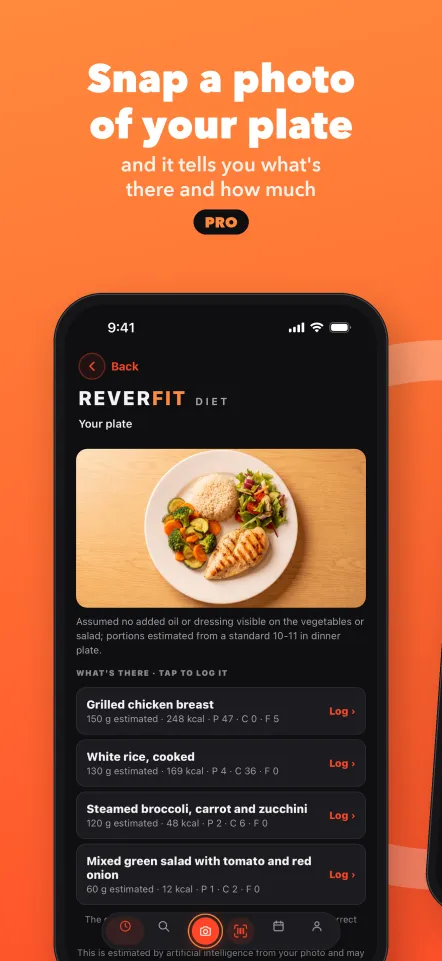
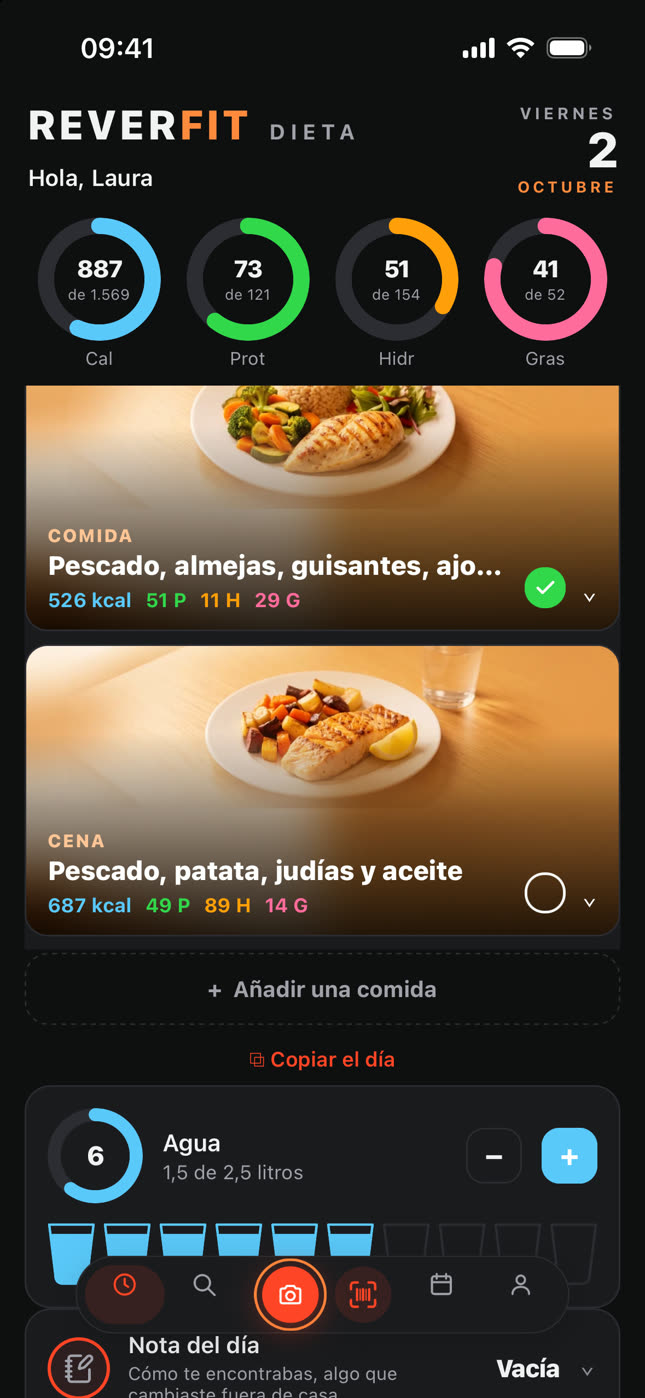
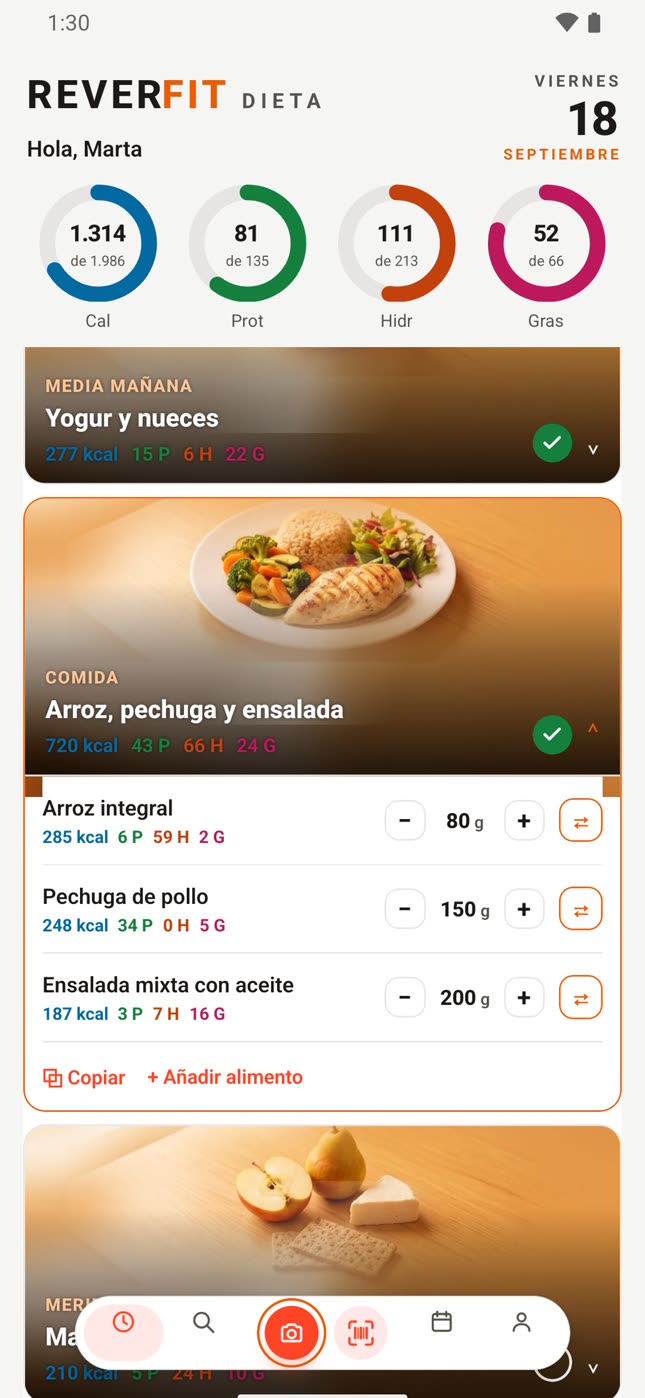
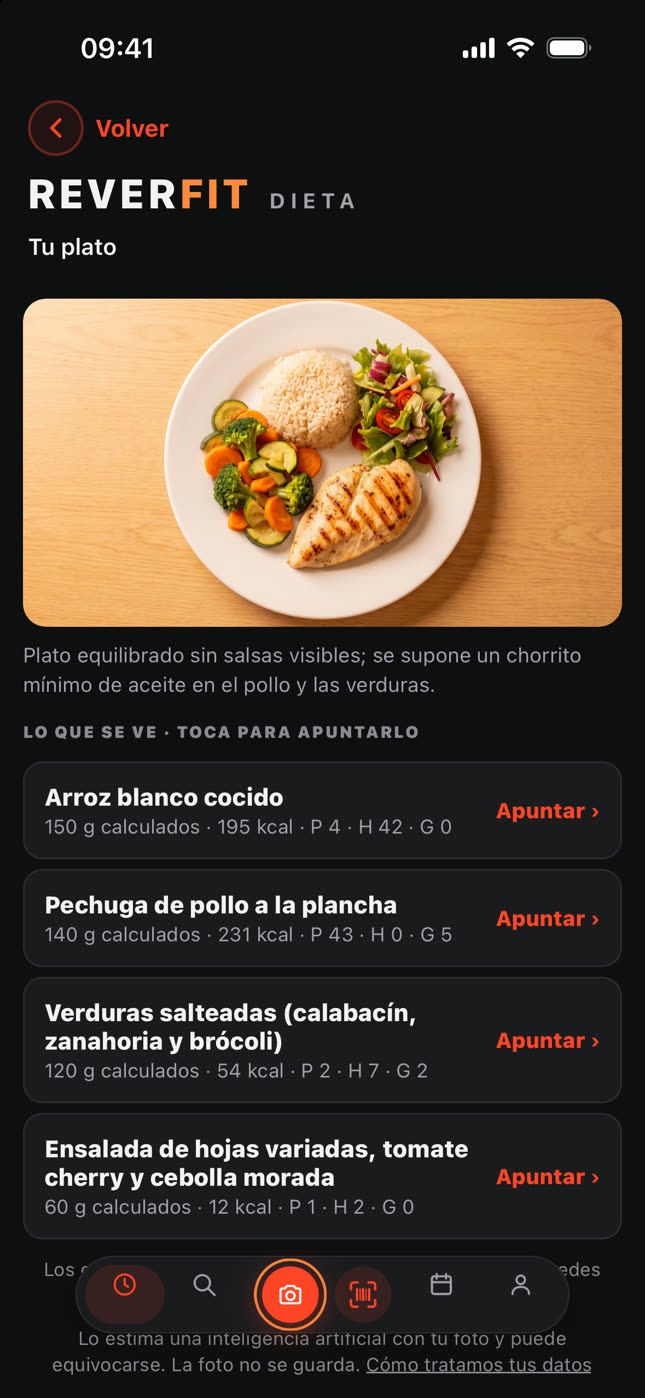
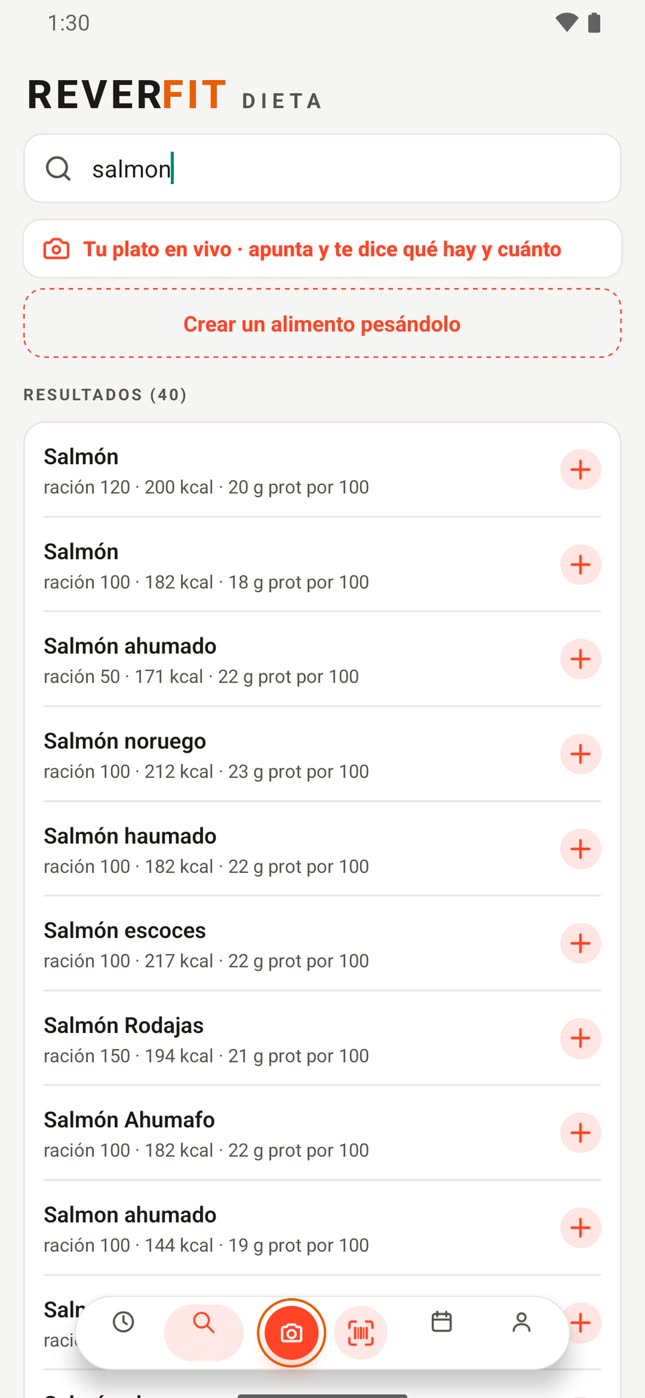
Take a photo of your plate and it tells you what’s in it and how many calories it has. Calories, protein, carbs and fat, at a glance, without tables and without adding up by hand. And if you prefer, scan the package or log it by hand.
Free, with no expiry. You don’t pay to install it and no card is needed to use it. If you want Pro, the yearly plan comes with a 7-day trial from your phone’s store: you start it from the app, with your Google or Apple account, and cancel it from there before it ends.
No ads. No trackers. Your data is yours and you delete it whenever you like.
This is Reverfit Diet.
The same screens you see on the App Store and Google Play.
Inside, screen by screen.
Scroll slowly: each sentence changes the phone's screen.
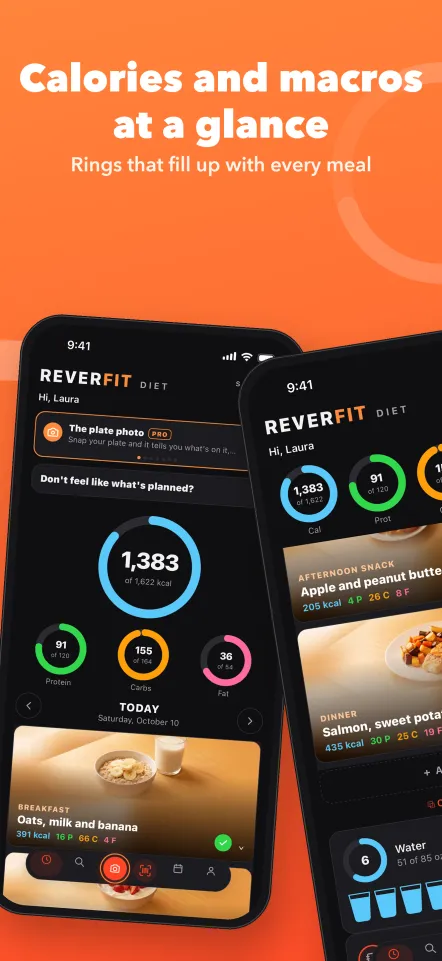
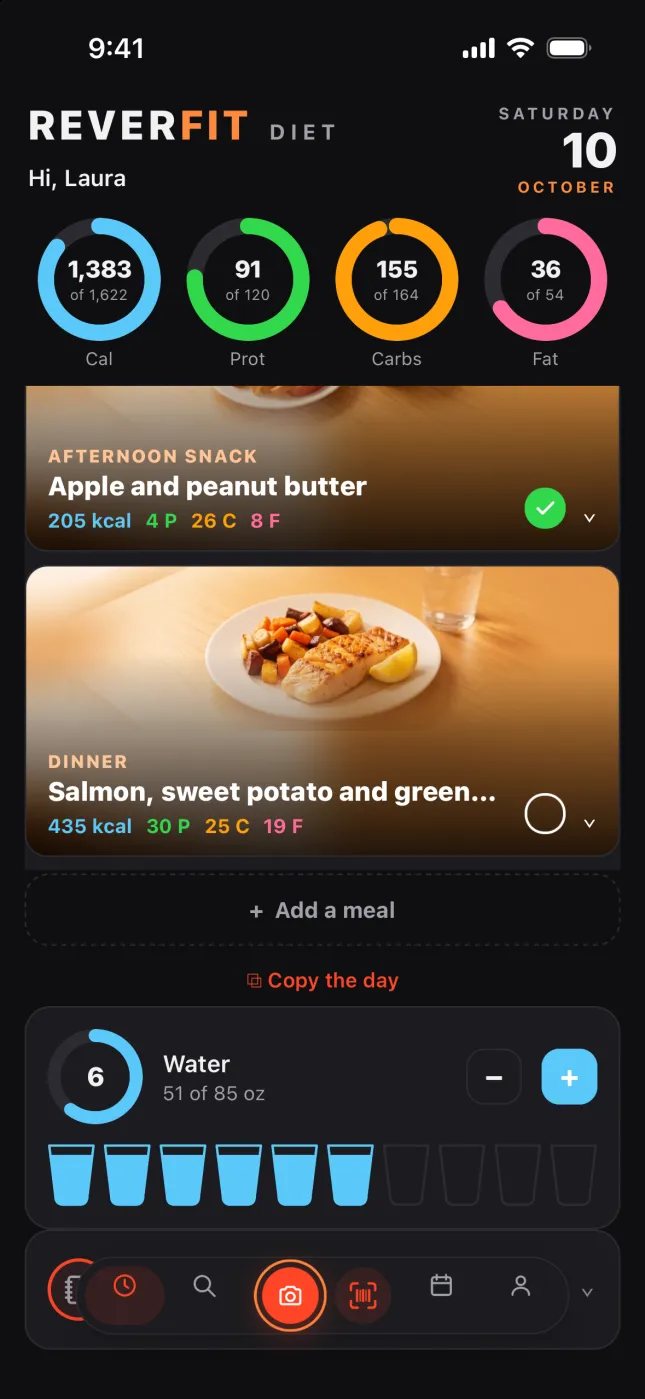
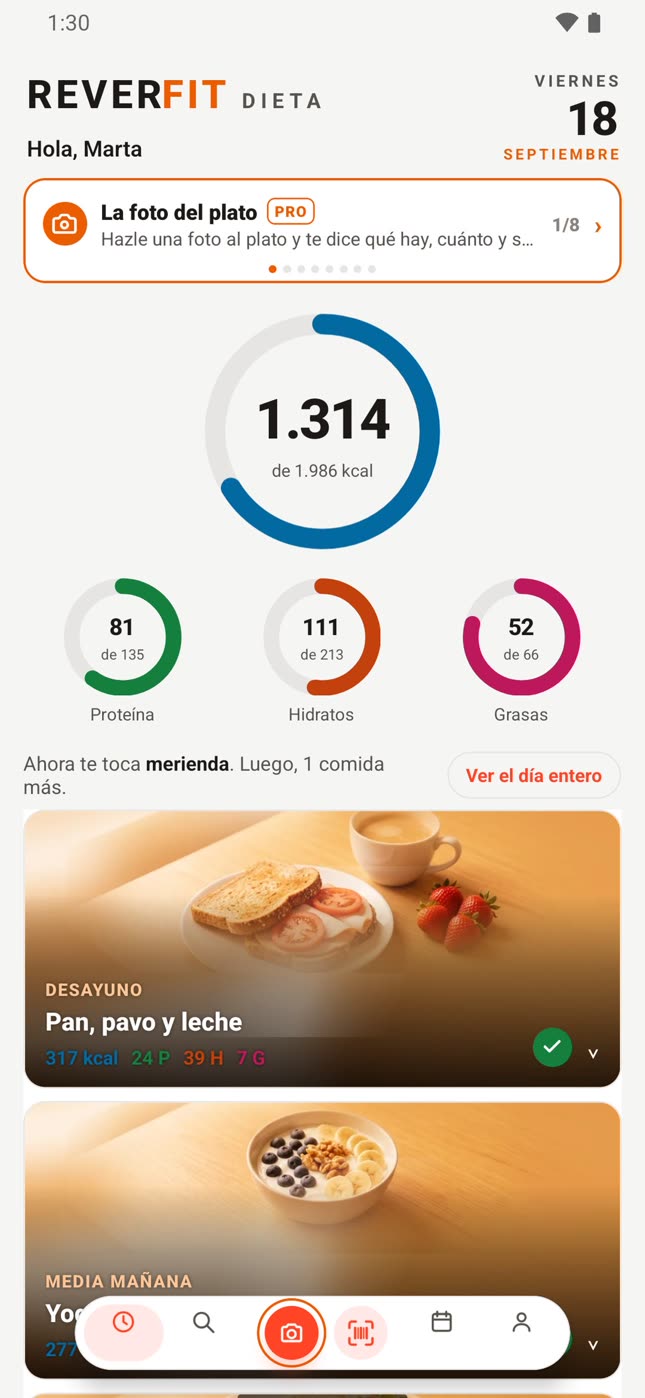
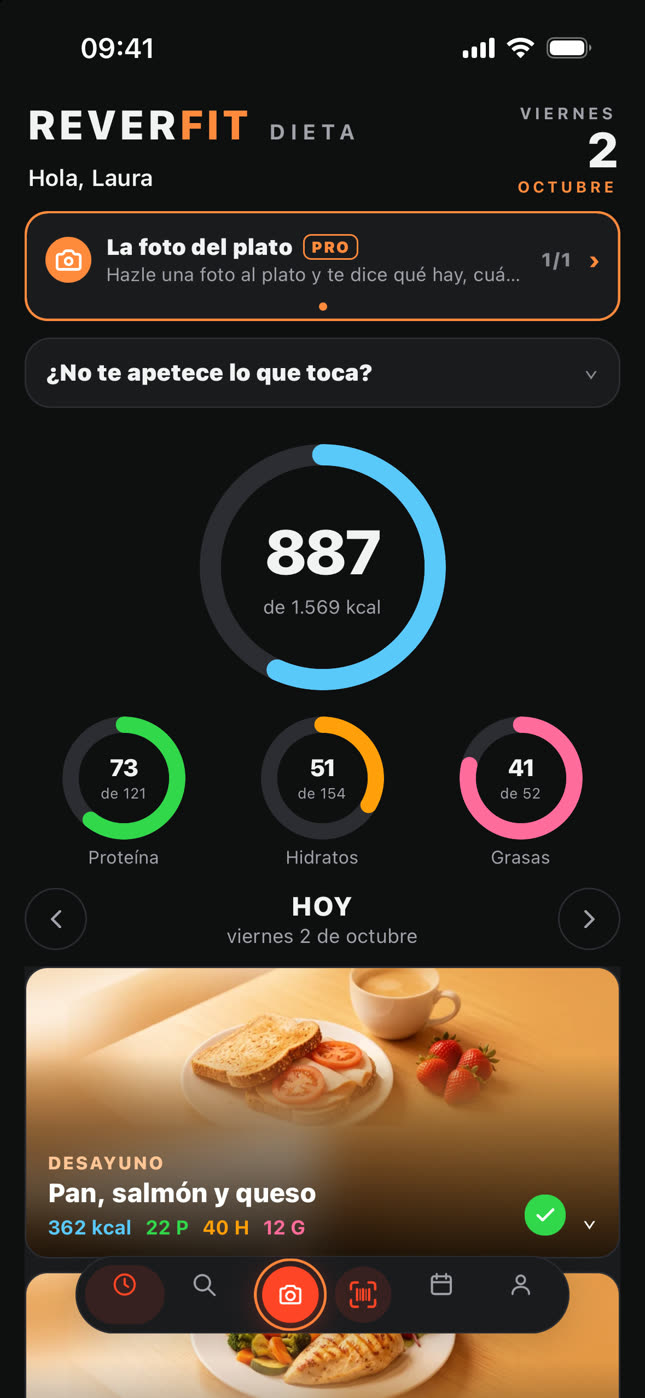
Your day, in rings.
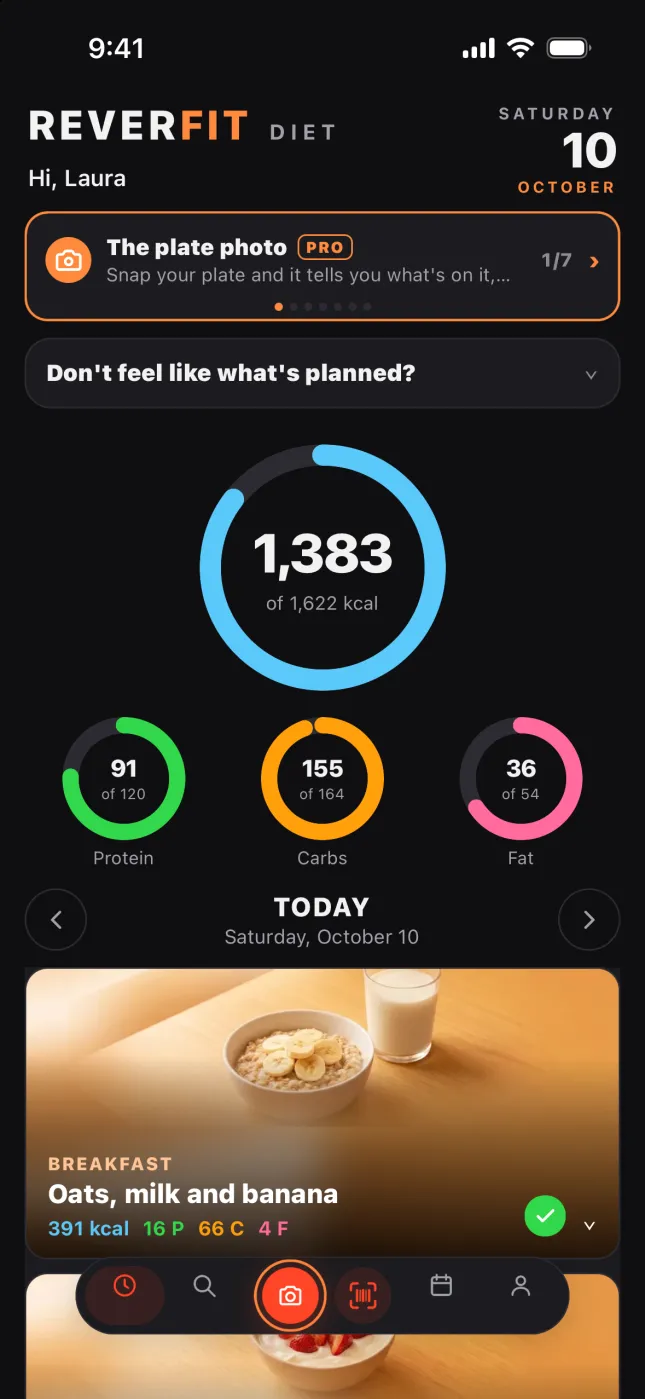
Calories, protein, carbs and fat against your goal, meal by meal. What you've had and what's left, without doing the math.
Take a photo of your plate.
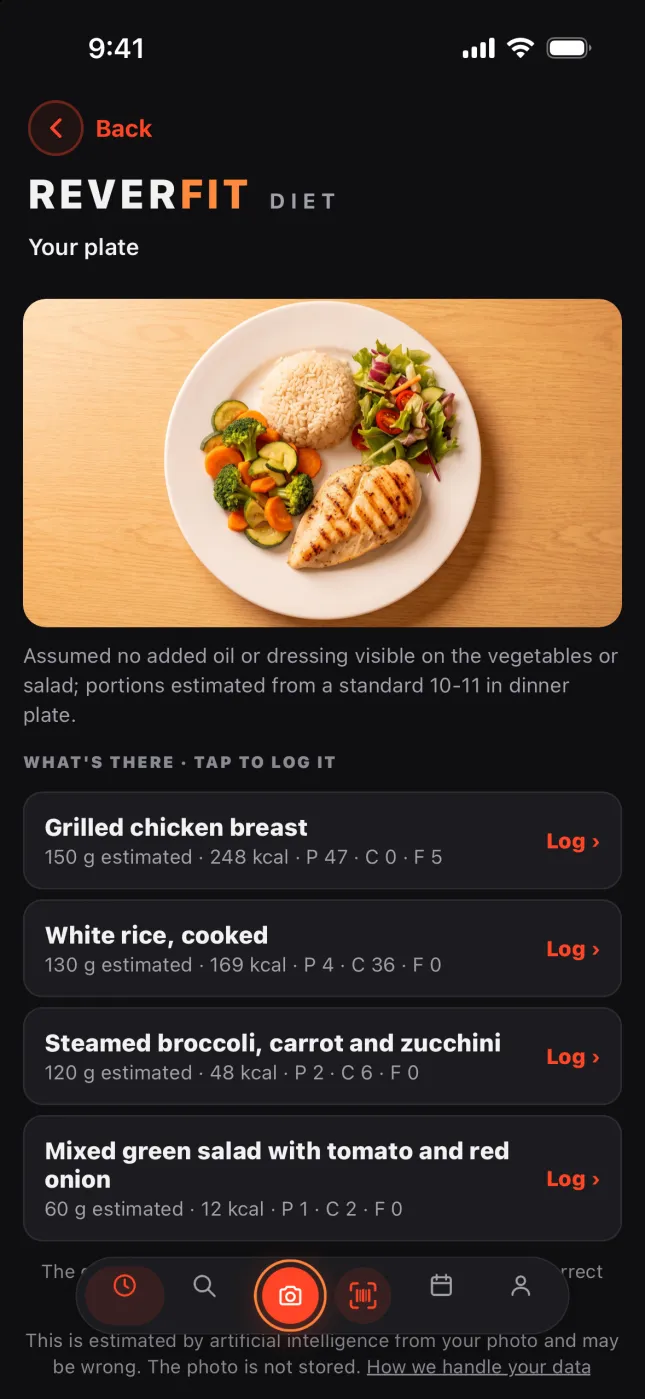
And it tells you what's in it, how much and its calories, so you can log it in one tap. With Pro.
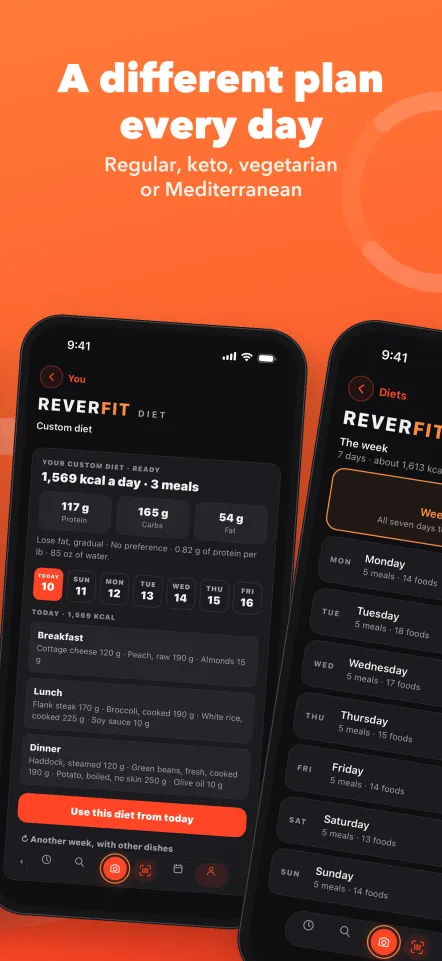
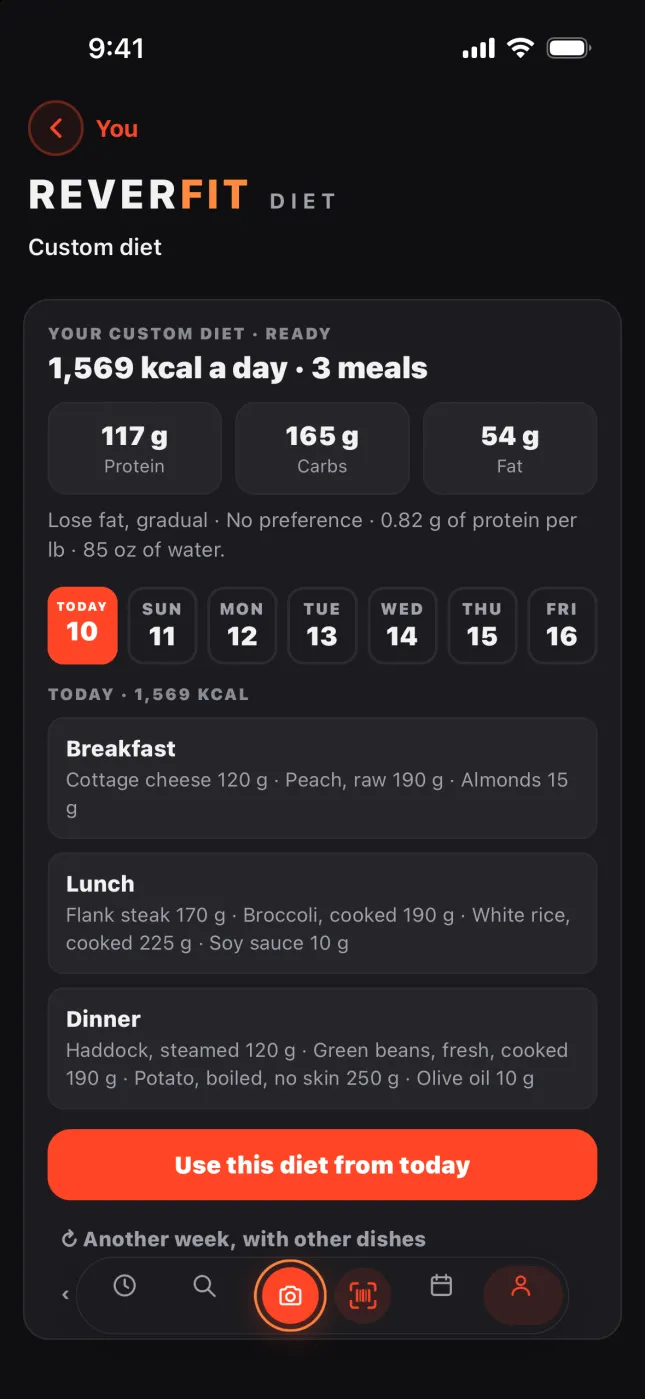
A diet that fits you.
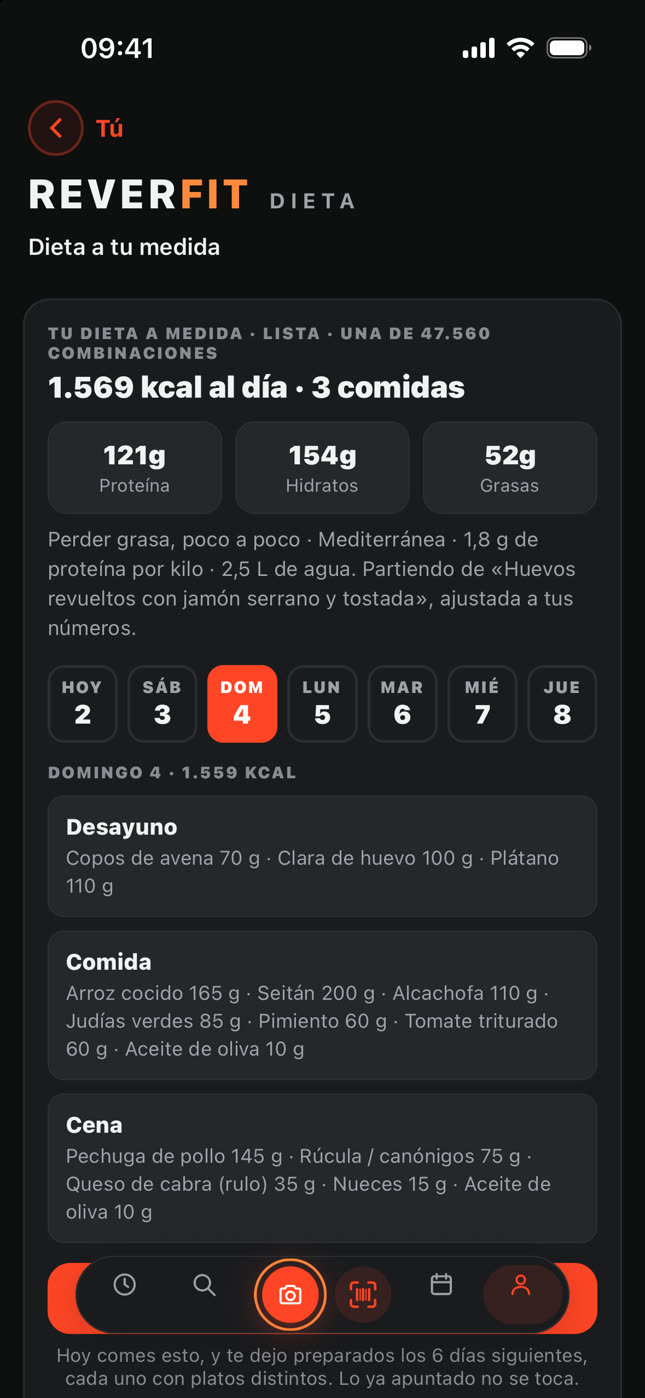
Standard, Mediterranean, keto or vegetarian, gluten-free or lactose-free, adjusted to your calories. Breakfast is a breakfast and dinner is light.
Every gram, at hand.
Open a meal and adjust the grams of each food: the macros recalculate by themselves. And the day's water, glass by glass.
Your week, at a glance.
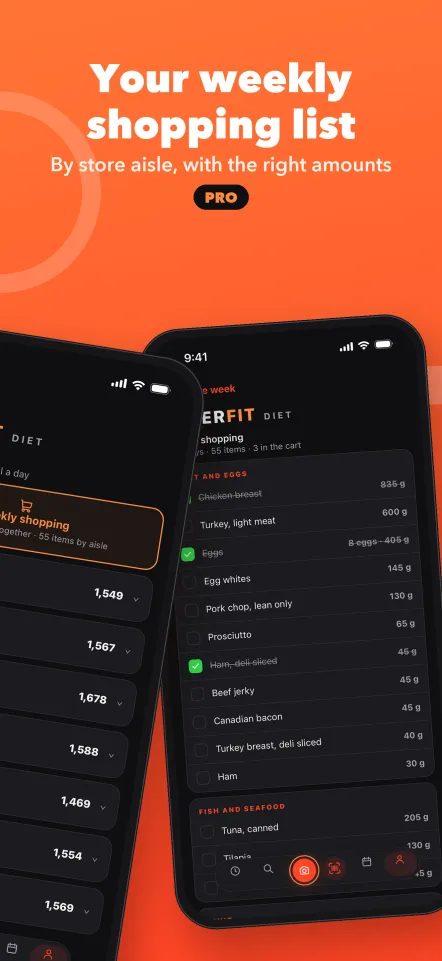
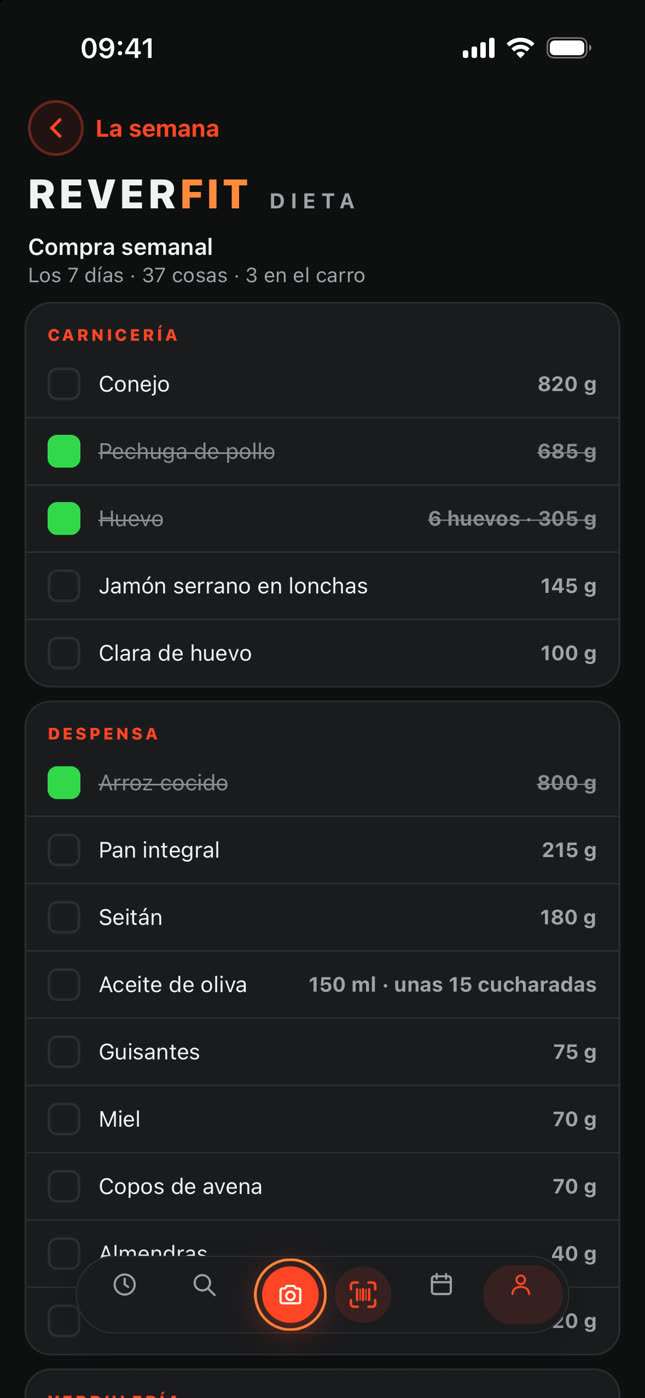
The seven days of your diet, each with its calories, and the week's shopping in one tap. With Pro.
Your shopping, done.
The week's list makes itself, by aisle, with the amounts of each item. You tick it off at the store. With Pro.
The app’s guide
How it works
The same guide you have inside the app, in You › How it works.
01
The app at a glance
At the bottom you have four tabs: Today, Search, Diary and You. The middle button opens the camera to read a package's barcode. The bar shrinks as you scroll down and opens when you tap it or scroll up, and you can also change tab by dragging your finger along it.
At the top, in Today, you have your greeting, the date and, while the trial lasts, the days you have left. In the Diary, next to the days logged, it tells you if you have no backup or if something is waiting to be uploaded, and tapping it takes you to your account.
02
The colors
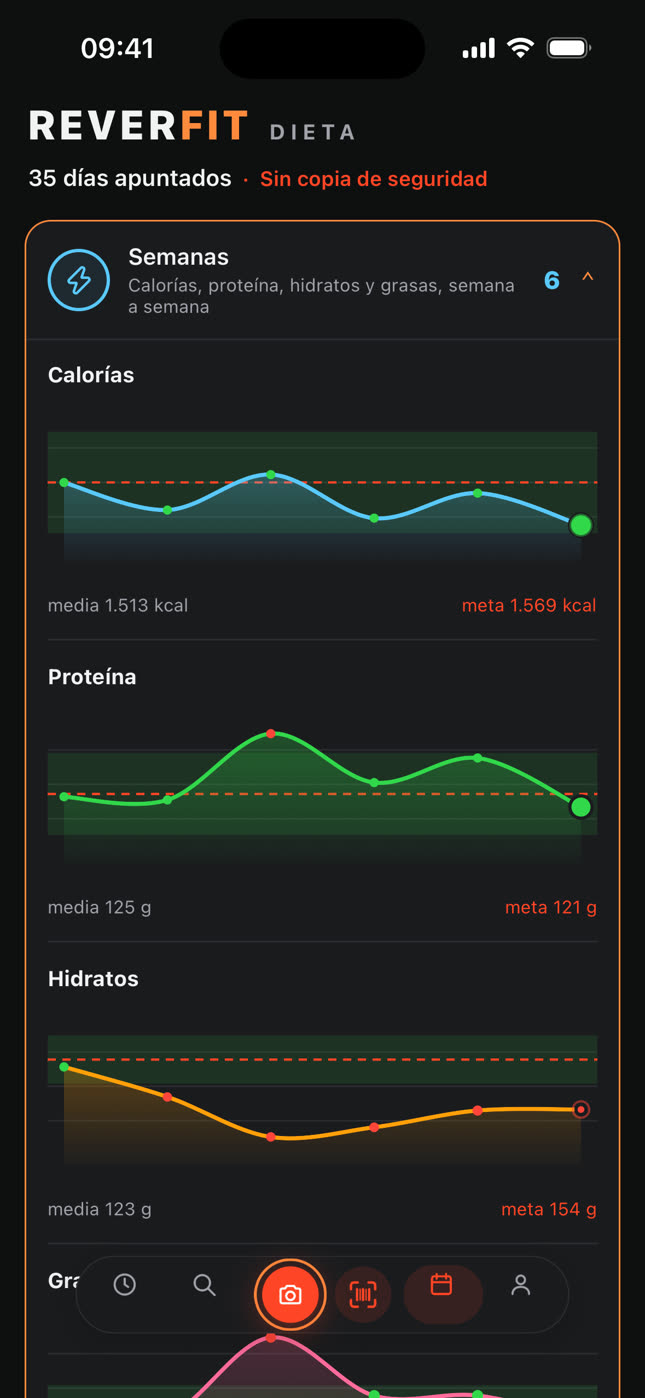
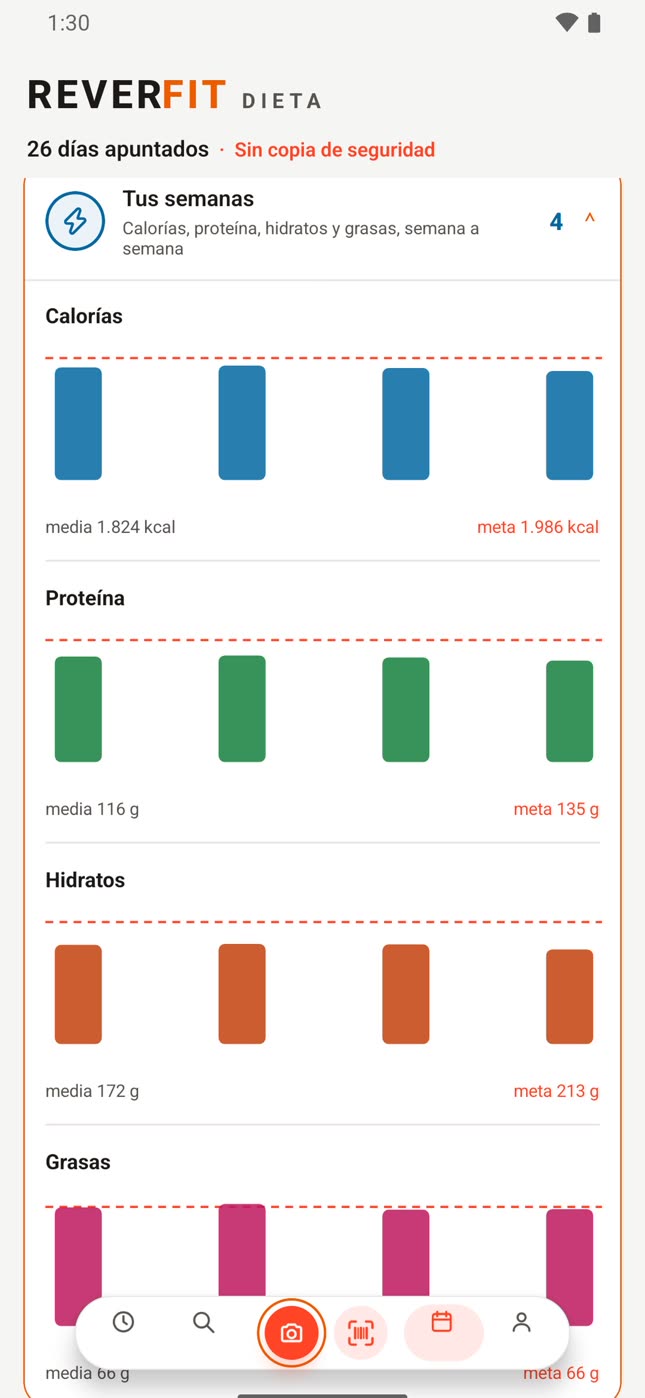
Each figure has its color across the whole app: blue for calories, green for protein, orange for carbs and pink for fat. They're the same in the Today rings, in the numbers of each meal and each food, and in the weekly charts.
In the Diary calendar, on the other hand, the color says how the day went: green good, orange careful, red against what you're after and gray not logged. The green tick marks the meals you've already eaten, and water goes in blue.
03
Today
The big ring follows your goal: calories if you want to lose fat, protein if you want to gain muscle and, if you want to maintain, on how many of the last seven days you ticked off a meal. Below goes the rest: protein, carbs and fat if you're losing; calories, carbs and fat if you're gaining; and all four if you're maintaining. As you scroll down, that row sticks to the top with all four.
Each meal opens right there to change the grams, but it only counts when you tick it with the circle on the right: the rings and the Diary only add up what's ticked. Water is logged glass by glass towards your goal and the note is for writing down how you felt; both start from zero each day.
Under the rings, the arrows take you to the days before and after, up to fifteen either way, and tapping the day brings you back to today.
On a past day you see what you ate and can correct it or add what you forgot.
On an upcoming day you prepare the menu: the rings add up everything in it and, when that day comes, it's the one you'll have in Today. What you prepare is only for that day.
If you set a new diet while you have days prepared, it asks whether you keep them or change them.
You can only tick things as eaten on today.
Copy a meal or the whole day and paste it on whichever day you like: what's missing is added, without repeating what's already there. If you paste the whole day over meals already set, it asks whether you replace them with what you copied or add it; whatever you've already ticked as eaten isn't touched.
04
Logging what you eat
Search has more than 15,000 foods inside the app, so it works without signal: tap one, choose the grams and tap the meal it goes in.
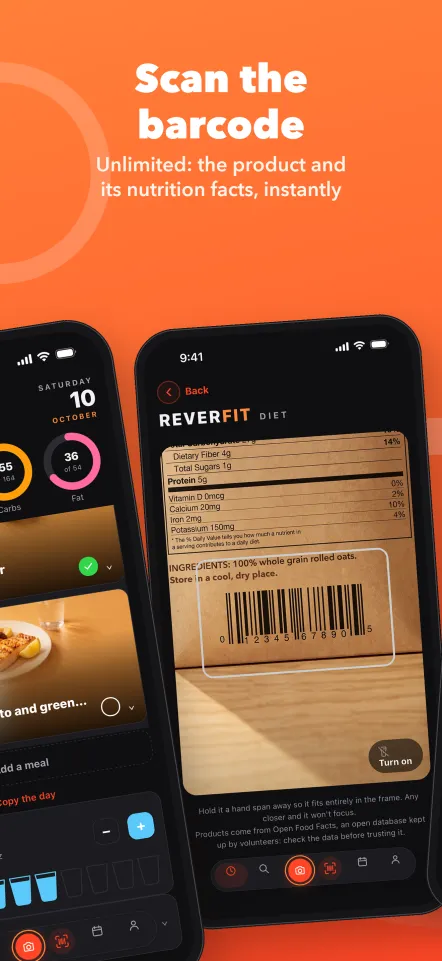
The scanner does need signal: it reads the code and opens that product so you choose the grams and the meal. Its data comes from an open database kept by volunteers, so it's worth checking.
If something isn't there, create it yourself with what its label says per 100 g: it stays in your foods and comes up first when you search. Without Pro, up to five; with Pro, as many as you like.
With Pro, the plate photo tells you what's there and how much, up to four photos a day, and the restaurant menu orders the dishes by what you have left for the day.
Inside a meal, the arrows button swaps a food for another from the same family, with the same calories and the grams already adjusted; without Pro, one swap per meal a day. «Copy» and «Paste» take its foods to another meal, on that day or another, adding the ones it doesn't have yet, and what you copied stays at the top until you let it go with the cross. «Add a meal» gives you an empty one, today or on an upcoming day.
To remove, swipe left: with the meal closed the whole meal goes, open just the food, and the first swipe only shows «Remove». When you remove something, «Undo» shows at the bottom for a few seconds: tap it and it goes back exactly where it was.
Some generic foods carry the values of two public tables: USDA FoodData Central, from the United States, and the Ciqual 2025 table from Anses, the French food safety agency (ciqual.anses.fr).
05
Your history
The Diary shows the month in rings, one per day: each ring fills with that day's calories against your goal, and below you have the key. Grey means you didn't tick anything that day, and the rest depends on what you're after:
If you're losing, red is going over by more than 5 %, and orange is staying under 80 % of your calories or short on protein, with less than 90 % of yours.
If you're gaining, red is not reaching 90 %, and orange is that protein fell short: going over isn't penalized.
If you're maintaining, green is staying within 10 %, over or under; orange, between 10 and 20 % or short on protein; and red, beyond 20 %.
Tap a day to see what you ate and copy whichever meal you like: it's pasted into any meal of the day you're looking at in Today.
In «Weeks» you see calories, protein, carbs and fat week by week.
06
Your plan
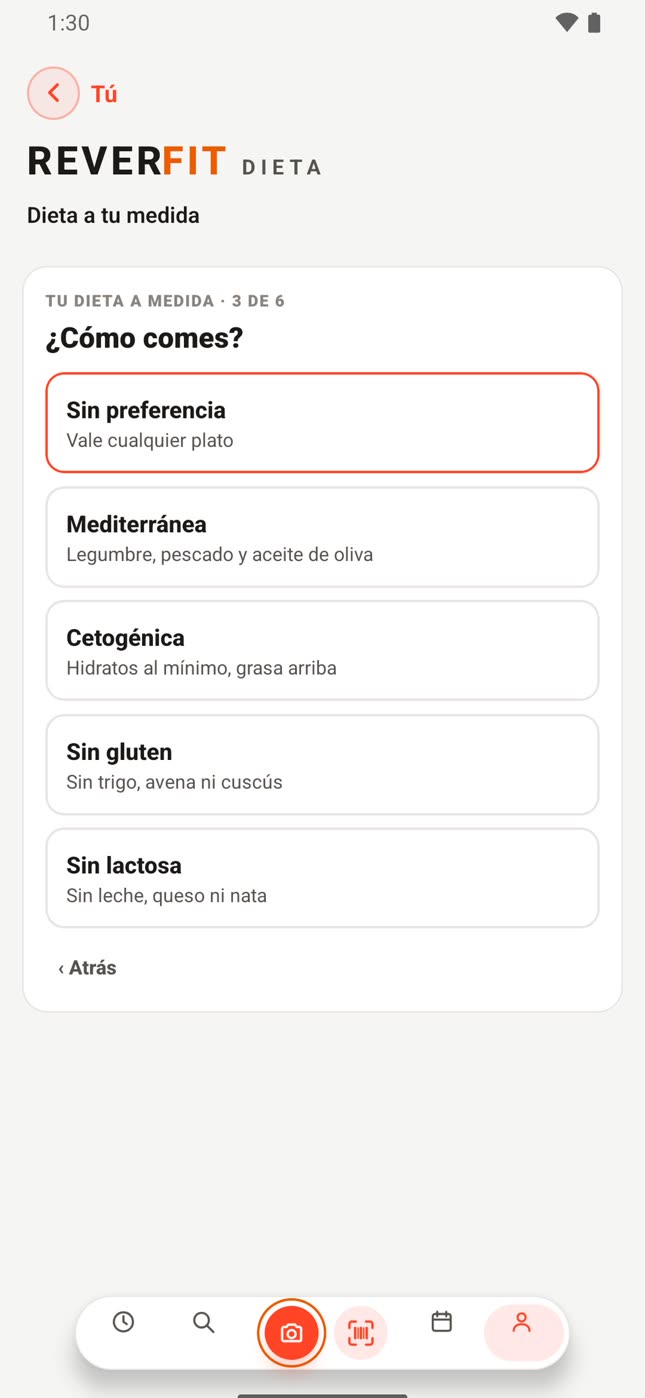
«Custom diet», in You, asks you what you want to achieve and at what pace, how you eat, how much protein, how many meals you have a day and which ones, and how much water you aim for. With that it builds your week: seven different days, adjusted to your numbers, which you look at one by one before using it, and «Another week» gives you other dishes. The first day goes in today and the next six are left prepared, and your answers are saved in your profile.
How you eat: no preference, Mediterranean, keto, gluten-free, lactose-free or vegetarian.
How many meals, from one to six, and which ones: breakfast, mid-morning, lunch, afternoon snack, dinner or late snack. The usual ones for that number come ticked and you change them if you like; with fasting, as many as fit in your window.
The dishes come from a bank of hundreds of dishes, each in its own meal: a breakfast is a breakfast and dinner is light.
On keto, at most 10 g of carbs per meal and 50 g a day: what is almost all carbs is cut back and fat takes the rest.
The diets in «My diets» are rescaled to your numbers and to the type of diet you choose, and they also bring seven different days. The grams of each food change, in steps of 5, so they end up close but not exact.
«Bring a diet from outside» lets you paste any diet and choose: as it is, with the grams, calories and macros you were given, which become your rings, or adjusted to the numbers the app works out for you. The first one is free; the rest, with Pro.
In «Your diets» you save what you have set up today and later use it as it is or adjusted to your current numbers: without Pro, three; with Pro, up to twenty, and you can start one blank. Setting a diet yourself replaces today's meals, and if you'd already ticked one it asks you first.
07
Vegetarian
If in «How you eat» you choose «Vegetarian», the app only builds you dishes without meat or fish, with eggs, dairy, legumes, tofu or textured soy, and the photos of your meals become dishes without meat or fish. When swapping a food it won't suggest meat or fish, and the ready-made diets in «My diets» don't show, because they contain them: yours is built by «Diet made to measure».
Choosing it doesn't change what you already have set for today (if it has meat or fish, it offers to make it vegetarian for you), and whatever you bring from outside or save yourself stays as you set it.
If you want to lose fat with a lot of protein per kilo (1.8 g or more), the vegetarian diet can fall quite short on protein; it tells you when building it and you'll see it in the green ring in Today.
08
The week, the shopping and fasting
«The week and the shopping», with Pro, shows you the seven days of your diet, each with its dishes, and adds up the shopping list by supermarket aisle, with the amounts, to tick off.
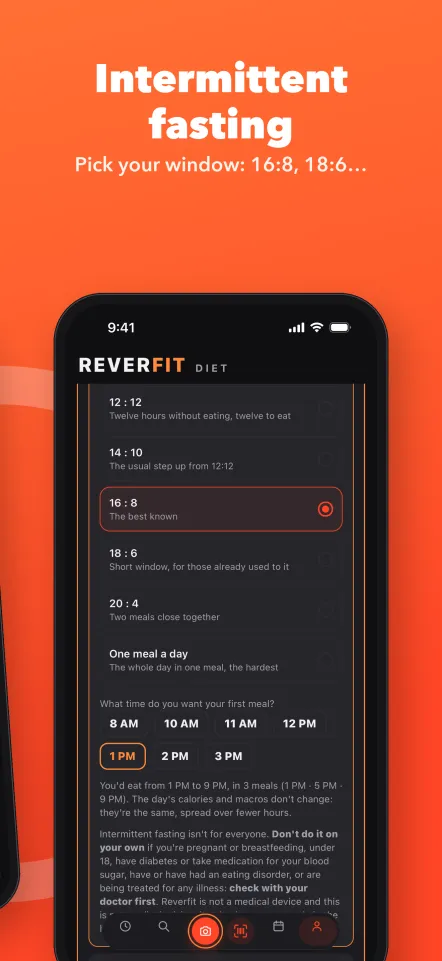
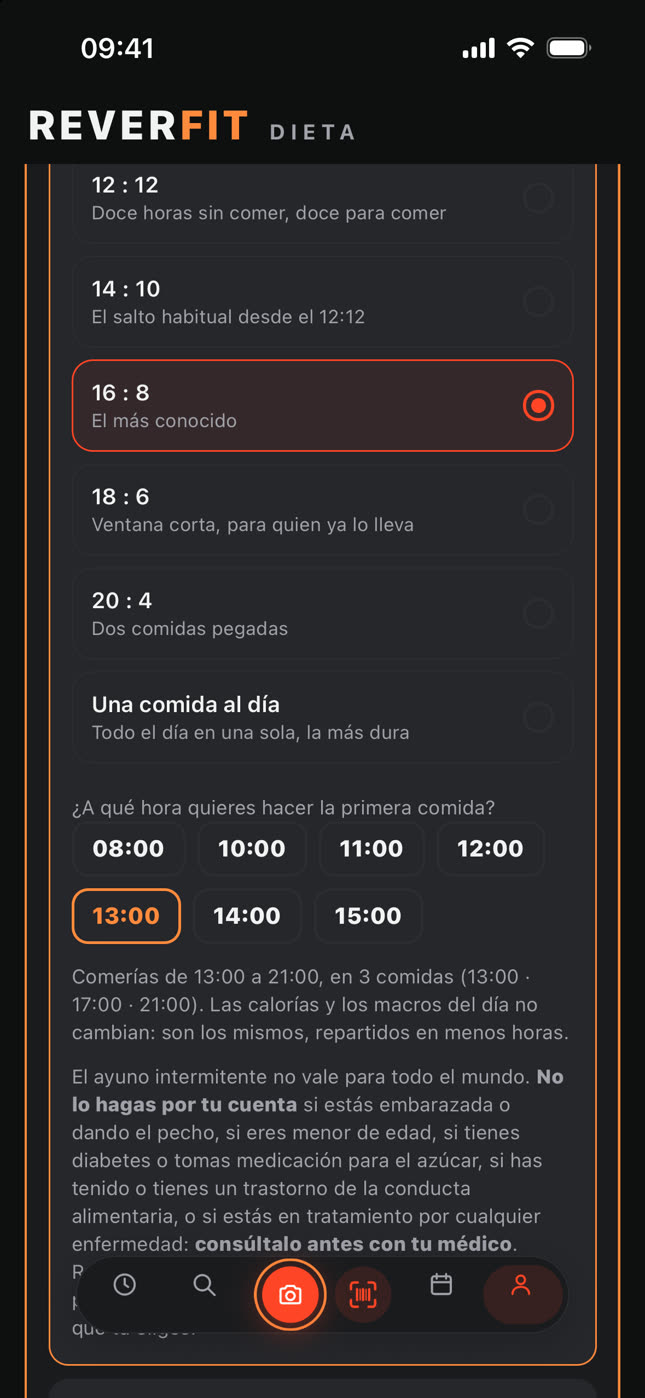
In intermittent fasting you choose your pattern —12:12, 14:10, 16:8, 18:6, 20:4 or one meal a day— and what time you start eating. The day's calories and macros don't change: they're the same, spread over fewer hours. What changes is how many meals the day is split into and what time each one goes.
Fasting isn't for everyone: if you're pregnant or breastfeeding, if you're under 18, if you have diabetes or take medication for blood sugar, if you've had or have an eating disorder or if you're being treated for any illness, check with your doctor first.
09
Your numbers and your details
What you use up a day comes from your sex, your weight, your height, your age (with your date of birth it updates by itself) and the days you train, and if you change anything, your numbers are redone by themselves. Each training day you tick raises that figure every day of the week, whether you train that day or not: tick the days you really train.
If you're maintaining, you eat what you use up.
To lose, «Little by little» takes off 20 % of what you use up and «Keen» 30 %, without going below 1,500 kcal for men or 1,200 for women.
To gain, you eat just enough to go up 0.25 % or 0.5 % of your weight a week, because faster doesn't give more muscle, just more fat.
With a target weight, each pace tells you roughly how many days it would take. It isn't a simple rule of three: it's worked out kilo by kilo, because as you go down you use up less and the gap keeps shrinking. If that pace doesn't reach the goal, the app tells you instead of keeping quiet.
The rest of the calories are split between carbs and fat; you choose the water, and 35 ml per kilo is suggested. With ten days logged in the last three weeks and two weigh-ins at least ten days apart, «Your daily goal» tells you what the scale says and suggests adjusting the figure: it only changes if you touch it, and you can go back to the formula.
10
Protein
The grams per kilo you choose are per kilo of your body weight, which is how this is talked about everywhere: people who train strength usually go for 1.6 or 2 g per kilo. But that number stops ruling when it asks for more than your body can use, and that is decided by your lean mass: the kilos that aren't fat. Protein is used by muscle, and fat doesn't ask for it.
If you have a normal body composition you won't notice anything and you'll eat just what your setting says. If you have quite a lot of fat to lose, you'll see that the grams a day aren't your weight times that number, and under the control we explain why and how many of your kilos are muscle, bone and water.
Your lean mass is estimated from your sex, your age, your height and your weight; and if you enter your neck and waist in «Your details» —and your hips, if you're a woman—, it's estimated much better, because the tape measure measures where the fat is instead of deducing it from your weight. It's an estimate, not a measurement: it doesn't weigh you on the inside.
11
Weight and measurements
In «Your details», «Your progress» brings together your weight and your six measurements, each with its curve, and that's also where you set your goal. You can log today's or past days', and if you log twice on the same day, the last entry counts.
The most recent weigh-in becomes your weight, and with it your calories, your protein and the days left to your goal are recalculated. Measure yourself now and then: losing fat and gaining muscle, your weight may not move for weeks while your waist does go down.
12
The other app
If you also use Reverfit Workout, Today shows what you trained that day: the minutes and the calories, rounded. If it was all with a heart rate strap, the calories come from your heart rate and are fairly close; if not, they're a general estimate from your weight, the type of workout and how long it lasted, and the real number may vary.
For the two apps to talk to each other, sign in to both with the same email account; in your gym's app they already go together. That figure is shown but not added to what you can eat: the estimate tends to be generous and, if it were added, it would throw your diet off without you noticing.
13
Your account and your backup
Without an account, everything lives only on this phone: if you lose it or change it without a backup, there's no way back. With an email account, which you create in «Your account», your things are saved in the cloud and only you see them: on another phone you sign in with your email and get them back, and whatever you log without signal uploads by itself when you're back online.
The same account works in Reverfit Diet and Reverfit Workout. If at the start you sign in with the one you already use in the other, the app makes use of what it already knows about you, like your date of birth, your weight or your height, and doesn't ask you again.
«Backup», in You, saves everything in a text you can send yourself or leave in your notes or your files; on another phone you paste it in «Bring a backup from another phone», and that replaces everything on it. Separately, you can export what you've logged in a table for a spreadsheet, with one row per food and its date, plus your weigh-ins; that table can't be brought back.
14
Free, trial and Pro
You can try Pro free for 7 days through your phone's store: we remind you two days before you're charged, you can cancel whenever you like and the days you have left show next to the date in Today.
In the free version:
You swap one food per meal a day.
You create up to five foods of your own and save three diets.
From outside you bring the first diet.
You see your history and your curves in three-month stretches. When each stretch ends a new one starts from zero: the previous one isn't deleted, it's kept and comes back with Pro, and what you've already created stays with you. We let you know fifteen days before.
With Pro: the plate photo, up to four a day; the restaurant menu; «The week and the shopping»; unlimited swaps and foods of your own; up to twenty saved diets and starting the day blank; as many diets from outside as you like, as text or PDF; and your history and your charts from day one.
15
Modes, alerts and sounds
In «Modes» you choose how the app looks: Light, Grey or Dark. Vibration is felt when ticking a meal, logging a glass of water, turning the wheels and reaching your calories for the day, and also when going over if you want to lose or maintain. With sound on, there's a water sound when you log a glass and a click when you turn the wheels.
With «Alerts and sounds» off, the app doesn't alert you or make a sound: you don't get reminders or the history notice, and the water sound and the wheel click go quiet. Whatever you've chosen in Modes and Reminders comes back as it was when you switch it on, and the notice before the Pro trial is charged still arrives. Vibration is separate.
On iPhone, if you ask Siri what to eat, it still reads it out loud to you: that voice is something you ask for.
16
Your health
Your numbers are an estimate from a formula, not medical advice: every body uses up its own. Reverfit is not a medical device and does not replace your doctor or a registered dietitian.
If you're pregnant or breastfeeding, if you're under 18 or if you have any illness, such as diabetes, kidney or heart problems or an eating disorder, check with a professional first. And if you feel unwell following the diet, stop and ask for help.
What it does
The plate photo. Take a photo of your food and it tells you what's in it, how much and its calories. You log it in one tap, without weighing or typing.
Your day, meal by meal. Breakfast, mid-morning, lunch, afternoon snack and dinner, with what you've had and what you have left.
Scan the package. The barcode brings you the food with its values. Without typing anything.
Don't fancy it? Swap a food for a similar one and the numbers adjust by themselves.
The day's water. Glasses, in one tap.
Your weight and your measurements. With their charts, to see the trend and not the odd day.
Your diets. Build your own, or bring one from outside: as it is, or readjusted to you.
Net carbs
Carbs are net carbs: fiber is subtracted, the way European labels count them and the way keto counts them. That’s why they can come out lower than the number on an American package.
Food data: USDA FoodData Central (public domain) and Open Food Facts.
What’s free
No payment, no card and no time limit:
The barcode scanner. Unlimited scans. The best-known app in the field charges for it.
Your full diary, with the four rings and the day’s water.
Your weight and your measurements, with their chart.
Your history and your charts, in three-month stretches. When each stretch ends a new one starts from zero: the previous one isn’t deleted, it’s kept and comes back with Pro.
The four macros of every food: calories, protein, carbs and fat, each with its color. Not just calories.
Ready-made diets, rescaled to your numbers. You pick one and it adjusts itself to your calories and your macros — we don’t give you someone else’s diet, we adapt it to you.
A diet made to measure: it builds your week, seven different days adjusted to your numbers.
Three diets of your own saved, and the first diet you bring from outside.
Five foods of your own, created by weighing them at home.
One food swap per meal per day.
What Pro adds
Pro is paid. If you take it yearly, you start with a 7-day trial: your phone’s store gives it, it uses your payment method and you cancel it from there before it ends — if you cancel, you’re not charged anything. Monthly is paid from day one. With Pro:
The plate photo, up to four a day. Take the photo and it tells you what’s there and how much.
The restaurant menu. Photograph it and it orders the dishes by what you have left for the day.
The week and the shopping: the seven days in view and the list ordered by supermarket aisle.
Up to 20 diets of your own saved, and starting the day blank.
As many diets from outside as you like, as text or PDF: as they are, or rescaled to your calories.
Unlimited food swaps.
Unlimited foods of your own.
Your history and your charts from day one, without stretches.
See the price of Pro in your app store: each country’s store sets it. It’s canceled whenever you like from your phone’s settings.
Do you go to a gym?
If your gym works with Reverfit, keep your diet from the Reverfit Member app: there you get the menu your gym assigns you, already adjusted to you, and what you log reaches your record at the gym. This app is for when you want to carry on on your own. And if you’re the one running the gym, here’s Reverfit for gyms.
Download
It’s on the App Store and Google Play. For iPhone and Android. You install it and use it without signing up.
In English and Spanish. It follows your phone’s language, and you can change it in You › Modes.
Diet
Data and research behind the app
USDA FoodData CentralU.S. Department of AgricultureOpen Food FactsOpen data (ODbL)Ciqual · AnsesFrench food safety agencyAESANSpanish Food Safety AgencyMifflin-St JeorAm J Clin Nutr, 1990CUN-BAEUniversity of Navarra ClinicMorton et al.Br J Sports Med, 2018Helms et al.IJSNEM, 2014Compendium of Physical ActivitiesArizona State UniversityUSDA FoodData CentralU.S. Department of AgricultureOpen Food FactsOpen data (ODbL)Ciqual · AnsesFrench food safety agencyAESANSpanish Food Safety AgencyMifflin-St JeorAm J Clin Nutr, 1990CUN-BAEUniversity of Navarra ClinicMorton et al.Br J Sports Med, 2018Helms et al.IJSNEM, 2014Compendium of Physical ActivitiesArizona State University
★★★★★5.0 on the App Store · 15 ratings of our apps
★★★★★Reverfit SocioGimnasio aplicación
Muy buena aplicación que ayuda a seguir los entrenos y es como si tuviera un entrenador personal todo el rato.
Fernando Lechado · Spain · Oct 4, 2026★★★★★Reverfit DietInmejorable
La mejor app que he probado,la uso a diario. Completisima y bien explicado todo
Un 10 en todo
Muy buena app para seguir entrenamientos y ver el progreso de ellos. Además es muy útil para ver cuánta gente hay en el gimnasio, hacer el check in, etc.
Muy buena app para seguir entrenamientos y ver el progreso de ellos. Además es muy útil para ver cuánta gente hay en el gimnasio, hacer el check in, etc.
Muy buena app para seguir entrenamientos y ver el progreso de ellos. Además es muy útil para ver cuánta gente hay en el gimnasio, hacer el check in, etc.
Muy buena app para seguir entrenamientos y ver el progreso de ellos. Además es muy útil para ver cuánta gente hay en el gimnasio, hacer el check in, etc.
La aplicación es muy buena para el gym, es fácil de usar y muy práctica para registrar tu progreso
t01304 · Spain · Sep 28, 2026
Reviews of our apps on the App Store, exactly as their authors wrote them (in Spanish), unedited.
Notice
Reverfit Diet is not a medical device and does not replace the advice of a doctor or a registered dietitian. If you have an illness, are pregnant, are breastfeeding or are under treatment, talk to a professional before changing what you eat.